



About This File
Villain is a modern dark-style IPS 4.x theme designed with a semi-transparent UI and high customization flexibility. It allows users to personalize their experience using a built-in background image picker while maintaining a clean, gaming-friendly interface.
This theme is ideal for gaming communities, forums, and any website that wants advanced visual customization options.
⚙️ Compatibility
Fully compatible with:
- Invision Community Suite 4.x
- Gallery
- Blog
- Downloads
- Chat
- Pages (IP.Content)
- Commerce (Nexus)

✨ Theme Features
🎛 Theme Settings Panel
Easily manage:
- Background images
- Logo and slogan
- Social media links
- Guest message system
- Theme colors and layout options
👉 No heavy template editing required
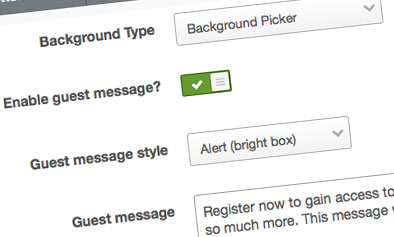
Theme Settings
Easily enable, disable or modify theme features such as background images, logos, social media links, guest messages and colors. This makes modifications and upgrades very simple since little code changes are required.
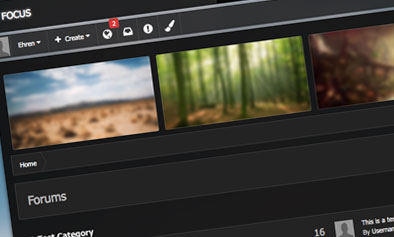
🖼 Background Picker
- Users can select their own background from preset images
- Selection is saved via cookies
- Can be enabled or disabled from ACP
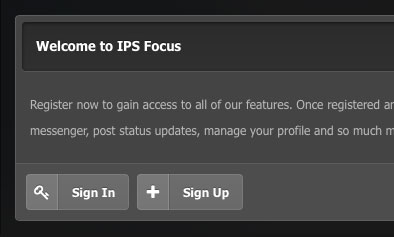
👤 Guest Message System
- Display custom message for guests
- Encourage login or registration
-
Two styles available:
- Billboard layout
- Alert style
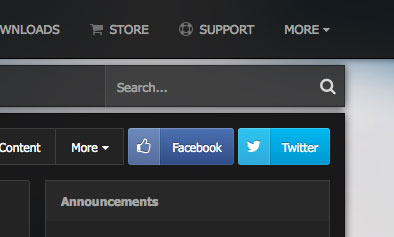
🔗 Social Media Integration
- Add custom social links
- Supports platforms like Facebook, Twitter, and more
- Fully enable/disable from settings
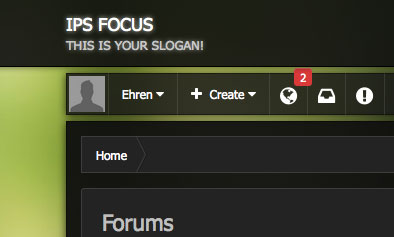
🧾 Logo & Branding
- Add text-based logo with slogan
- Option to replace with image logo
- Fully editable via theme settings
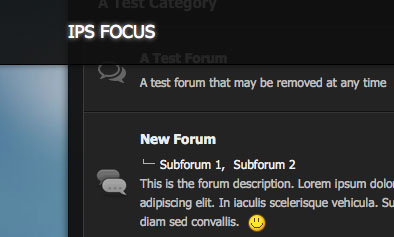
📌 Fixed Header Navigation
- Sticky header stays at top while scrolling
- Improves navigation experience
- Can be disabled in ACP if needed
-
🆕 Update Notes (Latest Build Improvements)
- Upgraded for IPS 4.4.2 compatibility improvements
- Reverted multiple template files for easier future updates
- Fixed mobile dropdown menu issues in Clubs view
- Fixed grid layout issue in Topic Thumbnail addon
- Improved “Manage Album” dropdown wrapping for multilingual support
- Fixed Enhanced User Profile layout issues on mobile
- Fixed Network Status table alignment
- Re-coded highlighted replies system using CSS variables for easier customization
IPS 4.x theme, Villain IPS theme download, dark IPS theme, gaming forum theme IPS, responsive IPS skin, IPS customization theme, Invision Community dark skin, IPS 4 theme free download
Villain is designed for communities that want a modern dark interface with user personalization features, improved usability, and flexible design controls without complex coding.
What's New in Version 4.7.8 See changelog
Released
🔄 Villain Theme – Update for Invision Community 4.7.8
📦 Upgraded
- Upgraded for full compatibility with Invision Community 4.7.8
🐞 Bug Fixes
- Fixed “expanded view” layout issue in Question forums
- Fixed thumbnail sizing issue in “Image Comments” widget
- Fixed search filter menu not working properly on mobile devices
- Fixed captcha positioning issue on New Topic page in Microsoft Edge
- Fixed “Jump to page” dropdown appearing behind other elements in some themes
✨ Improvements
- Reactions now automatically wrap to a new line when exceeding browser width
- Improved overall UI consistency across different screen sizes
🆕 New Features
- Added support for Mastodon social icon
- Added support for Telegram social icon

Recommended Comments
There are no comments to display.
Join the conversation
You can post now and register later. If you have an account, sign in now to post with your account.
Note: Your post will require moderator approval before it will be visible.