Search the Community
Showing results for tags 'work from home'.
Found 5 results
-
 #RemoteJobs #WorkFromHome #OnlineJobs #HiringNow #JobOpportunities #FreelanceJobs #VirtualJobs #WorldwideJobs #OnlineEarning #CareerOpportunities #RemoteWork #JobSeekers #DigitalJobs #PakistanJobs #Trivexon #WorkOnline #DailyJobs #GlobalHiring #RemoteCareer #ApplyNow

-
Top 10 Websites for Remote Jobs in the USA for International Applicants (2026) Looking for a remote job with a US company while living in another country? You are not alone. Thousands of professionals are exploring international remote careers to earn competitive salaries, gain global experience, and work with companies beyond their local job market. The challenge is knowing where to look. Many companies advertise remote positions but only accept candidates who live in the United States. Others hire internationally through remote employment arrangements or freelance contracts. In this guide, we explore 10 websites worth checking if you want to find remote jobs with US companies while living abroad. 1. Himalayas — Best for Checking International Eligibility Website: https://himalayas.app Himalayas is a remote job platform that helps candidates explore opportunities across different industries and countries. Its location information can help international applicants identify which jobs may be suitable for them. You can explore roles in marketing, customer support, software development, sales, design, and operations. Why choose it? Explore remote positions from different companies. Review country and time-zone requirements. Research employers before applying. Identify opportunities that may accept candidates worldwide. Best for: International applicants who want to avoid spending time on jobs restricted to US residents. 2. We Work Remotely — Best for Remote-First Companies Website: https://weworkremotely.com We Work Remotely is a dedicated remote job board featuring opportunities in technology, marketing, design, customer support, and other professional fields. It is particularly useful for people who want to work with companies that already operate with distributed teams. Why choose it? Dedicated remote job listings. Opportunities across multiple industries. Roles with companies that embrace remote work. Listings that may specify whether candidates can work from anywhere. Best for: Professionals seeking remote positions with established companies and growing businesses. 3. LinkedIn Jobs — Best for Corporate Careers Website: https://www.linkedin.com/jobs/ LinkedIn is one of the most useful platforms for finding professional opportunities and connecting with recruiters. US-based companies regularly advertise jobs in sales, account management, customer success, marketing, business development, and operations. You can also use LinkedIn to research hiring managers and build professional relationships. How to use it effectively: Search for your target job title. Apply the remote-work filter. Search for terms such as “worldwide remote” or “international contractor.” Read the location and eligibility requirements. Follow companies and connect with recruiters. Best for: Experienced professionals and applicants looking for managerial or corporate positions. 4. Remote OK — Best for Technology and Digital Jobs Website: https://remoteok.com Remote OK is a remote job board with a strong focus on software development, engineering, and other digital professions. It also features opportunities in marketing, sales, and customer support. Key benefits: Search remote opportunities by category. Explore positions that specify worldwide eligibility. Review salary information when employers provide it. Discover roles at technology companies and startups. Best for: Developers, digital marketers, technical support professionals, and candidates interested in technology-driven businesses. 5. Working Nomads — Best for Remote Job Alerts Website: https://www.workingnomads.com Working Nomads helps job seekers discover remote opportunities across several professional categories. It is a useful option if you prefer to receive job updates and maintain a regular search routine. You may find openings in marketing, customer service, programming, project management, and other fields. Why choose it? Browse remote opportunities by career category. Explore curated job updates. Discover roles that may be open to international applicants. Keep track of new opportunities without relying on a single job board. Best for: Busy professionals who want to monitor remote opportunities consistently. 6. Wellfound — Best for Startup Jobs Website: https://wellfound.com Wellfound connects job seekers with startups and growing companies. It is particularly relevant if you are interested in innovative businesses, technology, digital services, and fast-growing teams. Some startups consider international contractors, although others require candidates to live in specific countries. What makes it attractive? Explore opportunities at startups. Research company profiles. Find roles in operations, marketing, product, sales, and technology. Review salary or equity details when available. Best for: Professionals comfortable with a fast-paced work environment. 7. Indeed — Best for Jobs Across Different Industries Website: https://www.indeed.com Indeed is a broad job-search platform with listings across numerous industries. It can be particularly useful if you are looking beyond software development and want opportunities in customer service, administration, sales, finance, and operations. Useful search terms include: Remote customer service representative International remote sales jobs Remote business development executive Remote project coordinator Remote administrative assistant Best for: Applicants searching across a wide range of professional fields. Always verify the employer and confirm whether the role is genuinely available to candidates outside the US. 8. FlexJobs — Best for Screened Listings Website: https://www.flexjobs.com FlexJobs specializes in remote and flexible employment opportunities. Its screening process is intended to help job seekers find legitimate listings more easily. The platform covers various career categories, including customer service, marketing, administration, project management, and technology. Why consider it? Screened job listings. Multiple career categories. Search tools for flexible and remote positions. Resources for improving your job search. Best for: Applicants who prefer screened listings and are comfortable paying for a subscription. Check the current membership cost and confirm international eligibility before applying. 9. Remote.co — Best for Remote Work Opportunities Website: https://remote.co Remote.co focuses on remote employment and provides job listings and resources related to distributed work. Candidates can explore opportunities in customer support, marketing, technology, administration, and other professional areas. Key benefits: Remote-focused job listings. Resources for understanding remote work. Opportunities across several professional categories. A useful additional source for discovering remote-friendly employers. Best for: Job seekers who want to expand their search beyond the largest job platforms. 10. Toptal — Best for Experienced Freelancers Website: https://www.toptal.com Toptal connects companies with experienced professionals through a selective screening process. Rather than functioning like a conventional job board, it operates as a talent network. Its core areas include software development, design, finance, and project management. Why consider Toptal? Access to international client projects. Opportunities for experienced specialists. Potential for contract-based professional work. A network serving companies across different markets. Best for: Experienced professionals with strong portfolios and specialized skills. It may be less suitable for beginners because its screening process is selective. Comparison: Which Remote Job Website Is Right for You? Website Main advantage Suitable for Himalayas Location and eligibility information International applicants We Work Remotely Remote-first opportunities Multiple professional fields LinkedIn Jobs Networking and corporate vacancies Experienced professionals Remote OK Digital and technology roles Tech professionals Working Nomads Remote job updates Regular job seekers Wellfound Startup opportunities Startup professionals Indeed Broad industry coverage All experience levels FlexJobs Screened listings Candidates seeking flexible work Remote.co Remote-work resources and listings Remote job seekers Toptal Selective talent network Experienced specialists What Remote Jobs Can You Get With a US Company? You do not have to be a software engineer to work remotely for an American company. Depending on your experience and the employer's hiring policy, you can explore several career paths. Customer service and customer success Companies need professionals to manage customer queries, resolve complaints, support accounts, and maintain customer relationships. Sales and business development Remote sales executives, account managers, lead-generation specialists, and business development professionals help companies grow their customer base. Digital marketing and content writing SEO specialists, social media managers, content writers, and digital marketing professionals can support businesses operating in international markets. Project management and business operations Project coordinators, operations specialists, virtual assistants, and administrative professionals help remote teams stay organized and meet deadlines. Data analysis and technology Candidates with suitable qualifications can explore software development, IT support, quality assurance, cybersecurity, and data analytics. How to Apply for US Remote Jobs From Another Country Finding a vacancy is only the first step. Your application strategy matters just as much. 1. Create a professional CV. Focus on relevant experience, measurable achievements, tools, and transferable skills. 2. Optimize your LinkedIn profile. Make your experience and target job titles clear to recruiters. 3. Apply selectively. Prioritize jobs that explicitly accept international applicants rather than sending the same CV to every vacancy. 4. Prepare for international interviews. Practice explaining your achievements, professional strengths, and experience working with different teams. 5. Clarify payment and employment terms. Confirm the currency, payment schedule, contractor or employee status, tax responsibilities, and any benefits. 6. Follow up professionally. Track applications, interview dates, and recruiter responses in a spreadsheet. Can You Work for a US Company While Living in Pakistan? Yes, it is possible, provided the employer is willing and able to hire or contract with someone in Pakistan. There is an important distinction between a US-based remote employee and an international remote worker. Some companies hire overseas professionals through an international employment provider or a local entity. Others engage them as independent contractors. A job advertisement saying “remote” does not automatically mean that people living in Pakistan are eligible. Check the company's hiring-country restrictions, work authorization requirements, working hours, and payment arrangements before applying. Also, remember that US working hours may mean late-evening or overnight work in Pakistan, depending on the role. How to Avoid Fake Remote Job Offers Remote job seekers should be cautious about fraudulent recruiters and fake vacancies. Never pay a recruiter to secure a job. Avoid suspicious offers promising unusually high earnings for minimal work. Verify vacancies through the company's official careers page. Never share passwords, banking credentials, or verification codes. Be wary of requests to receive or transfer money on behalf of an employer. Read the contract carefully before accepting an offer. A professional-looking website or interview does not guarantee that a job offer is genuine. Final Verdict: Which Websites Should You Start With? If you are applying from outside the United States, start with Himalayas, We Work Remotely, and LinkedIn Jobs. These provide a useful combination of remote-specific listings, location information, and professional networking. Add Indeed if you want to explore more industries, Remote OK if you have digital skills, and Wellfound if you are interested in startups. The key is to focus on jobs that genuinely accept international applicants. A smaller number of well-targeted applications is often more useful than hundreds of applications to positions for which you are not eligible. Remote work can open doors to international experience, but success comes from combining the right platforms with relevant skills, a strong CV, careful research, and consistent effort.
-

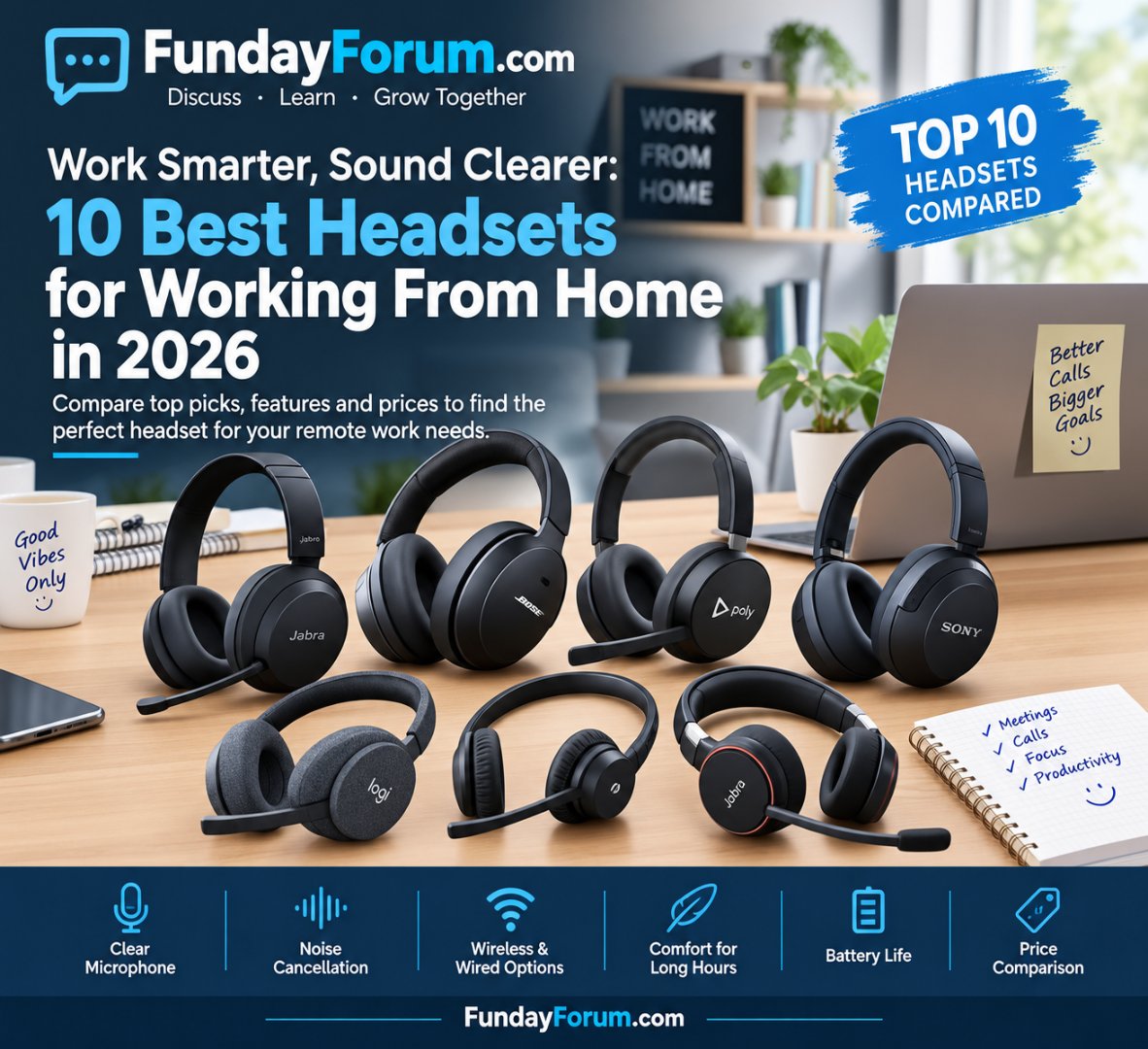 Discover the 10 best headsets for remote work in 2026. Compare popular Jabra, Logitech, Poly, Sony, and Bose models to find the right headset for online meetings, customer support, freelancing, and home office productivity. Work Smarter, Sound Clearer: 10 Best Headsets for Remote Work in 2026 Category: Technology / Home Office / Buying Guides Year: 2026 Reading Time: 10–12 minutes Introduction Working from home has become a regular part of modern professional life. Whether you are attending Zoom meetings, managing customer support calls, working as a freelancer, or handling international clients, your headset plays an important role in daily productivity. A good headset helps you communicate clearly, reduce distractions, and remain comfortable during long working hours. However, choosing the right model can be difficult because the market offers everything from affordable wired USB headsets to premium wireless devices with advanced noise cancellation. In this guide, we explore 10 headsets worth considering for remote work in 2026, comparing their microphones, connectivity, comfort, battery life, and estimated prices. Our focus: Practical choices for professionals who need reliable audio for meetings, customer service, online teaching, freelancing, and everyday office tasks. Price note: Prices below are indicative US-dollar estimates, not guaranteed live retailer offers. Actual prices vary by retailer, configuration, regional availability, and promotions. Verify the latest price before purchasing. Quick Comparison: 10 Best Headsets for Working From Home # Headset Connectivity Noise Cancellation Best For Estimated Price (USD) 1 Jabra Evolve3 85 Wireless Adaptive ANC Premium remote work $420–$470 2 Jabra Evolve2 85 Wireless Advanced ANC Frequent business calls $240–$475 3 Poly Voyager Focus 2 UC Wireless Active ANC Meetings and calls $100–$160 4 Poly Voyager 4320 UC Wireless Noise-reducing mic Everyday office work $115–$150 5 Logitech Zone Vibe 125 Wireless No ANC Comfortable daily use $70–$100 6 Jabra Evolve2 65 Wireless Passive isolation Professional communication $170–$220 7 Sony WH-1000XM5 Wireless Active ANC Focus and entertainment $250–$350 8 Bose QuietComfort Ultra Wireless Active ANC Noisy environments $350–$430 9 Logitech H390 USB Headset Wired USB Noise-reducing mic Budget remote work $25–$40 10 Jabra Evolve2 30 Wired USB Passive isolation Customer support and calls $70–$100 Prices are approximate buying-guide estimates. Some models have multiple versions, including Microsoft Teams-certified, UC, USB-A, and USB-C configurations. 1. Jabra Evolve3 85 – Premium Headset for Modern Remote Professionals Estimated Price: $420–$470 The Jabra Evolve3 85 is designed for professionals who want premium audio, wireless convenience, and advanced voice technology. Unlike conventional business headsets with a visible microphone boom, this model uses a boomless microphone design with ClearVoice technology. Its adaptive active noise cancellation helps reduce surrounding distractions, making it suitable for busy home environments and frequent virtual meetings. Key Features Boomless microphone design Six-microphone voice pickup system Adaptive active noise cancellation Wireless connectivity with USB-C dongle Up to 25 hours of call time Fast charging and wireless charging support Best for: Executives, consultants, remote managers, and professionals who attend multiple meetings daily. Consider before buying: Its premium price may not be necessary for users who only make occasional calls. 2. Jabra Evolve2 85 – Professional Communication and Comfort Estimated Price: $240–$475 The Jabra Evolve2 85 is a business-focused headset built for people who spend significant time communicating online. Its microphone boom and multi-microphone system are designed for professional voice communication. Active noise cancellation helps reduce environmental distractions, while its wireless design gives users flexibility to move around their workspace. Key Features Advanced active noise cancellation Boom microphone with multi-microphone array Up to 37 hours of talk time Bluetooth connectivity USB wireless adapter support Designed for business communication platforms Best for: Customer service managers, remote employees, sales representatives, and professionals handling extended calls. Consider before buying: It is heavier than some newer alternatives, and prices vary considerably between configurations. 3. Poly Voyager Focus 2 UC – A Practical Choice for Meetings Estimated Price: $100–$160 The Poly Voyager Focus 2 UC is designed specifically for professional communication. Its microphone uses Poly Acoustic Fence technology to help isolate the speaker's voice from surrounding noise. Active noise cancellation also helps users concentrate during meetings. The headset includes smart sensors that support functions such as automatic call answering and muting when removed, depending on configuration and software support. Key Features Active noise cancellation Acoustic Fence microphone technology Wireless Bluetooth connectivity USB adapter support Up to 19 hours of talk time Microsoft Teams, Zoom, and UC-oriented configurations Best for: Online meetings, virtual assistants, customer support teams, and remote office employees. Consider before buying: Check whether the package includes the USB adapter and charging accessories you need. 4. Poly Voyager 4320 UC – Everyday Wireless Office Headset Estimated Price: $115–$150 The Poly Voyager 4320 UC offers a straightforward wireless solution for professionals who want to move freely while working. It features a noise-reducing boom microphone, comfortable design, and long battery life. Although it does not include active noise cancellation, its microphone is designed to improve voice clarity during calls. Key Features Wireless Bluetooth connectivity Noise-reducing boom microphone Up to 24 hours of talk time Lightweight design USB adapter options Business communication compatibility Best for: Freelancers, remote customer service agents, and employees who work in reasonably quiet environments. Consider before buying: If you work near traffic, construction, or constant household noise, a model with active noise cancellation may be more suitable. 5. Logitech Zone Vibe 125 – Comfortable Wireless Headset Estimated Price: $70–$100 The Logitech Zone Vibe 125 is a wireless headset designed for modern hybrid and remote work. Its lightweight over-ear design makes it suitable for users who prefer a more relaxed headset rather than a traditional office telephone-style model. The microphone uses noise-reduction technology to help improve voice pickup during meetings. Key Features Wireless connectivity Lightweight over-ear design Flip-to-mute microphone USB receiver support Comfortable ear cushions Designed for video meetings and everyday communication Best for: Freelancers, students, online tutors, and remote employees who need a comfortable headset for everyday use. Consider before buying: It does not provide the same level of dedicated microphone isolation or ANC features as premium business headsets. 6. Jabra Evolve2 65 – Wireless Headset for Professional Calls Estimated Price: $170–$220 The Jabra Evolve2 65 is a business headset designed for professionals who need wireless freedom without moving into the highest price category. Its boom microphone, wireless connectivity, and professional call features make it suitable for frequent meetings and customer communication. Key Features Wireless Bluetooth connectivity Boom microphone with noise-reduction technology Up to approximately 37 hours of music playback, depending on version USB adapter options Comfortable on-ear design Business-focused communication controls Best for: Remote sales teams, consultants, virtual assistants, and office professionals. Consider before buying: Check the exact version because battery performance, charging accessories, and platform certification may differ. 7. Sony WH-1000XM5 – Noise Cancellation for Focused Work Estimated Price: $250–$350 The Sony WH-1000XM5 is primarily a premium wireless headphone, but it can also serve remote workers who need excellent noise reduction for concentration. Its active noise cancellation helps reduce distracting sounds such as traffic, air conditioning, and household background noise. It is particularly useful for professionals who divide their time between meetings, focused work, and entertainment. Key Features Active noise cancellation Multiple microphones Wireless Bluetooth connectivity Up to 30 hours of battery life with ANC enabled Comfortable over-ear design Multipoint connectivity Best for: Remote professionals, writers, designers, developers, and people who work in noisy environments. Consider before buying: Dedicated business headsets with boom microphones may provide more consistent voice pickup in demanding call-center environments. 8. Bose QuietComfort Ultra – Premium Comfort and Noise Reduction Estimated Price: $350–$430 The Bose QuietComfort Ultra is another premium headphone option for people who want to reduce distractions while working remotely. Its active noise cancellation and comfortable over-ear design make it suitable for extended listening sessions and focused work. Key Features Active noise cancellation Comfortable over-ear construction Bluetooth wireless connectivity Multiple listening modes Premium audio performance Designed for work, travel, and entertainment Best for: Professionals who work in shared spaces, travel frequently, or want one premium headphone for work and personal use. Consider before buying: It is not a dedicated business headset with a conventional boom microphone, so evaluate call quality for your specific work requirements. 9. Logitech H390 USB Headset – Affordable and Reliable for Daily Calls Estimated Price: $25–$40 The Logitech H390 is a practical option for people who prefer a simple wired headset. Its USB connection avoids the need to charge a battery or manage wireless pairing. The boom microphone and inline controls make it suitable for everyday meetings and customer communication. Key Features Wired USB connection Noise-reducing microphone Adjustable headband Inline volume and mute controls Plug-and-play operation on supported devices No battery charging required Best for: Students, entry-level freelancers, customer support representatives, and people starting remote work on a limited budget. Consider before buying: Its wired design limits mobility, and it does not offer premium active noise cancellation. 10. Jabra Evolve2 30 – Wired Headset for Professional Communication Estimated Price: $70–$100 The Jabra Evolve2 30 is designed for business communication and everyday online meetings. Its wired connection provides a straightforward setup, while the microphone system is designed to improve voice clarity during calls. For professionals who remain at a desk throughout the day, a wired headset can be a convenient alternative to managing wireless charging and pairing. Key Features Wired USB connectivity Noise-reducing microphone system Lightweight design Business communication controls Available in different connection and certification versions Suitable for online meetings and customer calls Best for: Call center agents, customer service employees, office administrators, and remote professionals who work from a fixed desk. Consider before buying: Confirm the USB-A or USB-C connector and platform certification before ordering. How to Choose the Right Headset for Working From Home Choosing a headset is not only about sound quality. Your working environment, daily call volume, budget, and preferred connection type all matter. 1. Microphone Quality If your job involves customer service, sales calls, online teaching, or international client meetings, microphone quality should be a priority. A dedicated boom microphone generally places the microphone closer to your mouth, which can help improve voice pickup. 2. Noise Cancellation There are two different features to understand: Active Noise Cancellation (ANC): Reduces surrounding noise that you hear through the headphones. Microphone Noise Reduction: Helps reduce background sounds transmitted to other people during calls. These features are not interchangeable. A headset may have excellent ANC but only average microphone noise rejection. 3. Wired vs. Wireless Feature Wired Headset Wireless Headset Battery charging Not required Required Mobility Limited by cable Greater freedom Setup Usually straightforward May require pairing Price Often more affordable Often more expensive Best for Fixed desk work Flexible workspaces 4. Comfort for Long Working Hours Look for adjustable headbands, comfortable ear cushions, lightweight construction, and a suitable fit. If you attend meetings for several hours daily, comfort can be just as important as microphone performance. 5. Compatibility Before purchasing, check whether the headset supports your preferred applications and devices, including: Microsoft Teams Zoom Google Meet Skype Windows laptops Mac computers Smartphones For business environments, also verify whether the exact model is certified for your communication platform. Which Headset Should You Choose? Your ideal headset depends on your work requirements. Your Work Requirement Models to Consider Customer support and call center work Jabra Evolve2 30, Poly Voyager 4320 Frequent online meetings Poly Voyager Focus 2, Jabra Evolve2 65 Working in noisy environments Sony WH-1000XM5, Bose QuietComfort Ultra Premium professional communication Jabra Evolve3 85, Jabra Evolve2 85 Affordable wired communication Logitech H390 Comfortable everyday wireless use Logitech Zone Vibe 125 Fixed desk with no charging needs Logitech H390, Jabra Evolve2 30 Frequently Asked Questions What is the best type of headset for working from home? The best type depends on your work. Dedicated business headsets with boom microphones are useful for frequent calls, while premium ANC headphones can be suitable for focused work and mixed work-and-entertainment use. Is a wired headset better than a wireless headset for remote work? Wired headsets eliminate battery charging and wireless pairing. Wireless headsets provide more freedom to move around. Both can work well for remote communication. Do I need noise cancellation for Zoom meetings? Not necessarily. A headset with a good microphone can provide clear communication in a quiet room. ANC becomes more useful when you need to reduce surrounding noise for your own concentration. Which headset is suitable for call center agents? Call center agents should prioritize microphone clarity, comfort, compatibility with their calling software, and reliable connectivity. Dedicated business models such as the Jabra Evolve2 series and Poly Voyager series are worth considering. Are expensive headsets always better? Not always. A basic USB headset may be sufficient for occasional meetings, while professionals handling calls throughout the day may benefit from investing in better microphone technology, comfort, and business-focused features. Final Thoughts A reliable headset can make working from home more comfortable and professional. The right choice depends on whether you prioritize microphone clarity, noise reduction, wireless freedom, long battery life, or affordability. Before purchasing, compare the exact model specifications, connector type, platform compatibility, warranty, and current retailer pricing. For remote employees and freelancers, investing in comfortable and reliable communication equipment can help create a more productive home office. Disclaimer: Product prices are estimates and may change. Features can vary by model version, region, and included accessories. This article is an informational buying guide and does not represent laboratory testing of every listed headset. #WorkFromHome #RemoteWork #BestHeadsets2026 #WorkFromHomeSetup #HomeOffice #RemoteWorkGear #HeadsetComparison #WirelessHeadphones #NoiseCancellingHeadphones #OfficeHeadsets #BestHeadsets #ZoomMeetings #MicrosoftTeams #CustomerService #CallCenterHeadset #FreelancerTools #WorkFromHomeEssentials #Technology2026 #HomeOfficeSetup #ProductivityTools #Jabra #Logitech #PolyHeadsets #SonyHeadphones #BoseHeadphones #TechBuyingGuide #RemoteWorkingTips #FundayForum #FundayForumTech
-

From the album: FundayForum Media / Assets Album
remote work- work from home jobs find out at fundayforum.com© fundayforum.com
-
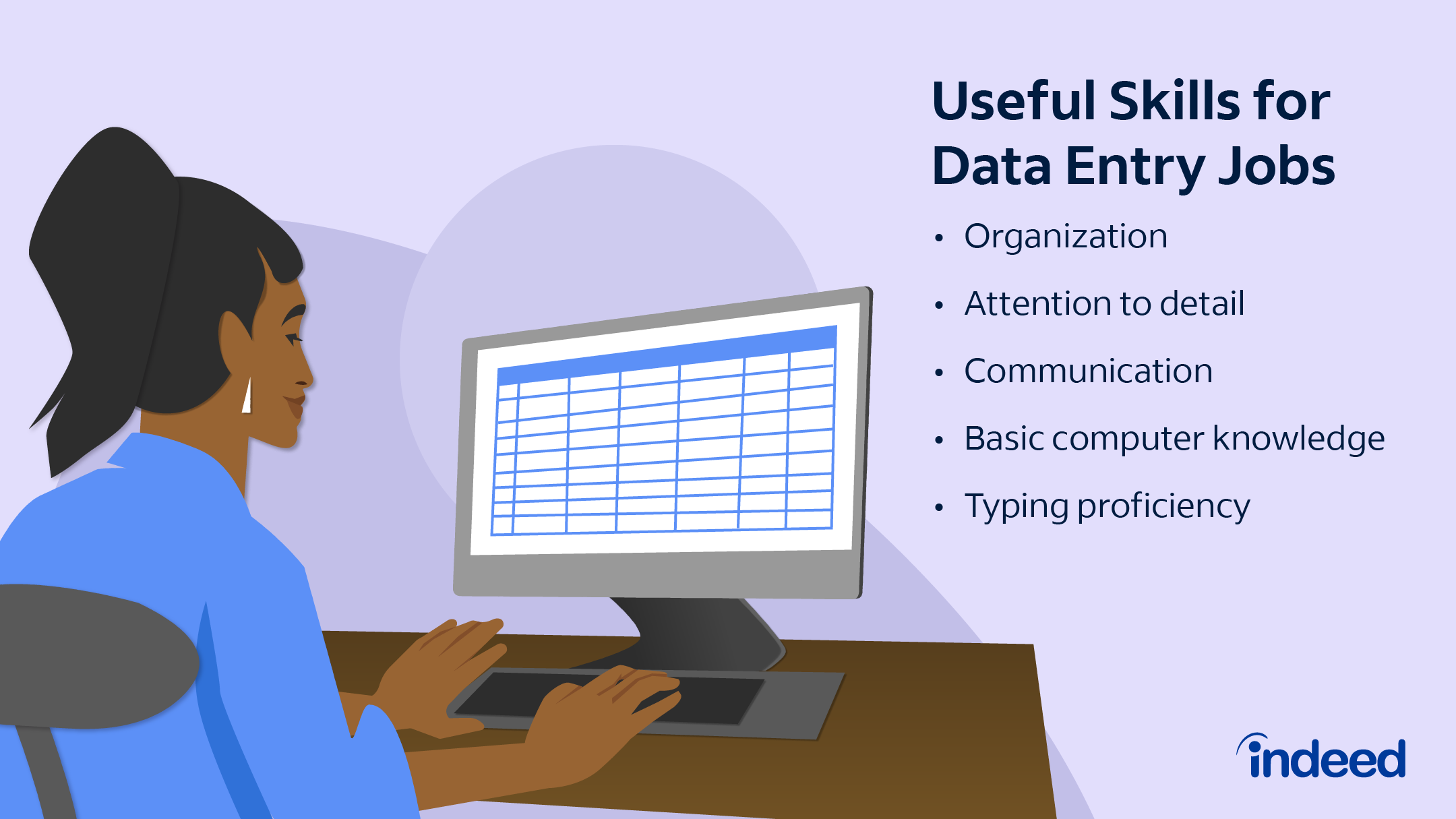
Companies are offering remote data entry jobs for beginners. Perfect for students and freelancers. Requirements: Basic typing skills Internet connection 👉 Apply Here: https://www.indeed.com/q-Data-Entry-Remote-jobs.html