


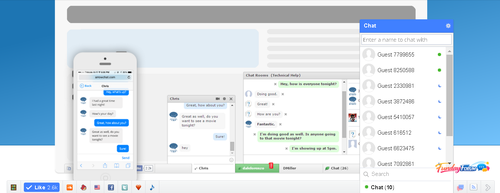
About This File
Add Chat to Your Site
The most powerful PHP/JQuery chat software
Installation Instructions
This is a general guide for installation ArrowChat on every supported integration because they are all the same method. The latest version of each integration is always supported. Here is a list of our supported integrations:
We're going to assume that you have already downloaded ArrowChat and unzipped the file. At this point, you should have a folder named arrowchat and a file named INSTRUCTIONS.txt. The instructions file can safely be deleted.
Using a FTP client such as WinSCP (http://winscp.net) or whatever method you use to put files on your server, simply place the ArrowChat folder inside your integration's directory. Most setups will require you to put the folder in your www or public_html folder. Do not place in your integration's plugin or application folder.
For example, if you have a forum installation such as vBulletin or phpBB and your main site is www.yoursite.com, but your forums are located at www.yoursite.com/forums/, you would put the arrowchat folder into the /forums/ directory.
Don't worry if you get it wrong, the ArrowChat installation will check if it's in the right spot.
Web Installer
Run http://www.yoursite.com/arrowchat/install/ (replacing yoursite.com with your own domain and path to ArrowChat)
The web installation will take you through all the necessary steps to setuping up your ArrowChat installation the first time. Follow each step carefully and don't pass on anything.
After you have completed the final step and added the ArrowChat header/footer code to your template, ArrowChat will be visible on your site upon logging in.
Short Installation Guide (TL;DR)
1. Upload the arrowchat folder to your integration's root folder
2. Run http://www.yoursite.com/arrowchat/install, replacing yoursite.com and the path to your arrowchat folder
3. Follow all the on-screen instructions; you're done!
Adding the Header / Footer Code
The following header code must be added to your website in order for ArrowChat to display:
<link type="text/css" rel="stylesheet" id="arrowchat_css" media="all" href="/arrowchat/external.php?type=css" charset="utf-8" />
<script type="text/javascript" src="/arrowchat/includes/js/jquery.js"></script>
<script type="text/javascript" src="/arrowchat/includes/js/jquery-ui.js"></script>
and the following footer code...
<script type="text/javascript" src="/arrowchat/external.php?type=djs" charset="utf-8"></script>
<script type="text/javascript" src="/arrowchat/external.php?type=js" charset="utf-8"></script>
Please note that you must change the paths to ArrowChat if it is not correct.
You may also leave out the jquery.js and jquery-ui.js calls if you already have them on your site.
.thumb.png.f68a44c4750375bd6b34d3186ac6347b.png)
.thumb.png.ea12d62fcb43a79b1d7a7a4664107cbc.png)
Recommended Comments
There are no comments to display.
Join the conversation
You can post now and register later. If you have an account, sign in now to post with your account.
Note: Your post will require moderator approval before it will be visible.