



About This File
What is it?
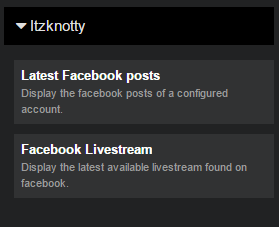
A small plugin that brings two widgets with it:
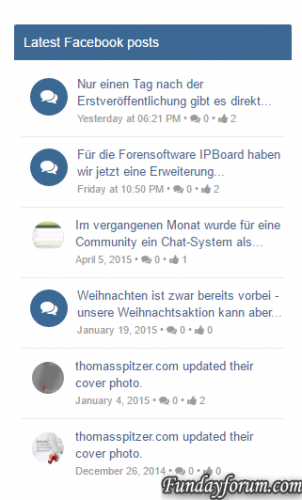
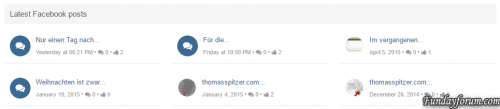
- A widget to display the latest posts of a configured facebook page
- A widget to display the latest live stream of a configured facebook page. The livestream widget will only be displayed if there are users viewing the stream at the moment.
There is also a page...
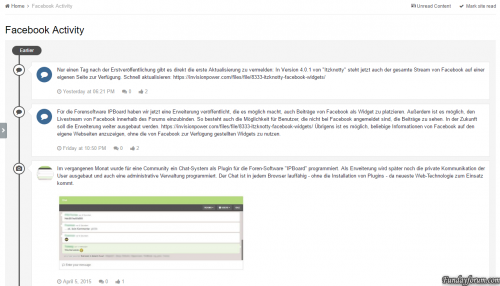
- ...that shows the complete activity stream of the configured page. The user can click on a button to load the next activity items from the facebook page.
All you have to do is to create a facebook app and configure the facebook page in the admin control panel where you can paste the appID and the app secret. Place the widget wherever you want and you will see the lastest posts or the latest live stream.
Configure the plugin
- Go to the admin control panel of your site and login with your account.
- Go to Community > Itzknotty > Settings
-
Fill in your data:
-
Facebook Pagename
The name of the page you want retrieve data from (https://www.facebook.com/your-pagename).
-
Facebook App ID
The app id of your application. For further information how to create an app scroll down.
-
Facebook App Secret
The secret of your application.
-
Facebook Pagename
-
Place the widgets you prefere to your board.

-
Add a link to the complete stream if you want:

How to create a Facebook application to access data of your page
You need an active Facebook account to create an app.
- Go to https://developers.facebook.com/apps/ and make sure you are logged in with your preferred account.
-
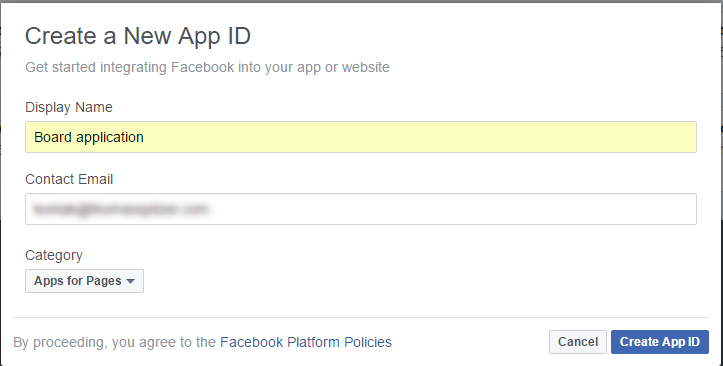
Click the button "Add a new App" And fill in the information for Display Name, Contact Email and choose Apps for Pages as category.
- Click on Create App ID and confirm the security check to proceed.
- Navigate to the Settings page in the left navigation bar.
-
Copy your App ID and your App Secret and insert both in your admin control panel.


Everything should work now.
What's New in Version 4.0.5
Released
- It is possible to display facebook group feeds or other items that supports a "feed" endpoint
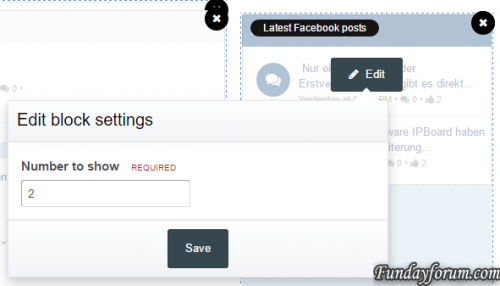
- Fixed the error that not the configured count of feeds were displayed in the widgets
.thumb.png.f68a44c4750375bd6b34d3186ac6347b.png)
.thumb.png.ea12d62fcb43a79b1d7a7a4664107cbc.png)
Recommended Comments
There are no comments to display.
Join the conversation
You can post now and register later. If you have an account, sign in now to post with your account.
Note: Your post will require moderator approval before it will be visible.