



About This File
Enhanced User Info Panel invision community Plugin 4.x
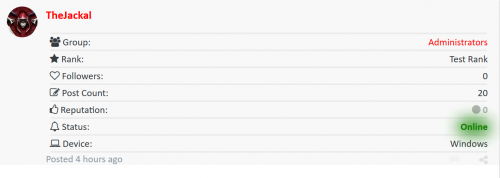
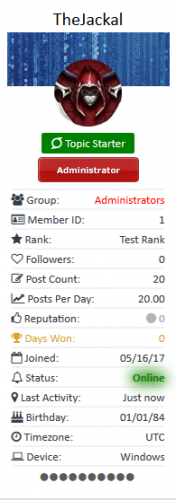
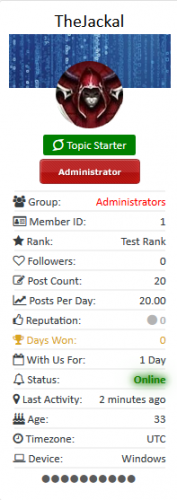
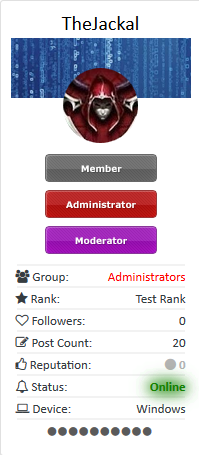
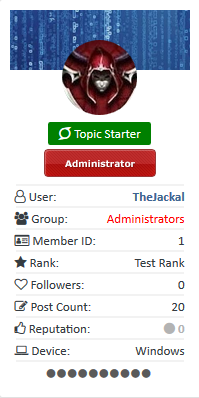
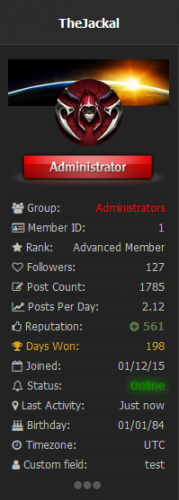
Enhance your user info panel with this powerful fully customizable plugin for the forum topic posts, You do not need to show all the information you can choose to show or hide any one of them or just choose to hide them on mobile viewing, you can now even choose what user groups can see what information
How to install
- Go to the ACP and then plugins then install the downloaded .xml file (Yes its that easy)
How to configure
- Go the the ACP plugin panel and select the settings button on the plugin
User Info Panel
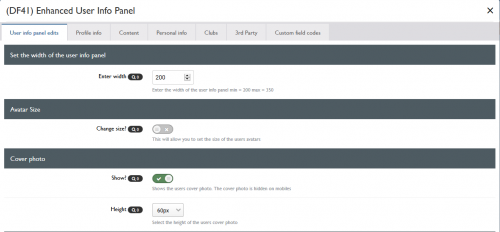
- Edit the width of the user info panel between 200px - 350px
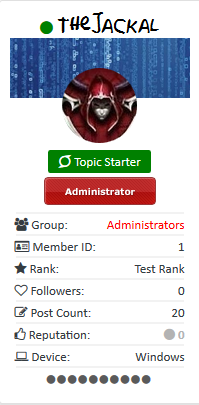
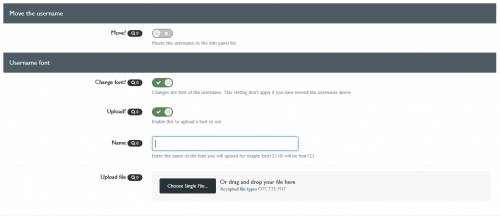
- Move the username to the user info panel
- Set a margin from the top of the post panel (Needed on some themes you won't need for the default theme)
- Change the font of the username (you can use web safe fonts, Google fonts or you can even upload your own!!!!!)
- Change the width & height of the avatar between 75px - 200px
- Choose to have a border-radius around the avatar and enter your own amount
- Show/Hide the users cover photo (If they have one)
- Change the height of the users cover photo
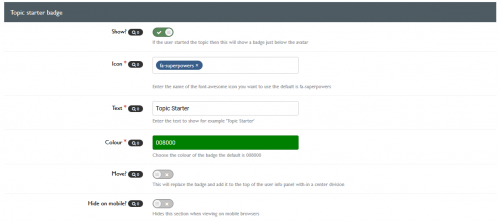
- Show/Hide a topic starter badge or field to the info panel (If the user is the topic starter)
- Move the users rank pips / rank image to below the info panel
Profile Info
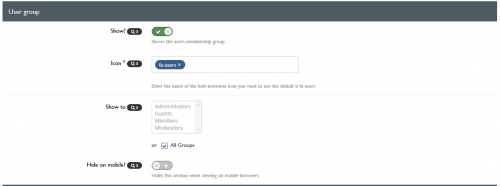
- Show/Hide the users group with colour formatting
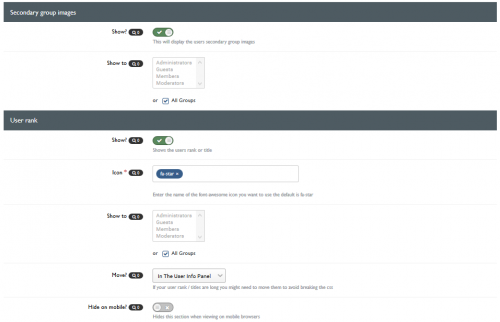
- Show/Hide secondary group images
- Show/Hide the users rank / title
- Move the users rank / title to below the avatar / below the username or in the user info panel
- Show/Hide the users clubs as icons (if they are members of one)
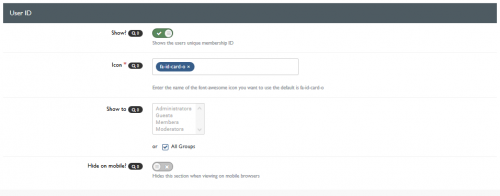
- Show/Hide the users ID
Content
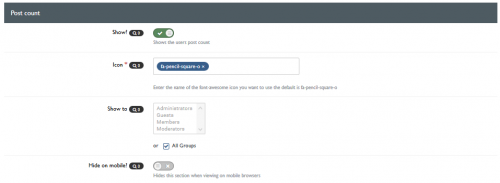
- Show/Hide the users post count
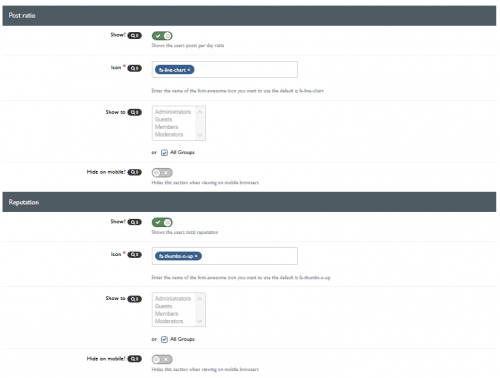
- Show/Hide the users post per day ratio
- Show/Hide the users reputation
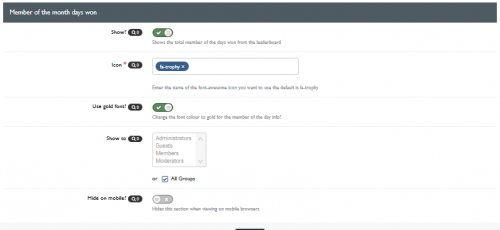
- Show/Hide the users amount of leader board member of the days won
- Choose to use a gold font for the member of the day
- Show/Hide the users topic count
- Show/Hide the users topic per day ratio
Personal Info
- Show/Hide the users birthday
- Change the birthday view to the show the members age instead
- Show/Hide the users joined date
- Change the joined date to one saying "With Us For xxx Days"
- Show/Hide the users online status
- Change the online status to a pip
- Choose to use a pulsating green glow for when the users online
- Show/Hide the users last activity
- Show/Hide the users timezone
- Show/Hide the users follower count
- Show/Hide the users connected device (4.2.x Only)
Clubs
- Show/Hide the users clubs as icons at the bottom of the user info panel (The club name will appear on hover)
- Change the size of the clubs icons
3rd Party Apps & Plugins
- (DF42) Members Social Info
- iAwards
- Member Away
- Trophys & Medals ( RECOMMENDED )
- Members Shop
Other
- Choose what font-awesome icons are used for each section from a pre-defined list of over 600 icons (Just start typing the name and they will appear)
- Show/Hide each section for mobile browsing
- Select what user groups can see what on the info panel
- Add any of your custom profile fields to the user info panel matching its theme and style

What's New in Version 2.0.6 See changelog
Released April 22
2.0.5 New Features
- If you have Members Shop installed you can show the users points in the user panel
- Added the users total topic count to the panel
- Added the users topics per day ratio to the panel
- Updated the 3rd party bit so it will work with the new version of Members Social Info
2.0.6 Bug Fix
- Fixed the post ratio bug where it didn't display the decimals
- Changed the topic ratio to show whatever the ratio instead of when it is over 1
What's New in Version 2.0.7 See changelog
Released
New Features
- You can now choose to use javascript to toggle the members info
- Set the text to display for the toggle button
- Set the colour of the toggle button
- Minor Bug Fixes
The javascript toggle is selectable on if you want to use it or not, if you do want to use the js toggle then just leave it disabled in the settings
.thumb.png.f68a44c4750375bd6b34d3186ac6347b.png)
.thumb.png.ea12d62fcb43a79b1d7a7a4664107cbc.png)
Recommended Comments
Join the conversation
You can post now and register later. If you have an account, sign in now to post with your account.
Note: Your post will require moderator approval before it will be visible.