

About This File
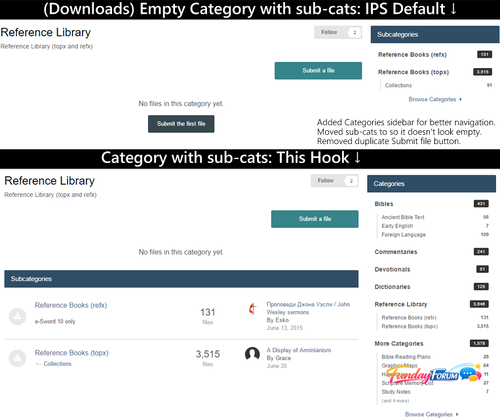
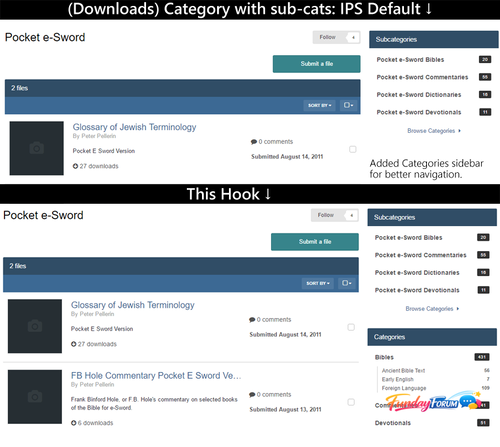
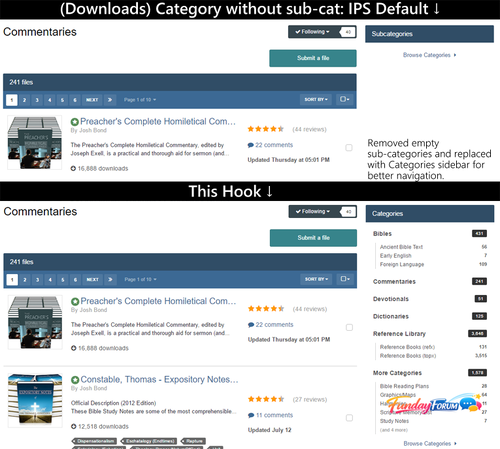
Several changes to the Categories sidebar in the Downloads area, when and how sub-categories are displayed, and when the full navigation Categories sidebar displays. And changes to how categories/subcategories are shown when a category has sub-categories but the parent category is empty.
What's New in Version 1.0.1 See changelog
Released
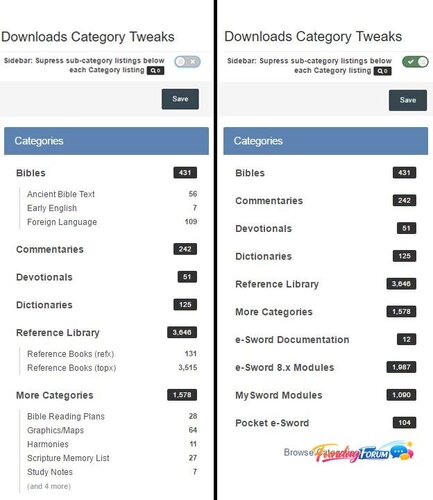
The plugin now has a setting, "Sidebar: Supress sub-category listings below each Category listing".
This option should remain off for most people and is off by default.
This option supresses Sub-cat listings under the "Categories" block. Several people wanted this option
because on their installation, each category has many sub-categories (most of which aren't shown because
the list of sub-cats is abbreviated). The full sub-categories can be shown when a category is clicked.
See the new screenshot for a picture of how this looks.
.thumb.png.ea12d62fcb43a79b1d7a7a4664107cbc.png)
Recommended Comments
Join the conversation
You can post now and register later. If you have an account, sign in now to post with your account.
Note: Your post will require moderator approval before it will be visible.