




About This File
Invigorate your community and engage your website sponsors with competitions.
- Easy to set up competitions
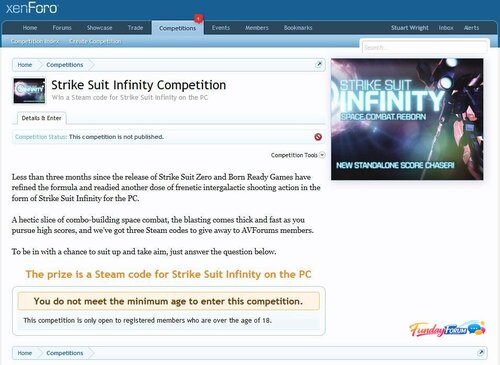
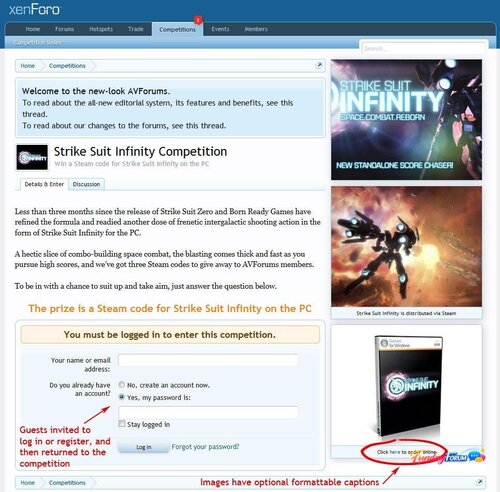
- Competition pages have a sidebar in which competition images are displayed
- Automatically close competitions on the end date, pick the winners and notify them by alert
- Optionally create a discussion for a competition in chosen forum
- See what competitions a user entered/won in their profile
- Home page competitions sidebar block displays random selection of competition thumbnail images
- Permissions to view/enter/create/open and publish competitions
The basics include
- Rich text editor for competition details
- Set the date the competition runs from and to
- Set the number of winners and runners up
- Easy set up of question and answer with optional multiple choice options
- Image upload with crop tool with optional Alt/Title text, caption and link URL
Restrictions and conditions include
- Set usergroup permission to view, enter, create, open and publish competitions globally and on a per competition basis
- Optional age restriction to enter
- Optional country restriction to enter (requires GeoIP for PHP)
- Optional additional restriction rich text
- Optional opt in/opt out tick boxes with marketing message to create a marketing list for the competition sponsor
Options include
- Orient the sidebar on the right or left (the competition images are displayed in a sidebar)
- Force a competition's thumbnail image on the home page sidebar block (when there are several competitions, they are normally picked randomly)
- Optional forum specified for the creation of an associated discussion
The cron
- Opens published competitions on the start date
- Closes open + published competitions on the end date
- After closing a competition, the winners are picked at random and sent an alert, plus the competition author is alerted of the end of the competition
- Note: The cron entry is configured to run at around midnight GMT. This is how the XenForo cron system works. You will need to manually adjust this according to your timezone.
.thumb.png.ea12d62fcb43a79b1d7a7a4664107cbc.png)



Recommended Comments
There are no comments to display.
Join the conversation
You can post now and register later. If you have an account, sign in now to post with your account.
Note: Your post will require moderator approval before it will be visible.