


About This File
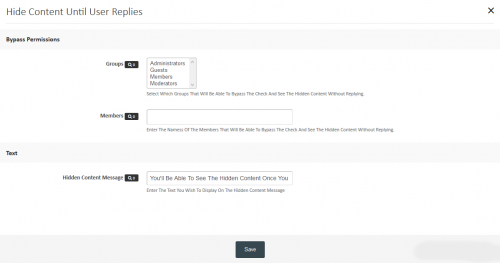
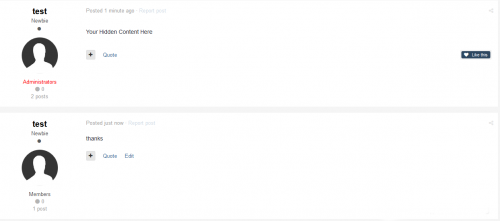
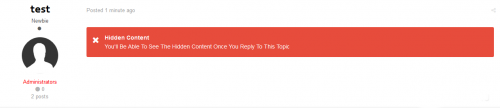
This plugin allows members to conceal the content in their posts so that other members of the need to reply to the topic before they can see the hidden content. With its powerful custom BBcode There are no file editing is required, additional plug-ins has an internal cache to keep all the threads Checked each session, which reduces the number of queries used. Due to the fact that only one additional request is used when viewing a topic and sometimes no queries at all!
Features
- No edits files (it makes the use of plug-in system)
- 2 options to specify who can bypass Answer: Check,
- groups
- members
- All default areas are covered:
- Themes (Print preview in the complete set)
- Profiles (Both threads and posts Tabs)
- Quote Reply to both Ajax and Non-Ajax Citations (Hidden Content section)
- E-mail notifications The content is always Hidden (both forums and subscribe to threads digests Too)
- Easy integration with third party mods Display posts (As long as \ IPSorums \ theme \ Post class is used)
- New version add your own text Hidden text
This is a modification (TB) Hidden Content If you have installed the offer you uninstall it before installing this
You must enter the content hidden in the [hide] [/ hide] Tags You can easily make a plugin for CKEditor response boxing going admin -> customization -> editor -> toolbars, and then select to add a button, select Custom and name it hide Content Loading and What ever image you want (I do not make the image) and in the HTML section of Just Add [hide] [/ hide] Now Save it to put it on the editor and job Easy Way to use [hide] [/ hide ] tags, otherwise just manually enter [hide] [/ hide]] tags
What's New in Version 1.0.1 See changelog
Released
Competible with 4.3
.thumb.png.ea12d62fcb43a79b1d7a7a4664107cbc.png)

Recommended Comments
There are no comments to display.
Join the conversation
You can post now and register later. If you have an account, sign in now to post with your account.
Note: Your post will require moderator approval before it will be visible.