



About This File
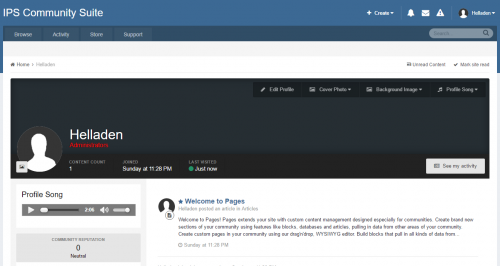
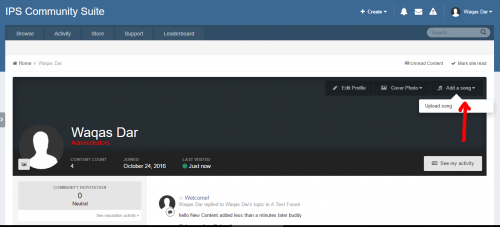
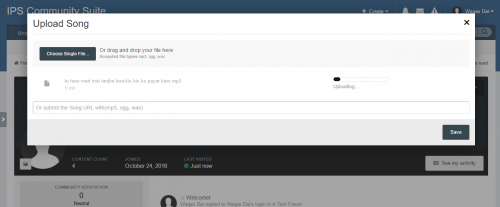
This plugin will allow you to add music to your profile.
Profile Songs is originally a 4.1.x plugin developed by Rory Soh from the IPS Marketplace. It's been abandoned for nearly a year so I've taken the liberty of updating the plugin.
Original File Description
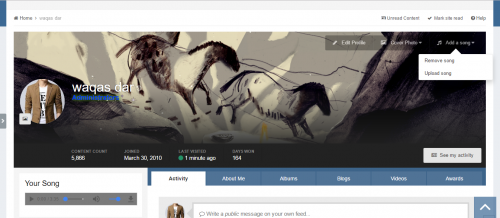
This allows you to set a custom song to the forum profile. Moderators and Administrators are allowed to remove them easily, it will erase the file from your web server as well. You simply just go to the member's profile who has an inappropriate song and remove it by selecting "Remove Song" from Profile Song option. You can also set profile songs for members if you wish.
What's New
-
4.3.x compatibility, no template changes needed.
- Any changes you made to your profile template for this plugin should be reverted.
-
NEW configurable profile song size setting. Song size is in kB (kilobytes). A minimum size of 1,000 (1MB or 1 Megabyte) and a maximum size of 50,000 (50MB).
- This setting defaults to 2,500 (or 2.5MB).
Future Updates
I'll do my best to update this plugin for 4.4.x compatibility, if necessary, in a timely fashion. I'd also like to implement a configurable volume setting. In the meantime, you can use the steps below to add your own volume setting manually.
Add your own volume setting
Locate your ps_display HTML template and replace this:
    <div class='ipsType_center'>
      <p>
        {{if \IPS\Settings::i()->song_display_autoplay}}
          <audio autoplay="" controls="" loop="" preload="" class="ps_audio">
            <source src="{$profileSong->file->url}"></source>
          </audio>
        {{else}}
          <audio controls="" loop="" preload="" class="ps_audio">
            <source src="{$profileSong->file->url}"></source>
          </audio>
        {{endif}}
      </p>
    </div>
With this:
  <div class='ipsType_center'>
      <p>
        {{if \IPS\Settings::i()->song_display_autoplay}}
          <audio autoplay="" controls="" loop="" preload="" class="ps_audio" id="profilesong">
            <source src="{$profileSong->file->url}"></source>
          </audio>
        {{else}}
          <audio controls="" loop="" preload="" class="ps_audio" id="profilesong">
            <source src="{$profileSong->file->url}"></source>
          </audio>
        {{endif}}
      </p>
    </div>
And then add the following code to the bottom of that template:
<script>
  var audio = document.getElementById("profilesong");
  audio.volume = 0.25;
</script>
You can change the volume setting by changing the 0.25 (1.0 is default).
What's New in Version 2.0.0 See changelog
Released
- Fixed a typo. Settings panel incorrectly displayed KB instead of kB. You can update over your existing installation or ignore it. No version change.
.thumb.png.ea12d62fcb43a79b1d7a7a4664107cbc.png)


Recommended Comments
Join the conversation
You can post now and register later. If you have an account, sign in now to post with your account.
Note: Your post will require moderator approval before it will be visible.