


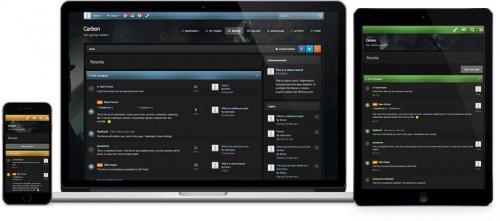
About This File
Carbon for IPS.Suite 4.x!
Carbon, named after the carbon texture which is used throughout the design, is a dark theme for IPS.Suite 4.x and is especially perfect for gaming sites. The blue color scheme can be modified easily with a few simple clicks in your ACP theme settings, and your members can customize the theme themselves by choosing their own background image from a preset array!

Theme features

Theme Settings
Easily enable, disable or modify theme features such as background images, logos, social media links, guest messages and colors. This makes modifications and upgrades very simple since little code changes are required.

Easily edit color scheme
Changing the default color scheme to your own color is very simple via the theme settings! With a few clicks, you'll have an entirely unique color scheme for your site!
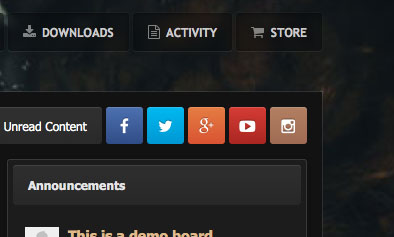
Social links
Social links can be enabled/disabled and customized to your own URL, allowing you to easily link to your social network pages (facebook, twitter, etc)

Background picker
Your members can choose their own background image (or color) from a predefined selection and their choice is saved via cookies. This feature can be configured and disabled if necessary within the theme settings.

Background settings
Restrict the background picker to certain groups such as registered members or VIP's. Or remove the picker entirely from mobiles to save bandwidth on the go. All within the settings!

Global message
Display a message across the top of your site with important announcements. Once your members have seen the message, they can press the Dismiss button to remove it (until you configure a new one).
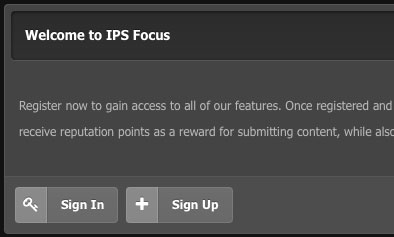
Guest message
A customizable message can be shown to guests, prompting them to either register or login to your forum. Two designs, "billboard" and "alert" (shown) are available.
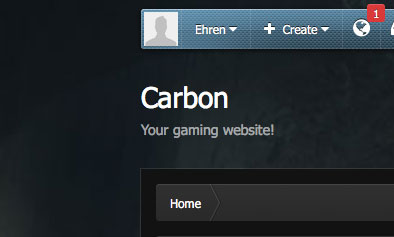
HTML logo with slogan
Easily add/edit your text logo and slogan from within the theme settings. If required, the text can be replaced by an image instead.
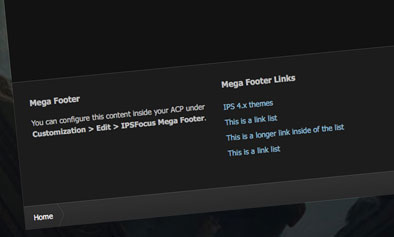
Mega Footer
A mega footer with configurable column numbers and content can be enabled and customized all within the theme settings.
A full list of features and a live demo can be found on ipsfocus.
What's New in Version 4.3.4+
Released July 7
- Numerous enhancements to the ipsfocus framework have been applied, including the addition of modern css techniques such as flexbox and css grid. These methods replace the dated javascript framework for grids, resulting in a faster and modern approach to formatting your site.



Recommended Comments
There are no comments to display.
Create an account or sign in to comment
You need to be a member in order to leave a comment
Create an account
Sign up for a new account in our community. It's easy!
Register a new accountSign in
Already have an account? Sign in here.
Sign In Now