



About This File
SuperHelp page is a set of page templates to help / FAQ sections, books, online courses and similar content.
What is necessary:
IPS 4.1 in the latest version of the page application
A page in the database, which uses multiple levels of categories.
Benefits SuperHelp:
Uterine templates page is restricted to show only one level at a time: one level categories; one level records links in the same category; a full report. SuperHelp based on IPS »Help section of the Guide and can show much more information and make browsing the database a lot easier. template set is beautiful and clean appearance and, of course, to fully react. It takes almost all sites and enable IPS plug-in allows you to change the appearance of the template without any - any HTML knowledge.
What's included:
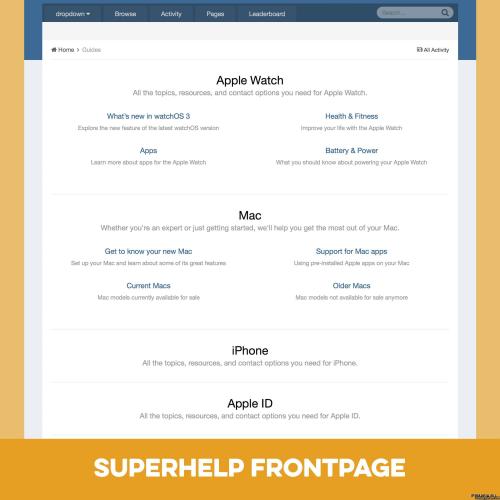
The first sheet listing category template that shows the primary and secondary categories.
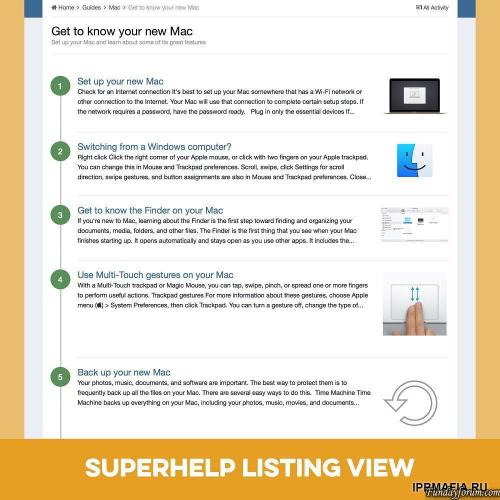
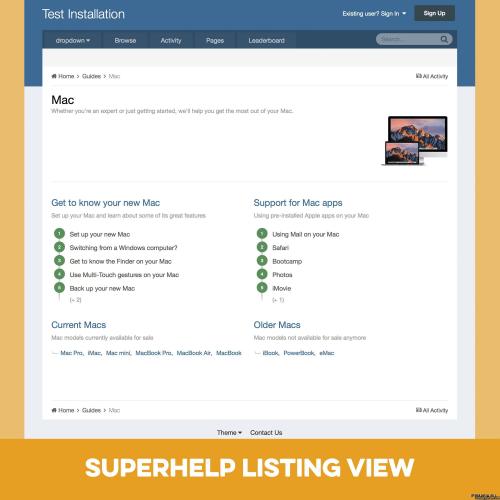
Listing Template that shows subcategories entries in categories and entries in the current category.
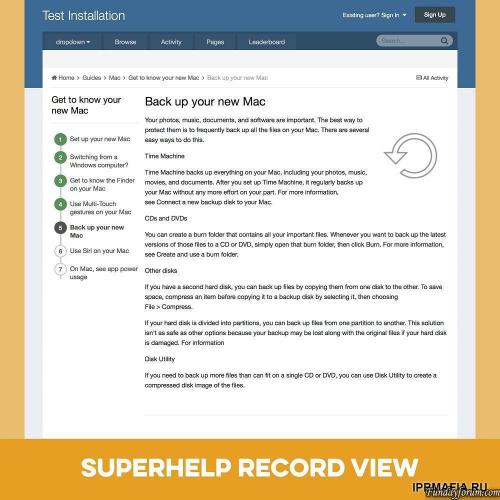
Record View template with the side panel that shows the other entries in the same category.
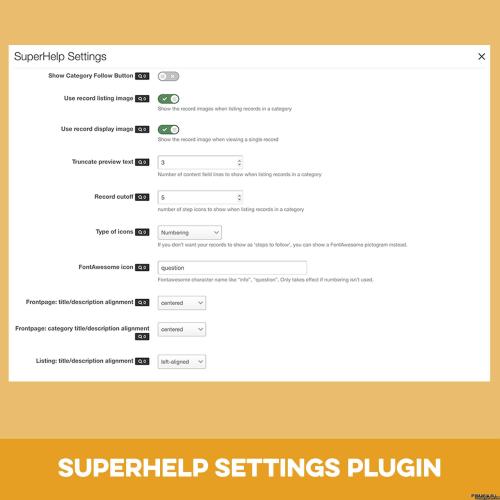
A plugin that allows you to change the template settings easily.
Setting a PDF with detailed instructions and tips to create your SuperHelp database.
Note: You can use templates for any number of databases, but the settings will always be applied to all templates SuperHelp.
Plugin Settings:
Display category button followed by Yes / No
Show images were recorded with a view to listing: Yes / No
Show the image recording in the presentation of records: Yes / No
The number of lines, then text gets cut off preview
The number of entries displayed in the list of sub-categories
icon type to use for reference steps: automatic numbering or a user-defined FontAwesome icon
The text alignment for the title / description on the home page
The text alignment for the title / description on the data page
Align text to the category titles / descriptions on the main page
Expert options:
Add a photo of your main categories category
Redefine the style (for example, the color icon) in your theme custom.css
.thumb.png.ea12d62fcb43a79b1d7a7a4664107cbc.png)
Recommended Comments
There are no comments to display.
Join the conversation
You can post now and register later. If you have an account, sign in now to post with your account.
Note: Your post will require moderator approval before it will be visible.