Plugin 4.x
Ips Plugins 4.x version. download or upload Invision power board plugins
186 files
-
Advanced Status Updates Widget 1.0.5.1
By waqas dar
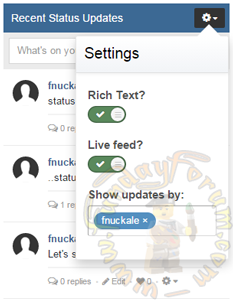
An all-in-one Status Updates widget block, loaded with features, all available on the front page of your IPB! Easy to install, supported by IPS 4.1x, and includes essential enhancements to the stock Status Updates system.
Features:
Toggle between Rich Text and Plain Text. Extended tool-list includes Reputation and other options. Front page attachments support. View or add replies. Choose whose Status updates to view. View older Status updates. Edit option for both Status updates and replies. Live-updates for both status and comment feeds. (currently unavailable)
- Widget Settings:
All widget settings are available through the widget settings block, under the block manager view.
The default widget settings (except for the widget title) are available through the plugin setting's "Default Settings" tab.
Widget title - The title of the widget block. Defaults to "Recent Status Updates". Number per page - How many status updates should be loaded per page? Load older updates? - Allow loading more than a single page of status updates? Display upload area? - Determines whether or not to display the upload area for Status Updates on the front page. Status height limit - The number of lines to limit the status height to. Status types included - Determines the types of status updates to display - status updates, profile posts, or both. Rich text format? - Determines whether a status should be loaded as rich text by default, or not. Display profile photos? - If enabled, profile photos will appear next to updates by default.
- Plugin Settings:
Plugin settings are available through the acp > plugins view.
Override default widget? - Enable to display Advanced Status Updates widget instead of the built-in one. Search filter available? - Enable to allow by-member filter option. For support or suggestions don't hesitate to use the dedicated support thread. No comment goes unnoticed.
What's New in Version 1.0.5.1
Bug fixes: Fixed issue preventing from commenting on profiles. Keyboard selection of mentions doesn't close the replies feed anymore. Closing dialogs originating from the replies feed doesn't close the feed anymore.3 downloads
0 comments
Submitted
-
TDB Posts
By waqas dar
For IPB 4.1
Thank you for downloading this little hook, I hope that you and your community find it useful.
I was looking for a block that would fit my needs regarding displaying new posts and I found the default Topics and Posts block lacking.
This hook is based around (but not exactly like) Headstands ‘Recent Posts’ Sidebar block for v3.14.
I developed this for my own community. So, in the spirit of open source, I decided to release this hook/widget to spare other's looking for something similar and be charged a small fortune at the same time.
Description
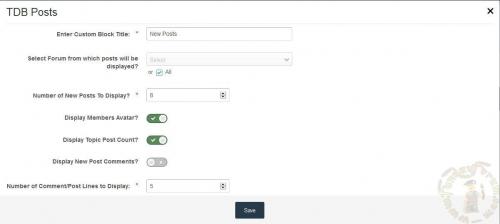
This hook is for displaying a block of the latest (last) posts posted on your forum. Very much like the IPB community Topic block, but instead of showing the topic originator, the last poster information is shown instead.
This block comes with the following abilities:
Custom block Title: I hate having to go into the language files just to edit a title. Probably won’t help with translations, but that could be changed later. Selectable forums: Select which forum’s you wish to display posts from. Your members will only see the posts that they have permission to view. Number of Posts: Select how many posts you wish to display to your members. Member Avatar: Select whether to display member avatar or not. Topic Post Count: Select whether to display a post topic count next to the title. Post Comment: You can display a post teaser in the same way as the IPB Post widget and control how many lines of the post comment you wish to display. This is the first version and no doubt could contain some bugs or as I like to call them, misplaced code and coffee driven lapses.
If you have any questions, issues or bugs. Feel free to leave a message on the IPB community board.
2 downloads
0 comments
Submitted
-

Downloads Category (Sidebar) Tweaks 1.0.1
By waqas dar
Several changes to the Categories sidebar in the Downloads area, when and how sub-categories are displayed, and when the full navigation Categories sidebar displays. And changes to how categories/subcategories are shown when a category has sub-categories but the parent category is empty.
11 downloads
Updated
-
Disallow Attachments on Gallery Descriptions 1.0.1
By waqas dar
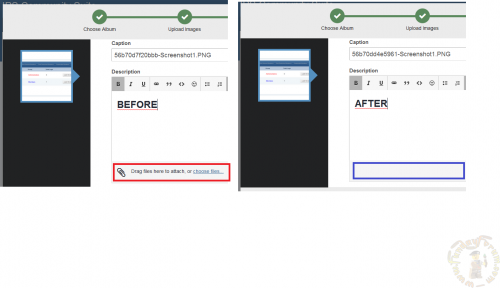
Based on a previous version by Adriano this plugin prevents users from uploading attachments to the Album and Image description fields.
NOTE: If you currently use version 1.0.0 it is recommended that you uninstall this before installing 1.0.1
What's New in Version 1.0.1
Added option to block uploads on album description fields as well as image description fields. Switched to using CSS to hide the upload field.4 downloads
0 comments
Submitted
-
Topic Viewed by Users
By waqas dar
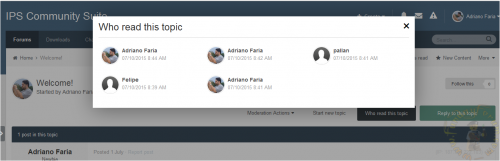
This plugin will record each visit made by users from selected groups to topics of specific forums.
Settings:
Record single visit: if disabled, a flood control setting will appear to set a number of minutes to avoid recording consecutive visits to the same topic Groups that WILL NOT have their visits to the topic logged Forums Groups allowed to view the visitors list List sort by and list direction Guests are not logged Important:
When I inherited this file there was a bug in the uninstall routine. A tiny syntax error. If you've never attempted to uninstall this file before just upgrade to the latest version and you should be fine. If you have attempted to uninstall before you may end up with problems trying to reinstall this ever again. You can try to clear out database elements (many places) and clear your IPS server directory of the plugin files and that may help or maybe it won't. All I have to go on is someone's very broken IPS installation and honestly I don't even think this plugin was ever the problem but it did get caught up in the mess.
This file is unsupported!
I'm releasing what is effectively a duplicate of this plugin with minimal support soon, and a paid (cheap) version with more template options that will have support. This file will remain as-is from this point forward.
6 downloads
0 comments
Submitted
-
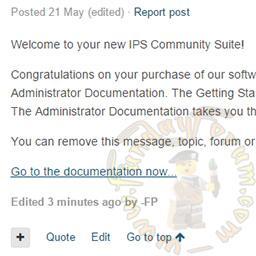
Go To Top - Posts Controls
By waqas dar
This plugin places a "Go To Top" button in the posts controls both for forum posts and private messages.
Translate the language string "goToTop" if you want to modify the Font Awesome icon.
Compatible with Community Suite 4.1.13.
2 downloads
0 comments
Submitted
-
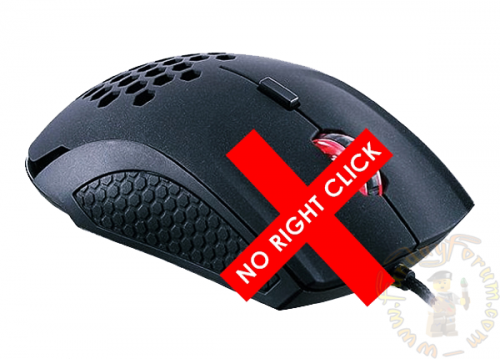
(IPBD41) Disable Right Click
By waqas dar
It allows you add a copy to disable the right mouse button or by using the CTRL + C for the user groups that you want.
16 downloads
0 comments
Submitted
-
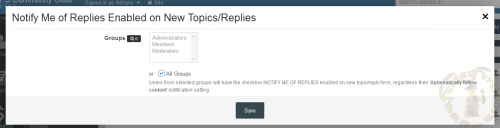
(SOS41) Notify Me of Replies Enabled on New Topics-Replies
By waqas dar
This plugin will enable/check the checkbox NOTIFY ME OF REPLIES on new topic/reply form, regardless the 'Automatically follow content' notification setting of the user.
Setting:
Groups that will have the checkbox enabled NOTE: If you got the error 1S111/1 mkdir(): No such file or directo
ry when installing this plugin, simply uninstall it and reinstall it. It will work just fine.
2 downloads
0 comments
Submitted
-

Backto Top 1.0.5_custom
By waqas dar
The plugin adds the button to easily return to top of page.
It is slightly modified plugin (SB) BacktoTop
• changed color and position of button;
• fixed translation.
Translation key is BacktoTop_title.
8 downloads
0 comments
Submitted
-
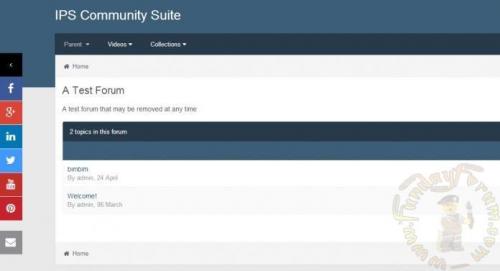
Floating Social Sidebar
By waqas dar
JQuery plugin to bring social buttons on the left side of the forum.
3 downloads
0 comments
Submitted
-
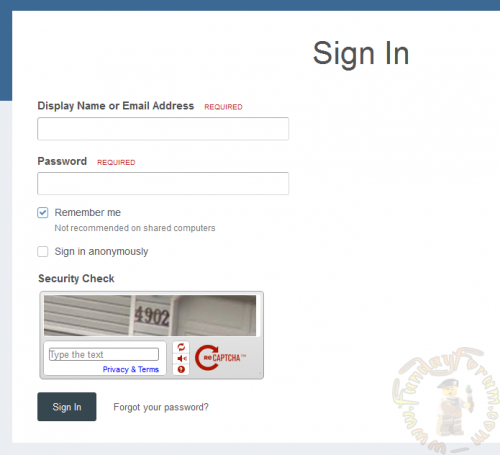
Captcha on Login Form
By waqas dar
Adds the Captcha to the login form on public side.
To change the type of Captcha, go to Admin CP -> Members -> Spam Prevention -> Captcha.
8 downloads
0 comments
Submitted
-
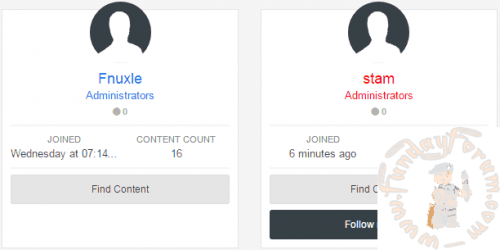
Custom Group Format
By waqas dar
This plugin allows assigning customized and personal group formats for your members!
Rewarding or distinguishing members, using their group format, shouldn't immediately imply creating a new member group. Instead, using this plugin, you can simply edit a member's name color/format directly from the ACP.
6 downloads
0 comments
Submitted
-
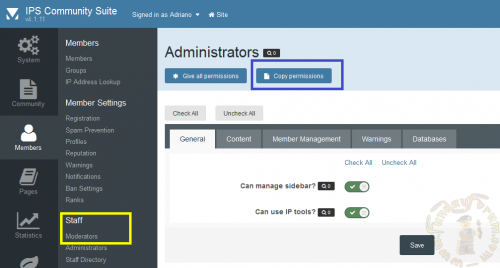
Copy Moderators Permission
By waqas dar
This plugin will help you speed up the task of adding moderators to IPS4 by duplicating permissions quickly and easily.
2 downloads
0 comments
Submitted
-
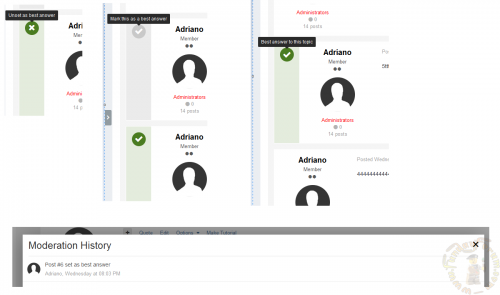
Best Answer on Discussions Forum
By waqas dar
This plugin will restore the BEST ANSWER feature from IP.Board 3.4. It will allow topic starters and users from selected groups to mark a post as best answer. A tag ANSWERED will appear on forum view to show which topics are resolved.
Added filters to topics with best answers and topics without best answers.10 downloads
0 comments
Submitted
-
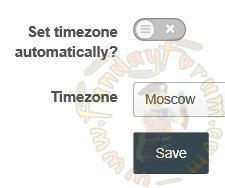
Timezone in account
By waqas dar
Plugin adds ability to change time zone in account settings.
It was initially created by one of our admins for our community.
Translation key is timezone_changed.
Enjoy!
updated to work with the Suite v4.1.9 and above
3 downloads
0 comments
Submitted
-

(R41) User Block
By waqas dar
Widget shows information about logged user.
Github page https://github.com/Recouse/IPS-User-Block
Added thousands separator for posts and reputation points Guests see the login and registration buttons instead posts and reputation points
10 downloads
0 comments
Submitted
-

IPS-Zoom-Image-master
By waqas dar
Plugin allows you to see the details of the picture in the gallery as a magnifying glass.
Step 1: Install Plugin
Locin ACP and go to System -> Plugins -> Install New Plugin. Browse to the XML file included with these instructions and click Open.
1 download
0 comments
Submitted
-
IPS-Submit-By-Ctrl-Enter-master
By waqas dar
Plugin adds the ability to submit messages by ctrl+enter.
Step 1: Install Plugin
Locin ACP and go to System -> Plugins -> Install New Plugin. Browse to the XML file included with these instructions and click Open.
0 downloads
0 comments
Submitted
-

Rainbow Colors on Links Hove
By waqas dar
This plugin will make all links over your community act like a rainbow when link is hovered.
Demo:
10 downloads
0 comments
Submitted
-
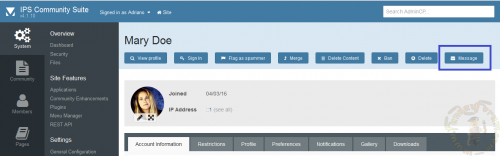
(SOS41) Send PM via Admin CP Profile
By waqas dar
This plugin will allow admins to start a conversation with members directly on their profiles on Admin CP.
2 downloads
0 comments
Submitted
-
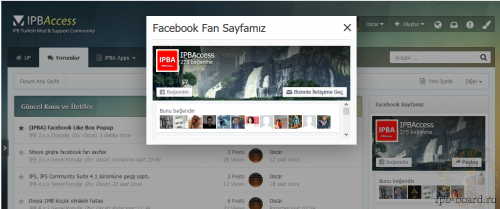
(IPBA) Facebook Floating Box
By waqas dar
This plugin allows you to add a floating window to add your Facebook.
You can set how often to appear field for the visitors. (By default, once a week)
You can get your Facebook, code here (Javascript SDK is recommended, and is fairly easy to add)
The recommended block size is 450 x 80
19 downloads
Submitted
-
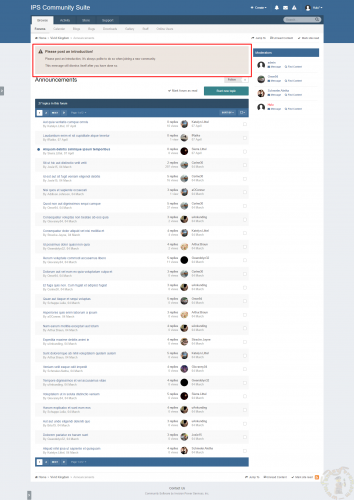
Introduction Notice
By waqas dar
This plugin will redirect a user to a forum until they have posted in it.
Settings:
Groups - selected groups that will be redirected if they haven't posted Forum - the forum to redirect users to Title - title of the notice Content - content of the notice1 download
0 comments
Submitted
-
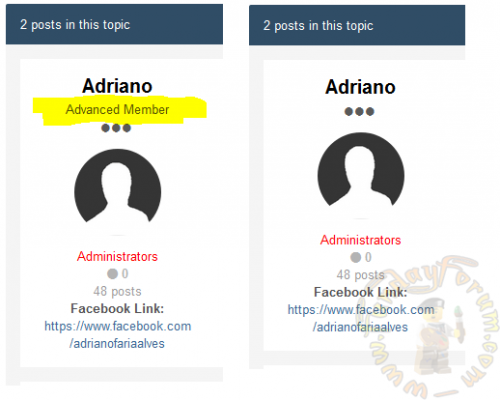
(SOS41) Remove Member Title from Posts
By waqas dar
This plugin will remove Member Title from posts.
5 downloads
0 comments
Submitted
-
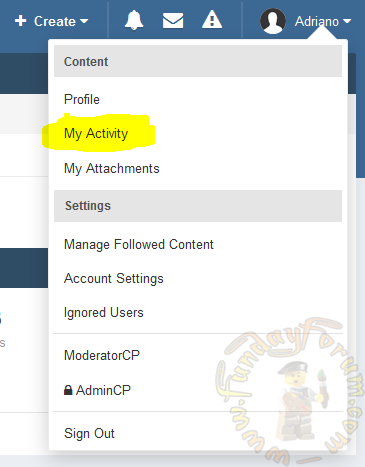
(SOS41) My Activity on UserBar
By waqas dar
The plugin will show My Activity in Activity stream area.
3 downloads
0 comments
Submitted
-
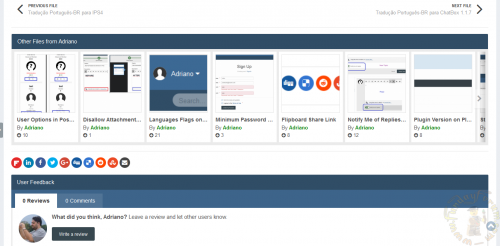
Other Files From File Submitter 1.0.1
By waqas dar
This pluign will add a slider on file view to display other files from the file submitter.
Settings:
Number of files to display Type of files display: start date or random files Requirement:
Downloads2 downloads
0 comments
Updated
-
Top Downloads
Week
Month
Year
All Time
-
-
Download Statistics
537
Files185
Comments29
Reviews



![More information about "Dilchasp_Hikayat-e_Saadi-[fundayforum.com] Urdu PDF Book"](https://fundayforum.com/uploads/monthly_2018_06/1178326569_Dilchasp_Hikayat-e_Saadi-fundayforum_com.thumb.jpg.1d0d05334dd4fd5194494a6b71b7fbbb.jpg)