Plugins
Browse our IPS4 Plugins. Please check IPS Compatible Version before you download or install any Plugin. Like, Share and pass your Reviews. All files are free to download. Thanks to joining us.
132 files
-
plugin Description Footer
By waqas dar
Description Footer - displaying message In Footer
Settings
set Description
set Background color
set Text color
set Font Size
set Margin
set Padding
5 downloads
- description
- footer
- (and 9 more)
0 comments
Submitted
-
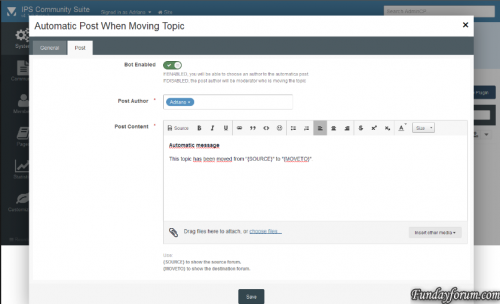
plugin (SOS40) Automatic Post When Moving Topic
By waqas dar
This plugin will create a automatic post when u will move some topic.
Works with
IPS 4.1.x
IPS 4.0
8 downloads
0 comments
Submitted
-
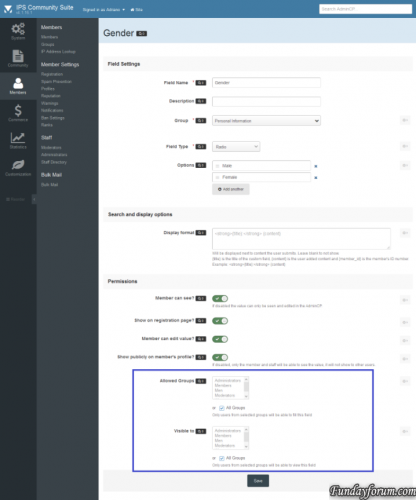
(SOS41) Profile Field Per User Group
By waqas dar
The plugin allows administrators to choose which user groups can use and view each profile field. All groups, by default, will be able to use any profile field. Members of the groups that are not selected in field settings, will not be able to view and fill the field in your profile.
9 downloads
0 comments
Submitted
-
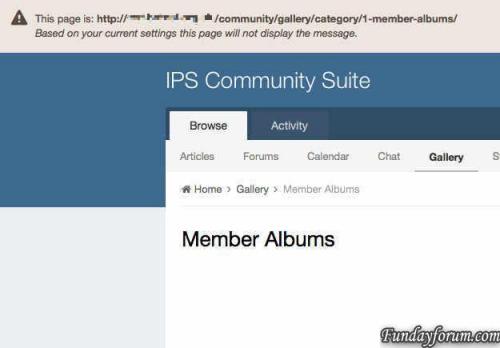
(IPS4) Global Header Message
By waqas dar
IPS style header block for displaying messages and links across the the top of your board. Use either the built in message formats or set you own custom formatting.
Settings
Show/Hide Message. Select which groups can see the message. Display the message on selected pages based on a whitelist or blacklist User can hide message if permitted by admin. 4 built in message formats. Custom message format including; icon, text colour and alignment, background colour. Supports multilingual sites. Compatible with 4.2
(IPS4) Global Header Message
18 downloads
Updated
-
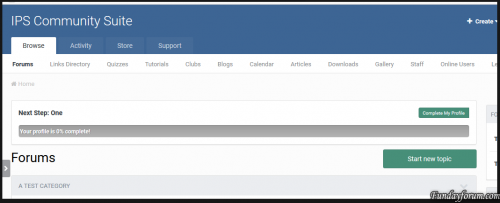
plugin Hide Dismiss Button
By waqas dar
This plugin will hide the Dismiss button in the profile completition message.
2 downloads
0 comments
Submitted
-
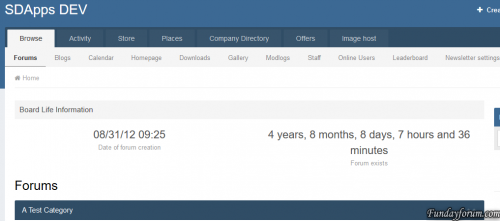
(SD) Board Life Counter
By waqas dar
Plugin to display the time that has elapsed since the creation of your forum.1 download
0 comments
Submitted
-
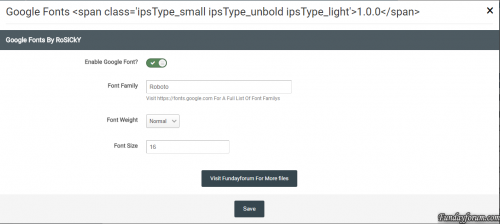
Google Fonts 1.0.0
By waqas dar
Use Google Fonts As Your Sites Body Font
Features
Enable Google Fonts Set Font Weight Set Font Size Visit https://fonts.google.com For A Full List Of Font Family's To Use In This Plugin
6 downloads
0 comments
Submitted
-
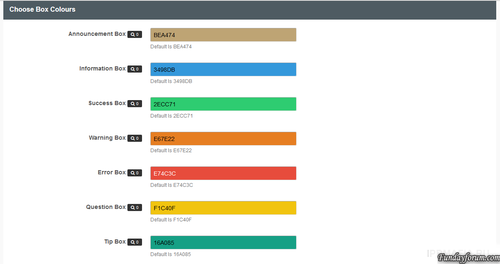
Advanced Messages Notifications
By waqas dar
This plug-in to place the extension messages through your advice
seats
Global header Global Footer Index page above Categorys (You can also delete the Word Forums) Above categories Offline Pages Over the first message on the theme Below The Last Post on the topics Above the words registration on the registration page messages
A warning success error Ad Information Tip Question You can also choose the color of each message field
13 downloads
0 comments
Updated
-
Description Footer
By waqas dar
displaying message In Footer
Settings
set Description set Background color set Text color set Font Size set Margin set Padding2 downloads
0 comments
Submitted
-
Toggle Show/Hide Sidebar Widgets
By waqas dar
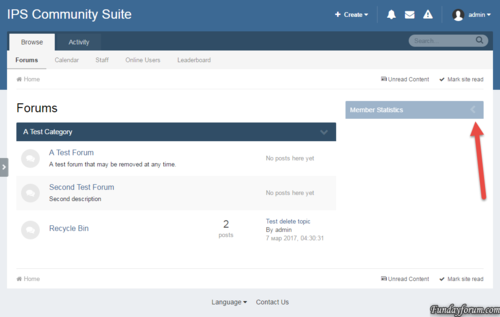
The plugin adds a button to collapse/disclosure widgets in the sidebar
As the key to preserve the state of the widget is its title.
3 downloads
0 comments
Submitted
-
Most Liked Topic This Month
By waqas dar
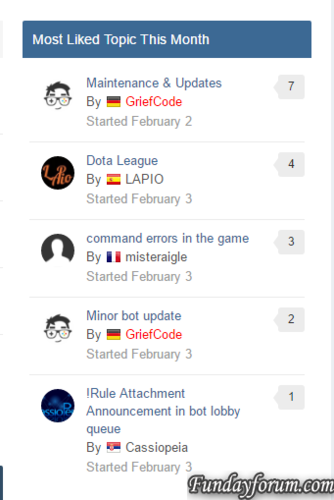
Simple widget to display the most liked topic per month
Several bugs fixed: The topics are now checked against the year as well The display of likes is now correct The likes do now support also negative reputation counts Database prefix is now supported19 downloads
0 comments
Submitted
-
Default Cover Photo
By waqas dar
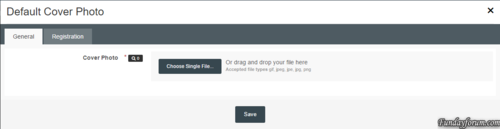
* Plugin: Default Cover Photo
Installation Instructions:
1. Unzip the archive to a location on your computer
2. Login to your ACP
3. Go to System > Plugins
4. Click the "Install" button
5. Select the XML file from the unzipped archive and click "Install"
11 downloads
0 comments
Submitted
-
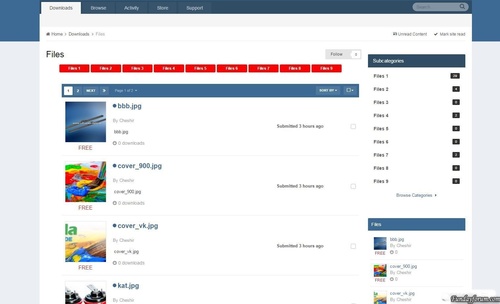
plugin Categories Files Downloads
By waqas dar
The plugin displays the files in the parent category of sub-categories.
3 downloads
- categories
- downloads
- (and 11 more)
Submitted
-

Advanced Message Editor Boxes
By waqas dar
This plugin extends Suites editor support for the implementation for the box of messages. Message boxes are useful for any community, they allow you and your members to easily and aesthetic Highlight warning or any other general information.
Features
Add 7 different types of messages Select a color for each message boxes Each message has a width Box: -moz-Fit-content; What element is that the size of the window will depend on how long the message How to install
Download and install the XML-file with the plugin section in the admin panel Go to Customization -> Toolbars and add a button Either download AMB_box.zip Or AMB_box_Dark.zip In The CKEditor Upload Plugin Section Whats In New Version
A Little Bit More Added Padding around the Box Posts You can use either a standard width or -moz-FIT-content Standard width perfectly fit the Message Box / Box Topics Where How -moz-FIT-content will make the Box As long as the text16 downloads
0 comments
Submitted
-
Twitch Login Method 1.0.3
By waqas dar
This plugin will allow users to sign into your forum through Twitch Oauth2. Existing users can link their accounts in their account settings.
Features:
Syncs a users Twitch display name to their account. Existing users can link their accounts to Twitch.
What's New in Version 1.0.3
- Fixes a bug where if a user does not have an email on their Twitch account it would error. Now it asks for an email if no email is found.
- Adds an extra field to pull and store a users display name
Version 1.0.2
- Compatible with 4.1.10
Version 1.0.3
- Changed Login with Twitch.tv to Sign in with Twitch.tv
11 downloads
0 comments
Submitted
-

WooCommerce Wholesale Pricing v2.2.1
By waqas dar
A extension for WooCommerce, which adds multiple levels of wholesale pricing to your store depending on the user role.
An extra field will be added to your product data tab for each role, where you can add a “wholesale” price. This is applied to simple products, as well as variations.
Once a price has been entered, it will override the default product price with the new wholesale price you entered for that role. Wholesale prices will only be shown if the current user has a role that has been specified in the options page.
Features
Quick and easy installation Supports simple and variable products NEW Select multiple user roles to activate different pricing Show wholesale customers how much they save NEW Set minimum / maximum checkout quantities
Demo
http://woowholesale.com/
Username: demo
Password: demo123
1 download
0 comments
Submitted
-
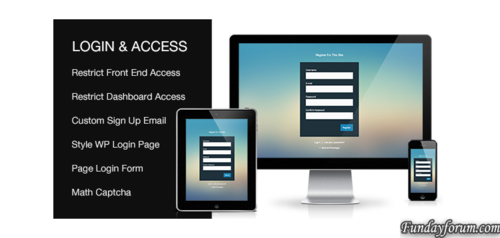
Custom Login & Access WordPresss Plugin v2.0.1
By waqas dar
Style Default WP Login Page Add Login, Register, Forgotten Forms To a Page Modal Login and Register Forms Restrict Front End Access For Non Logged In Users (block specific pages, posts, post types, categories, taxonomies or all content) Restrict WP Dashboard Access For Subscriber Level Users Redirect User After Login And Logout Allow Users To Set Their Own Password During Registration Create Custom New User Registration Email Set Match Captcha For Login, Register and Forgotten Forms Regular Product Updates Custom Login & Access Plugin is kept up to date with the latest WordPress versions4 downloads
0 comments
Submitted
-

Simple Countdown 1.1.1 for ips board
By waqas dar
The plugin will add a block with countdown timer.
22 downloads
Submitted
-

Rules - Starter (Example) Rules Pack 1.2.0
By waqas dar
This "rule pack" consists of starter (example) rules which you can import into the Rules application and learn from, or customize to fit your own needs and use them in production. In order to use any of these rules on your site, you must first install the Rules application:
The following rule sets are included:
Prestige Reputation System
The prestige reputation system is an example of how you can create your own reputation rankings based on the existing reputation system built into IPS4.
It works by attaching a new integer data field to members called "Prestige Rank", which in turn is updated when a member recieves reputation in the core IPS suite. You can customize the rule conditions to your liking to determine when a member actually recieves the "prestige" reputation rank ( the default is when an admin or moderator gives the reputation.)
Also included is another rule that will promote the member to a group of your choosing when they reach a certain "prestige" rank level. You can customize the threshold and the group by editing the "Promote member" rule settings.
Member Re-Engagement Rule Set
This rule demonstrates the power of scheduling with rules.
The first rule in this set schedules an email for a member to be sent 2 months after they log in to the site. If they do not log in again within that timeframe, then the email will be sent. However, if they do log into the site again, then the email is simply re-scheduled to be sent another 2 months in the future. This way, you can have a "re-engagement" email always scheduled for members to be sent out if they haven't logged into the site for a while.
Another rule included with this set will delete any scheduled "re-engagement" email for a member when they are removed from the system.
Auto Lock Old Topics
This rule set schedules a topic to be automatically closed, a reply made, and a PM sent to the author after a period of inactivity of the forum topic. When a reply is made to the topic, the date for auto-locking is automatically rescheduled for the set time period. If the topic is not replied within that time period, then the custom action is taken which locks, replies, and PM's the topic author.
Much more to come. Follow and stay tuned. If you have any ideas or requests for new rules to go into the example pack, drop me a line in the discussion topic!
4 downloads
0 comments
Submitted
-
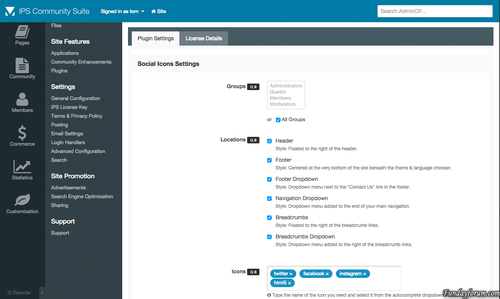
Social Icons
By waqas dar
About
Social Icons for IPS4 is the most advanced plugin available for integrating your favourite social media networks into several locations throughout the suite. This plugin takes full advantage of font icons by allowing full control over size, colour and positioning using simple cross-browser & cross-device CSS code. This eliminates the need for additional raster based icons thus massively improving site performance.
Features
The plugin is shipped with over 170 vector icons that cover all popular social networks.
Choose to show your icons in seven locations including – header, footer, navigation & sidebar.
Drag & drop icons directly to your homepage widgetable areas.
Search for and then preview the icons you need directly from the plugin settings.
Customize the size of your icons directly from the plugin settings.
Want to override the default brand colors? We’ve included a setting for just that.
The settings offer complete control over which groups can and cannot use the plugin.
Integrated with IPS4 Localization.
Coming Soon
Additional icons (after several have been requested)
12 downloads
0 comments
Submitted
-
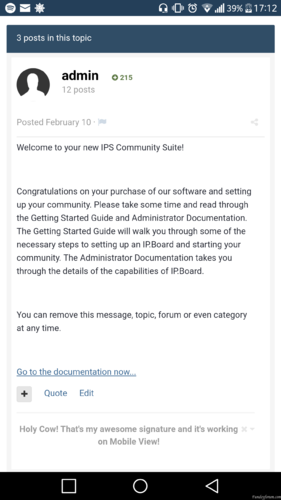
Enable Signatures on Mobile View
By waqas dar
This plugin is enabling member's signature in topic.
0 downloads
0 comments
Submitted
-
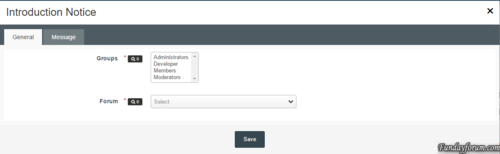
Introduction Notice
By waqas dar
This plugin will redirect a user to a forum until they have posted in it.
Settings:
Groups - selected groups that will be redirected if they haven't posted Forum - the forum to redirect users to Title - title of the notice Content - content of the notice Fixed the issue where all users no matter which group (except guests) where being redirected.
6 downloads
0 comments
Submitted
-
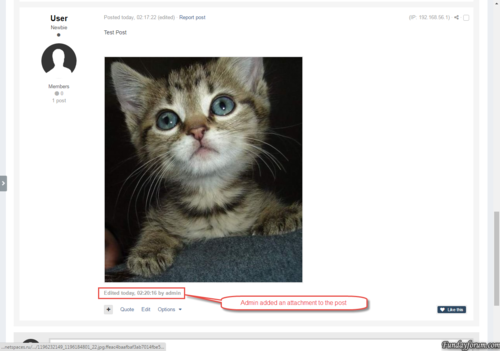
Bind Attachments to Post Autho
By waqas dar
The plugin changes the owners of the attachments. The author of the post becomes the owner attached to the post attachments.
This can be useful if your moderators often change other people's attachments.
The plugin has no settings, and runs as a task 1 time per day.
1 download
0 comments
Submitted
-
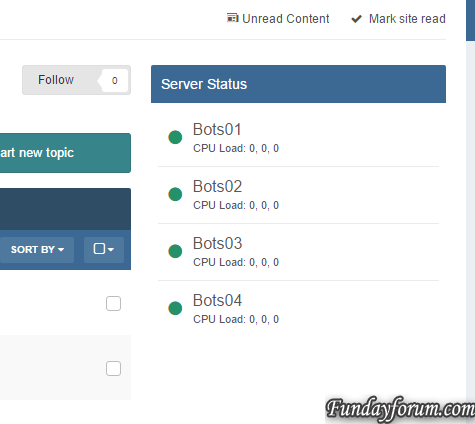
Server Console
By waqas dar
Server Console
Simple Application to observe multiply servers and bigger infrastructures.
The application was basically written that I can keep track of all my servers, without having different pages for monitoring, backups and so on.
Features:
Frequent checks if a server is online/offline and also getting some information, such as: CPU Usage CPU Load RAM Usage (free/total/percentage) DISK Usage (free/total/percentage) Uptime
Block/Widget that users can see the status of the servers as well Dedicated Front Page to observe the status Maintenance mode for servers
As this is only an early development a lot things are planned:
Graphs displaying status/values over the time More detailed stats Dedicated status page Notifications on downtimes / uptimes Backup system
This applications requires the PHP-cURL extension!
This applications requires that this script is installed on any client server and is reachable by the forum server.
Besides there application there some plugins that are created per request, but are not mandatory or useful for everyone using the application. Here is a list of plugins:
Allow users on selection to select servers which they want to get notified from, commonly useful for hosting companies with infrastructure and a support forum: https://dev.grief.network/files/file/3-server-console-register/ What's New in Version 0.1.9
Added protection against false positive alerts Created config option to define failure tolerance per server before the status is actually changed6 downloads
0 comments
Submitted
-
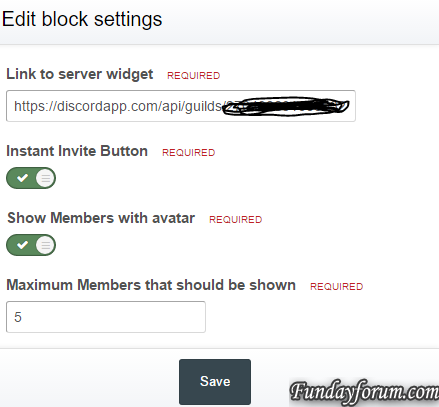
Discord Server Widget
By waqas dar
Simple widget to display activity and online members on a discord server.
The widget uses the wdiget.json api provided by discord:
This widget requires that PHP cUrl extension.
22 downloads
0 comments
Submitted
-
Top Downloads
Week
Month
Year
All Time
-
-
Download Statistics
532
Files185
Comments29
Reviews


![More information about "Dilchasp_Hikayat-e_Saadi-[fundayforum.com] Urdu PDF Book"](https://fundayforum.com/uploads/monthly_2018_06/1178326569_Dilchasp_Hikayat-e_Saadi-fundayforum_com.thumb.jpg.1d0d05334dd4fd5194494a6b71b7fbbb.jpg)