
- 📢 Welcome to FundayForum – Explore Trending Topics
- 🌟 Discover What’s Trending Today
- Megyn Kelly under fire after mocking Christina Applegate's health struggles
- Gracie Abrams dishes on preparing for 'SNL' Halloween show
- Australian fast bowler Megan Schutt suspended over medication breach
- Jake LaRavia injury: Lakers' head coach JJ Redick shares positive update after win
- Prince Harry wants 'closure' in crucial meeting with Princess Eugenie
- Leigh-Anne Pinnock breaks silence after troll brands her 'flop' in Jade Thirlwall comparison
- Mike Tindall makes never before heard confession about Zara
- Novo Pakistan Supports Insulin Access
- Charli D'Amelio breaks silence on family feud: 'Can't trust a person'
- Chappell Roan debuts 'expectations' live after collab with Olivia Rodrigo


Waqas Dar
-
Posts
11,303 -
Joined
-
Last visited
-
Days Won
559
Content Type
Profiles
Events
Forums
Gallery
Blogs
Downloads
Articles
Page News
Release Notes
Store
Files posted by Waqas Dar
-
Free
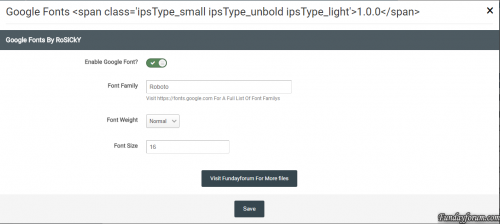
Google Fonts 1.0.0
By Waqas Dar in IPS 4.7 Plugin
Use Google Fonts As Your Sites Body Font
Features
Enable Google Fonts Set Font Weight Set Font Size Visit https://fonts.google.com For A Full List Of Font Family's To Use In This Plugin
6 downloads
0 comments
Submitted
-
![More information about "[HQ] Member of the month"](https://fundayforum.com/uploads/monthly_2017_04/56a66559f26e2_Schermata2016-01-25alle19_08_49.png.d12935ab2e1e86db4a35dc9e1ed3a8c7.png.2e91d306a56b375dbd940b7b5a183ab0.thumb.png.ceb609ad7f8b15c4f08d69379a55c50b.png)
Free
[HQ] Member of the month
By Waqas Dar in IPS 4 Applications
Member of the Month (MotM)
MOTM is an application that will allow you to designate a “member of the month”. Compared to the previous version for IPB 3 has been added the “elections” feature, now users can vote for their candidates.
Features:
Admin can set up Application on/off. Enable/disable Motm widget in home page Admin can enable/disable Motm Archive Page (with historical data) Popup modal window for Staff Note Settings to configure a signature for motm note Stats page in acp to easy find your motm 12 stats displayed on widget for member of the month Members can vote for their candidates Notify user MotM are tested on default IPB skin (4.1.X), for custom skin I provide a full support for free!!!
Installation
Log in to your IPS4 Admin CP Go to System -> Site Features -> Applications Click “Install” Upload the .tar file included with this distribution and install! USAGE
From your AdminCP, go to:
14 downloads
0 comments
Updated
-
![More information about "[Romanian] IPSuite 4 translation (All Apps)"](https://fundayforum.com/uploads/monthly_2017_04/IPS_4.png.738a961de8daa3bb808199454c012d45.thumb.png.82d288636ca50d7b97d7d960a58b70c1.png)
Free
[Romanian] IPSuite 4 translation (All Apps)
By Waqas Dar in Language Packs
Here you find the Romanian language for IPS Community Suite 4
Aici găsești traducerea în Limba Română pentru IPS Community Suite 4
Info's:
Translation created at roStyles.com Translation status: COMPLETE (Over 16000 phrases translated) Content:
System Forums Commerce Pages Downloads Calendar Gallery Blogs Chat Terms of Usage:
Please do report any issues found to be fixed asap Please do not redistribute or re-post this pack elsewhere FAQ:
Q: How can I install the language?
A: You can use the instruction from the downloaded archive.
Q: How to upgrade the language?
A: You can use the instruction from the download archive.
Q: Having trouble installing the language?
A: Sent me a PM with your site link with admin access with password and I will install the language for you (FREE).
11 downloads
(0 reviews)0 comments
Submitted
-

Free
Big Russian langpack for apps
By Waqas Dar in Language Packs
A full translation of some popular applications for IPS Community Suite 4.
Classifieds 1.0.3.2 Delete Account 2.0.0 Easy Popup 1.1.7 Featured Content 4.1.28 Mass PM 2.0.0 My Places 1.3.2 Newsletter 2.2.0 PM Viewer 1.0.4 Quizzes 1.0.3 ===============
For Russian-speaking clients (For Russian speaking users)
A full translation of the popular applications IPS4.
You can help the Russian-speaking community in the translation application.
Thank you for using our translation :).
1 download
(0 reviews)0 comments
Submitted
-
Free
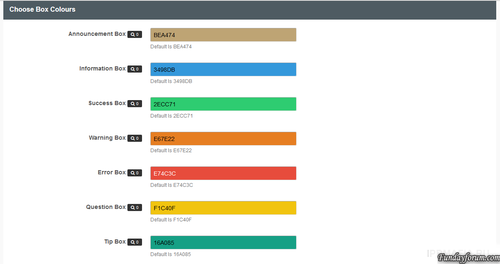
Advanced Messages Notifications
By Waqas Dar in IPS 4.7 Plugin
This plug-in to place the extension messages through your advice
seats
Global header Global Footer Index page above Categorys (You can also delete the Word Forums) Above categories Offline Pages Over the first message on the theme Below The Last Post on the topics Above the words registration on the registration page messages
A warning success error Ad Information Tip Question You can also choose the color of each message field
13 downloads
0 comments
Updated
-

Free
Release Notes For IPS Pages
This is created for those that wants to create their own Release Notes on their forum, please follow the guide linked below to create it with the files provided here.
Please don't down vote this if you only download this without reading the tutorial - Its essential to follow the tutorial to make it all work.
9 downloads
0 comments
Submitted
-
Free
Description Footer
By Waqas Dar in IPS 4.7 Plugin
displaying message In Footer
Settings
set Description set Background color set Text color set Font Size set Margin set Padding2 downloads
0 comments
Submitted
-

Free
(R41) Post Notes
By Waqas Dar in IPS 4 Applications
This application allows members to add notes to posts.
Added new language strings
7 downloads
0 comments
Submitted
-
Free
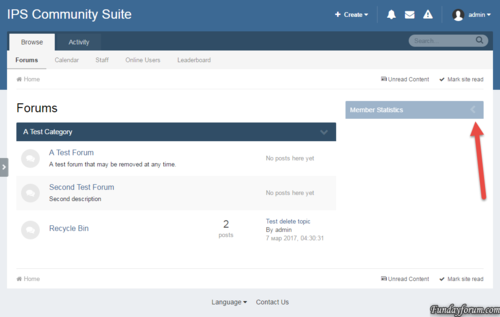
Toggle Show/Hide Sidebar Widgets
By Waqas Dar in IPS 4.7 Plugin
The plugin adds a button to collapse/disclosure widgets in the sidebar
As the key to preserve the state of the widget is its title.
3 downloads
0 comments
Submitted
-
Free
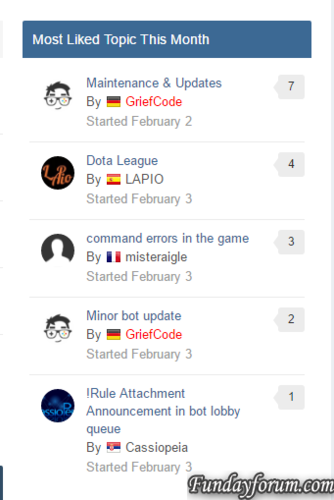
Most Liked Topic This Month
By Waqas Dar in IPS 4.7 Plugin
Simple widget to display the most liked topic per month
Several bugs fixed: The topics are now checked against the year as well The display of likes is now correct The likes do now support also negative reputation counts Database prefix is now supported19 downloads
0 comments
Submitted
-

Free
Ready Chat
By Waqas Dar in PHP & Web Scripts Hub
ReadyChat
ready Chat is a php chat product from DesignSkate. Greatly improving upon our previous product “moChat”. readyChat is more optimized, smoother and enjoyable for both the administrator and the user.
Features
Simple administration panel which is effortless to use! Moderate your chat room fully with the ability to warn, kick & ban users. Plenty of documentation explaining the administration features. Fast, effortless installer with a handy “Getting Started” guide included. Allow your users to create a profile, or disable profiles entirely. Create multiple rooms on your chat room! You can set an icon and a topic for each individual room. Automatically kick inactive users. Ban I.P addresses from your website with a few clicks! Allow your moderators to enter full rooms (Yes! You can define room limits!) Allow your users to insert smilies, new smilies can be added simply by adding them to the folder! Convert text to a hyperlink automatically, or disable this feature entirely! Users will see their messages as pending, creating an ultra fast feeling chat system! Users can disable auto-scrolling to see the earliest messages. Keep your users entertained by adding flash games to your chat room! Profiles can now be embedded in the chat window. Disable registration completely and allow logins only! Allow guests to chat on your website! Password protect your chat rooms. Chat privately with your friends! Sound Notifications Customize user rank colours Fast chat system All future updates for readyChat will be free to customers! readyChat Updates
Update 2.2.0 – 13th January 2015
Update 2.1.0 – 29th October 2014
Update 2.0.0 – 27th October 2014
Update 1.3.0 – 15th November 2013
Update 1.2.0 – 17th October 2013
Update 1.1.0 – 13th October 2013
Your feedback and satisfaction is important to us. We will respond to all questions and queries within 2 days, though usually a lot faster! Feature suggestions will be considered for future versions of readyChat.
Requirements
readyChat requires PHP 5.3 minimum readyChat requires 1 MySQL database (uses the MySQLi extension) Product requires around 2mb of disk space5 downloads
0 comments
Submitted
-

Free
German Language Pack for IPS Community Suite 4 (Deutsch DU) 4.1.19.1.1
By Waqas Dar in Language Packs
German Translation for Invision Power Suite (IPS) 4, created for IPS4.1.x (tested succesfully with previous Versions)
Deutsche Übersetzung für Invision Power Suite (IPS) 4 erstellt für IPS4.1.x (erfolgreich getestet mit vorherigen Versionen)
PLEASE READ ips4-german-LIESMICH-README.html IN THE ARCHIVE FOR INFORMATIONS AND INSTALLATION-GUIDES.
THIS TRANSLATION IS FREE AND WITHOUT ADDS AND BACKLINKS
13 downloads
(0 reviews)0 comments
Submitted
-
Free
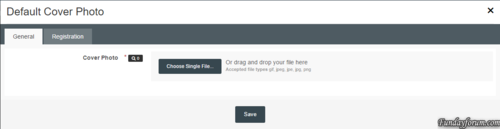
Default Cover Photo
By Waqas Dar in IPS 4.7 Plugin
* Plugin: Default Cover Photo
Installation Instructions:
1. Unzip the archive to a location on your computer
2. Login to your ACP
3. Go to System > Plugins
4. Click the "Install" button
5. Select the XML file from the unzipped archive and click "Install"
11 downloads
0 comments
Submitted
-
Free
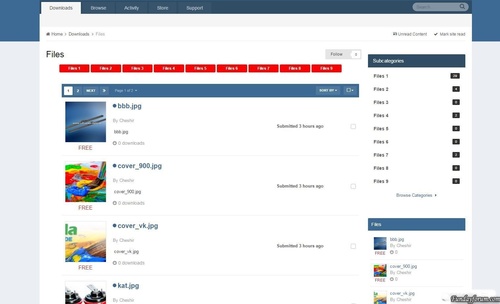
plugin Categories Files Downloads
By Waqas Dar in IPS 4.7 Plugin
The plugin displays the files in the parent category of sub-categories.
3 downloads
- categories
- downloads
- (and 11 more)
Submitted
-

Free
Advanced Message Editor Boxes
By Waqas Dar in IPS 4.7 Plugin
This plugin extends Suites editor support for the implementation for the box of messages. Message boxes are useful for any community, they allow you and your members to easily and aesthetic Highlight warning or any other general information.
Features
Add 7 different types of messages Select a color for each message boxes Each message has a width Box: -moz-Fit-content; What element is that the size of the window will depend on how long the message How to install
Download and install the XML-file with the plugin section in the admin panel Go to Customization -> Toolbars and add a button Either download AMB_box.zip Or AMB_box_Dark.zip In The CKEditor Upload Plugin Section Whats In New Version
A Little Bit More Added Padding around the Box Posts You can use either a standard width or -moz-FIT-content Standard width perfectly fit the Message Box / Box Topics Where How -moz-FIT-content will make the Box As long as the text16 downloads
0 comments
Submitted
-

Free
Luminous by IPS Themes 1.0.6
By Waqas Dar in IPS 4 Themes/Ranks
Live Demo
- Upgraded to support IPS 4.1.14.2
- Webfontloader updated
41 downloads
0 comments
Submitted
-

Free
InOut Webmail Ultimate 3.0
By Waqas Dar in PHP & Web Scripts Hub
Webmail and chat solutions for small/medium sized businesses. Inout Webmail script is loaded with state of the art features and it allows all mail operations under the same page without reloading the page. This gives you blazing fast response, ease of use and Gmail like performance but without the huge costs. The web based live chat service with instant messaging and group chat options can keep your users always connected. Advanced features like efficient spam protection, mail filtering and conversation grouping makes email management a bliss. The address book feature helps your users maintain and organize their contacts easily. For larger enterprises, Inout Webmail comes with Hypertable to handle large amounts of data at high speeds.
Unlimited Users
Inout Webmail is designed to handle large amounts of users so you can continue to use the same platform as the business grows. Control your technology costs with Inout Webmail.
Chats, Calendar, Lists & More…
You don’t just get a web based email script but a fully loaded Gmail inspired platform with chat solutions, group chats, calendars, to do lists.
Fully Featured Webmail Script
Preview panes, spam protection, draft auto save, activity logging, HTML Editor, forwarding & auto replies are just few of the plethora of options available to the internet. All features that you currently enjoy on your personal webmail clients like Gmail are integrated into Inout Webmail for Business.
Big Data Management
That’s right. We have incorporated open source Hypertable into Webmail for businesses that handle large amount of data, users or both. Big Data technologies allow retrieval of large amounts of data and high number requests at blistering speeds. This is suitable for larger enterprises.
3 downloads
0 comments
Submitted
-
Free
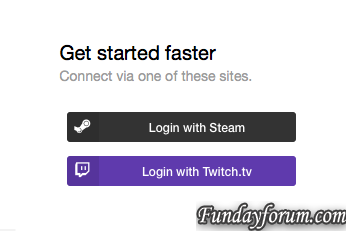
Twitch Login Method 1.0.3
By Waqas Dar in IPS 4.7 Plugin
This plugin will allow users to sign into your forum through Twitch Oauth2. Existing users can link their accounts in their account settings.
Features:
Syncs a users Twitch display name to their account. Existing users can link their accounts to Twitch.
What's New in Version 1.0.3
- Fixes a bug where if a user does not have an email on their Twitch account it would error. Now it asks for an email if no email is found.
- Adds an extra field to pull and store a users display name
Version 1.0.2
- Compatible with 4.1.10
Version 1.0.3
- Changed Login with Twitch.tv to Sign in with Twitch.tv
11 downloads
0 comments
Submitted
-

Free
Steam Profile Integration 2_0_12
By Waqas Dar in IPS 4 Applications
This app will obtain data from Steam for your users and place it in your IPS Community database for use anywhere on your site. Your board will re-load your members Steam Online information, in configurable batches, every 2 minutes, so you always have up to date information without impacting load times of your community pages.
Out of the box, this app will display steam information in the following places
Member Profile Next to Members' posts Member Hovercards (Steam Online Status only) Widget: X Random Online Steam Members displayed anywhere you can place a Widget More detailed information about the members Steam profile is displayed on the Members Profile page. Including an optional list of games the member owns. Out of the box the list of games can be shown in either an image grid layout, or list view.
This app integrates seamlessly with Lavo's Sign in through Steam.. It will automatically detect if it is installed and pull that users Steam information.
Don't have Lavo's sign in installed? No problem, this app works with a Custom Profile field also. Want to use both a custom profile field AND Lavo's hook? Not a problem, this app seamlessly pulls information from both locations to create a single list of users to pull information.
Valid Steam Input format for Custom Profile Field:
Steam Name: ex. ' Aiwa ' 17 digit Steam ID: ex. 76561197964468370 Old school Steam ID: ex. STEAM_0:0:2101321 *** If there are any other places you'd like to see a users steam information displayed, let me know!
Scales seamlessly to work with larger boards without impacting site / server performance.
IP.Board 3.4.x version available here.
*** Supported natively on 64 bit server configurations. For 32 bit server configurations, php-bcmath is required to decode this format.
What's New in Version 2.0.12
-Security Update: SQL injection vulnerability fixed. Thanks to Jazz Cat for reporting.
-View Profiles Table enhancements. More to come here, wasn't quite finished but needed to get this released ASAP.
23 downloads
0 comments
Submitted
-

Free
(VN41) Matter - Google Material for IPS
By Waqas Dar in IPS 4 Themes/Ranks
Matter a material metaphor is the unifying theory of a rationalized space and a system of motion.
The material is grounded in tactile reality, inspired by the study of paper and ink, yet technologically advanced and open to imagination and magic.
Full Screen: Home Page, Calendar, Downloads, Blogs, Pages
Support Topiс
Click here for demo! Main Settings
Backgrounds
Effects
Forms
Forum Nodes
Guest Message
Topic View
Other
Footer
NavBar
Social Icons
Toogle & Pagination
Typography
Notice:
If You need to install style on Your forum, but You can't do that, write me in personal messages. If You find a bug in the style, at once write us in PM or in the Support Topic (will be added later) and I'll correct it.
MetaTags: Material style for IPS 4, Modern style for IPS 4, Beautiful style for ips4. Also view more of our work :
29 downloads
0 comments
Updated
-

Free
Magnum Theme
By Waqas Dar in IPS 4 Themes/Ranks
Magnum is a clean, modern, creative multipurpose IPS theme comes with advanced features including responsive drop down navigation, Styling a specific forum category, Google fonts, custom html full-sized widgets, Advanced footer, A different article styles, and a powerful touch slider that can be integrated with (IP.Content) as a complete package for infinite slider.
Magnum theme is beautifully responsive and mobile friendly. integrated with the Swiper which is a modern touch slider. works with all modern browsers. magnum is a pixel-perfect design, works great on tablets, mobile phones. You can integrate the slider with (IP.Content) to showcase your articles in a beautiful design. This is not just a theme.
Features:
Swiper Slider
Magnum theme comes with a modern touch slider that integrates with (IP.Content) as a complete package for infinite slider. beautifully designed to showcase your articles. It is entirely responsive, meaning that it can work on tablets, mobile phones, laptops, and desktop computers, comes with lots of settings and customization's You can enable or disable the slider and magnum theme still looks great.
By default you can add 5 custom sliders within theme settings, You can also set group permissions for each of the sliders, for example, guest slider or any other user groups, you can show the slider everywhere or Homepage only or a specif page for example forum index only, or Pages, gallery, Blog. You can also enable Article Slider option to integrate with Pages articles, Once you create an article, it is automatically added to the sliders list Shows the author name, comments, views. pinned or featured icons, article image and with a read more button links article record, and that is not the only cool thing about magnum slider, the article slider is actually fully controllable within the block feed you create, for example showing featured articles or pinned, or showing to specific user groups , This is basically a customized block feed template shows the records in the slider
You can add and have as many block feed as you want even from different Pages databases, for example creating sliders for guests or any other user groups you want
Newbie friendly and really easy to setup..
Custom Full-sized Widget
Add a custom widget on top or bottom of your website with group permissions, You can also choice where exactly to show the widget, Great for guest message or any other user groups, or to use it for custom ads and/or custom html Priority Navigation
Magnum theme comes with a responsive navigation to show your website menus in a beautiful drop down, drop up, fading, sliding effects
Advanced Footer
Magnum theme comes with a secondary footer fully customization, you can add Links, About us information, Social icons. You can even assign a block feed to the footer links, You can easily change font colors, Hover colors, header colors, a custom background for About Us row, Custom background color, Gradients, background Image to the footer.
Style your Forum Categories
With magnum theme you can style a specif forum category, For example adding a different background color or background gradients, text color, or a cover to the section, very useful if you have private sections
A different article styles
A different article styles comes free with magnum theme. ...Comes with tons of useful settings and customization.
...
Magnum theme comes with a beautiful and highly customizable slider
Fullscreen Slider
Wide Header
Boxed Header
What's New in Version 2.0.0
Added the latest version of A different article styles
24 downloads
Updated
-

Free
WooCommerce Wholesale Pricing v2.2.1
By Waqas Dar in IPS 4.7 Plugin
A extension for WooCommerce, which adds multiple levels of wholesale pricing to your store depending on the user role.
An extra field will be added to your product data tab for each role, where you can add a “wholesale” price. This is applied to simple products, as well as variations.
Once a price has been entered, it will override the default product price with the new wholesale price you entered for that role. Wholesale prices will only be shown if the current user has a role that has been specified in the options page.
Features
Quick and easy installation Supports simple and variable products NEW Select multiple user roles to activate different pricing Show wholesale customers how much they save NEW Set minimum / maximum checkout quantities
Demo
http://woowholesale.com/
Username: demo
Password: demo123
1 download
0 comments
Submitted
-
Free
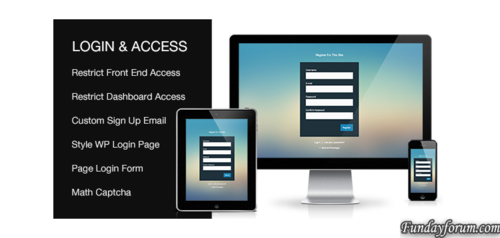
Custom Login & Access WordPresss Plugin v2.0.1
By Waqas Dar in IPS 4.7 Plugin
Style Default WP Login Page Add Login, Register, Forgotten Forms To a Page Modal Login and Register Forms Restrict Front End Access For Non Logged In Users (block specific pages, posts, post types, categories, taxonomies or all content) Restrict WP Dashboard Access For Subscriber Level Users Redirect User After Login And Logout Allow Users To Set Their Own Password During Registration Create Custom New User Registration Email Set Match Captcha For Login, Register and Forgotten Forms Regular Product Updates Custom Login & Access Plugin is kept up to date with the latest WordPress versions4 downloads
0 comments
Submitted
-

Free
Simple Countdown 1.1.1 for ips board
By Waqas Dar in IPS 4.7 Plugin
The plugin will add a block with countdown timer.
22 downloads
Submitted
-

Free
IPBWI for WordPress v4 - Sync Groups 4.0.0
By Waqas Dar in IPS 4 Applications
Automatically synchronize WordPress' user roles with IPS community suite groups!
No core files touched!
Once you have mapped the WordPress user roles with IPS user groups of your choice, you will get IPS secondary usergroups synced with WordPress' user roles.
Primary Group in IPS community suite remains untouched - this allows you to give users in IPS and WordPress extra permissions without showing them to public.
You can map each WordPress user role to a unique corresponding IPS user group or map several WP user roles to the same IPS user groups - once a user group in IPS is removed or added from member, all mapped user roles from WordPress are synced instantly, too.
Important Requirements:
IPBWI for WordPress v4 installed on WordPress and IPS Community Suite Please note that we only test on most recent release version of IPBWI for WordPress v4.
Documentation
Bulk Sync/Import all members at once?
This Group Sync addon works for all future changes. If you want to bulk sync or import existing IPS members to WordPress, you will need IPBWI4WP – IPS User to WordPress Import
5 downloads
0 comments
Submitted
-
Recently Browsing 0 members
- No registered users viewing this page.