
- 📢 Welcome to FundayForum – Explore Trending Topics
- 🌟 Discover What’s Trending Today
- Michael Douglas fears of losing his charm amid Davina McCall's health battles
- Meghan Markle's awkward gaffe that went viral: Truth revealed
- Maradona doctor was made 'scapegoat' for his death, Argentine court told
- What you need to know about the 2026 US midterm elections
- Harry Styles loses temper after 'menacing' fan encounter
- Lady Gaga hints at nw album with just two words response
- Govt approaches JI for fresh talks on petroleum levy ahead of third phase of protest
- Gracie Abrams, Paul Mescal face trouble in paradise after 2 years together
- A 'misunderstood' relationship?
- Country singer John Anderson dies at the age of 71


Waqas Dar
-
Posts
11,303 -
Joined
-
Last visited
-
Days Won
559
Content Type
Profiles
Events
Forums
Gallery
Blogs
Downloads
Articles
Page News
Release Notes
Store
Files posted by Waqas Dar
-
Free
application (itzknotty) social network widgets
By Waqas Dar in IPS 4 Applications
What is it?
Itzknotty is a small application that brings several widgets with it to display your tweets from twitter or posts from your facebook pages / groups:
A widget to display the latest posts of a configured facebook page A widget to display the latest live stream of a configured facebook page. The livestream widget will only be displayed if there are users viewing the stream at the moment. A widget to display the tweets of a configured twitter page There is also a page...
...that shows the complete activity stream of the configured facebook page. The user can click on a button to load the next activity items from the facebook page. Configure the application (Facebook)
Go to the admin control panel of your site and login with your account. Go to Community > Itzknotty > Settings Select the tab for the facebook settings Fill in your data:
Facebook Pagename
The name of the page you want retrieve data from (https://www.facebook.com/your-pagename). You could also insert the id of a group or other endpoints that support the "feed" configuration. But: the data must be public accessable!
Facebook App ID
The app id of your application. For further information how to create an app scroll down.
Facebook App Secret
The secret of your application.
Place the widgets you prefere to your board.
Add a link to the complete stream if you want:
How to create a Facebook application to access data of your page
You need an active Facebook account to create an app.
Go to https://developers.facebook.com/apps/ and make sure you are logged in with your preferred account. Click the button "Add a new App" And fill in the information for Display Name, Contact Email and choose Apps for Pages as category.
Click on Create App ID and confirm the security check to proceed. Navigate to the Settings page in the left navigation bar. Copy your App ID and your App Secret and insert both in your admin control panel.
Everything should work now.
Configure the application (Twitter)
Go to the admin control panel of your site and login with your account. Go to Community > Itzknotty > Settings Select the tab for the twitter settings Fill in your data you can get from your twitter application. Place the widgets you prefere to your board. How to create a Twitter application to access data of your page
You need an active Twitter account to create an app.
Go to https://dev.twitter.com/ and make sure you are logged in with your preferred account. Click the button "My Apps" and "Create new app" Fill in the details and accept the Developer Agreement. Choose "read permissions" only to be more secure. You do not need write permission for the application. You can copy & paste your data from there Update Facebook Graph SDK to the latest version Make compatible to 4.37 downloads
- (itzknotty)
- (itzknotty) social network widgets
- (and 11 more)
0 comments
Submitted
-

Free
download IPS Invision community forum 4.3 nulled download
By Waqas Dar in IPS Community Suite 4 Resources
Welcome to Invision Community 4.3.0!
There is a lot to know so be sure to read our announcement for everything new!
**IMPORTANT UPGRADE NOTICE**
Please note that not all third party applications and themes are yet compatible with Invision Community 4.3. If you utilize third party resources, including custom themes, please ensure they have been declared compatible by their respective authors or your site may be non-functional after upgrade. There is a new compatibility field on all marketplace resource listings. If this field is missing or does not specifically list 4.3, it is likely not yet compatible.
Improved Search
We now support Elasticsearch for scalable and accurate searching that MySQL alone cannot provided. There are also enhancements to the overall search interfaces based on your feedback.
Emoji
Express yourself with native emoji support in all editors. You can also keep your custom emoticons as you have now.
Member Management
The AdminCP interface to manage your members is all new allowing you easier control and management of your membership.
Automatic Community Moderation
You as the administrator set up rules to define how many unique member reports a piece of content needs to receive before it's automatically hidden from view and moderators notified.
Clubs
The new Clubs feature has been a huge hit with Invision Community users and we are expanding it to include invite-only options, notifications, exposure on the main community pages, paid memberships, and more.
Custom Email Footers
Your community generates a lot of email and you can now include dynamic content in the footer to help drive engagement and content discovery.
New Gallery Interface
We have reworked our Gallery system with a simplified upload process and more streamlined image viewing.
The full list follows. Enjoy!
Content Discovery
We now support Elasticsearch which is a search utility that allows for much faster and more reliable searching. The REST API now supports search functions. Both MySQL and Elasticsearch have new settings for the admin to use to set search-defaults and default content weighting to better customize search logic to your community. Visitors can now search for Content Pages and Commerce Products. When entering a search term, members now see a more clear interface so they know what areas they are searching in and the method of search. Member Engagement
Commerce can now send a customizable account welcome email after checkout. You can whitelist emails in the spam service to stop false-positives. REST API has many enhancements to mange members. Ability to join any OAuth service for login management. Invision Community can now be an OAuth endpoint. Wordpress OAuth login method built in. Support for Google's Invisible ReCaptcha. Groups can be excluded from Leaderboard (such as admins or bot groups). All emails generated by Invision Community can now contain admin-defined extra promotional text in the footer such as recent topics, Our Picks, and more. Admins can now define the order of Complete Your Profile to better control user experience. Clubs
Option to make a Club visible but invite-only Admins can set an option so any Club a member is part of will also show in the parent application. So if you are in a Club that has a Gallery tab then those image will show both in the Club and in the main Gallery section of the community. Club members can now follow an entire Club rather than just each content section. There is a new option on the Club directory page for a list view which is useful for communities with many Clubs. If you have Commerce you can now enable paid memberships to Clubs. Admins can set limits on number of Clubs per group. If a group has delete permission in their Club, they can now delete empty containers as well. Members can ignore invitations. Moderation and Administration
Unrestricted moderator or administrator permission sets in the AdminCP are visually flagged. This prevents administrator confusion when they cannot do something as they will be able to quickly see if their account has restrictions. You can choose to be notified with a new Club is created. Moderators can now reply to any content item with a hidden reply. Download screenshot/watermarks can now be rebuilt if you change settings. Support for Facebook Pixel to easily track visitors. Moderators can now delete Gallery albums. Automatic moderation tools with rules to define when content should auto-hide based on user reports. Totally new member management view in AdminCP. More areas are mass-selectable like comments and AdminCP functions for easier management. New Features
Commerce now has full Stripe support including fraud tools, Apple Pay, and other Stripe features. Commerce packages can now have various custom email events configured (expiring soon, purchased, expired). Full Emojii support in the editor. Setting so when someone is typing in an editor, other members will see a "Member X is typing..." status in the editor view. Complete overhaul of the Gallery upload and image views. Announcements system overhaul. Now global on all pages (not via widget) and new modes including dismissible announcements and top-header floating bar option. Many new reports on traffic and engagement in the AdminCP. Blog has new view modes to offer options for a traditional site blog or a community multi-member blog platform. The content-starter can now leave one reply to Reviews on their item. Commerce now makes it much easier to do basic account-subscriptions when there is no product attached. Useful Improvements
Forums has a new widget where you can filter by tags. If tags are not required, the tag input box now indicates this so the member knows they do not have to put in tags. Member cover photos can now be clicked to see the full image. Any item with a poll now has a symbol on the list view. Twitch.tv embed support. You can now update/overwrite media in the Pages Media Manager. Mapbox as an additional map provider to Google Maps. Technical Changes
Direct support for Sparkpost has been removed. Anyone currently using Sparkpost will automatically have their settings converted to the Sparkpost SMTP mode so your email will still work. Your cache engines (like Redis) will be checked on upgrade and in the support tool to ensure they are reachable. Third-party applications will now be visually labeled to distinguish them from Invision Community official applications. The queued tasks list in the AdminCP is now collapsed by default as queued tasks are not something people need to pay much attention to during normal operations. When upgrading from version 3 series you must convert your database to UTF8 and the system saves your original data in tables prefixed with orig. The AdminCP now alerts you these are still present and allows you to remove them to reclaim storage space. On new installs there are now reasonable defaults for upload limits to keep people from eating up storage space. Categories in all apps (forums, gallery albums, databases, etc.) no longer allow HTML in their titles. This has been a concern both in terms of security and usability so we were forced to restrict it. Large improvements to the Redis cache engine including use for sessions. The login with HTTPS option has been removed and those who were using it will be given instructions to convert their entire community to HTTPS. Images loaded through the proxy system now honor image limits for normal uploads. We now consider BBCode deprecated. We are not removing support but will not fix any future issues that may come up.63 downloads
- 4.3
- all application
- (and 13 more)
0 comments
Updated
-
Free
application Menu/Navigation Icons
By Waqas Dar in IPS 4 Applications
This applications lets you upload an icon or use a fontawesome icon on the menu/navigation.
It is fully built into the menu manager so no learning curve required.
Features include:
Icons appear on primary navigation bar, as well as the mobile bar. Allows for various icon types including images, FontAwesome icons, or raw HTML/CSS to not have to mess around with your templates. Live viewing of your icon directly in the menu manager. Bug Fixes
Completely rewrote to be less hacky, and solve all issues with saving. However due to a limitation in IPS, some menu item types may have to manually be added to the application (extremely easy, just PM me and I can do it in 2 minutes), but no further issues should arise. Add icons for new menu items without having to save them initially.7 downloads
- fundayforum
- icons
- (and 12 more)
0 comments
Submitted
-
.thumb.png.37a07272a3e8e8e01653ae5ac0f23ef7.png)
Free
application PM Viewer
By Waqas Dar in IPS 4 Applications
NOTE: THERE'S AN ISSUE USING THE SEARCH IN THIS APP DUE TO CHANGES IPS MADE TO 4.1. IN THE MEANTIME, SEARCH WON'T WORK. DO NOT INSTALL IF YOU CAN'T WAIT FOR SEARCH IMPLEMENTATION.
An internal search is being developed for this app for the IPS 4.3 version.
This application will allow administrators to read conversations on Admin CP. If admins has a special permission, they will also be able to VIEW hidden conversations, EDIT, HIDE/UNHIDE conversations (from appearing on PM Viewer application) and INVITE/REMOVE MEMBERS from conversations. Conversations can also be tracked by filtering keywords. If a specific keyword added by an admin is used on Conversation, users from selected group will receive a notification with a link to the conversation on PM Viewer application. Admins can also use tools to HIDE or UNHIDE all conversations with one click.
Settings:
Number of conversations per page Number of log entries per page Enable keyword monitoring Keywords to monitor Notification Groups: Members from selected groups will be notified when someone sends a private message that contaims a monitored keyword. Groups Permissions:
Protected groups: If a member from a selected group is involved in a conversation, then this conversation will be not viewable in the PM Viewer application regardless of who else is involved. Can view HIDDEN conversations Can HIDE/UNHIDE conversations Can INVITE/REMOVE members from conversations Can EDIT message content: Users will also be able to view Revisions from posts and delete/restore the original text Tools:
Hide All Conversations Unhide All Conversations Logs:
Added log in all actions: view a conversation, hide/unhide conversation, add/remove users from conversations and restore or delete a revision from a post Added a Logs module to display Admin Logs from this application.
Compatibility:
IPS Community 4.1.X IPS Community 4.0.X
Comming soon:
Ability to view deleted messages Upgrade to get all the data from this app for IP.Board 3.X
Note:
This application was made by request and sponsored by a few users and was made based on PM Viewer for IP.Board 3.X from signet51. Fix:
Not sending notifications on monitored keywords IPS 4.2:
An internal search is being developed for this app.8 downloads
- fundayforum
- invision apps
- (and 8 more)
0 comments
Submitted
-

Free
theme/skin Ips Theme Animate 4.x ipsfocus.com 4.3
By Waqas Dar in IPS 4 Themes/Ranks
Animate is a dark, modern design and is named after the animated background effect seen in its header. The theme comes with an animated header and is perfect for any forum looking for a quick loading dark design - especially great for gaming forums!
Theme Features
Theme Settings
Easily enable, disable or modify theme features such as background images, logos, social media links, guest messages and colors. This makes modifications and upgrades very simple since little code changes are required.
Animated header
This theme features two animated images in the header, powered by css animations. The effect can be customized extensively, or removed entirely if necessary.
Background picker
Your members can choose their own background image (or color) from a predefined selection and their choice is saved via cookies. This feature can be configured or disabled within the theme settings.
Guest message
The "Guest message" widget is restyled to grab your visitors attention. It can be added to any widget location: header, footer or sidebar.
Social links
Social links can be enabled/disabled and customized to your own URL, allowing you to easily link to your social network pages (facebook, twitter, etc)
HTML logo with slogan
Easily add/edit your text logo and slogan from within the theme settings. If required, the text can be replaced by an image instead.
Mega Footer
A mega footer with configurable column numbers and content can be enabled and customized all within the theme settings.
Minimal HTML edits
This theme has very few template files, which means in most cases, you will not need to install theme updates between IPS versions. Too easy!
Latest Topic on Mobiles
The latest topic title is visible on tablets and mobiles, allowing more convenient access to your latest content for mobile users.
Global Message
Display a message across the top of your site with important announcements. Once your members have seen the message, they can press the Dismiss button to remove it (until you configure a new one).
Retina Ready
All gradients, shadows and icons are generated using css which means your site will look great on all devices - even those with high resolution screens.
Demo // Detailed list of features
19 downloads
Submitted
-

Free
plugin Cookie Notice Invision Power Board Plugin
By Waqas Dar in IPS 4.7 Plugin
This plugin displays a cookie notice message popup. In the ACP you can set the message and specify an URL to read more about your cookies policy. You can also choose different positions and styles for the popup, as well as customize the colors. Clicking the "Got it!" button sets a cookie to no longer show the message.
There are language strings for the "More Info" link, for the "Got it!" button, and for the message itself if you choose to use the translations. (cookieNotice_more, cookieNotice_dismiss and cookieNotice_message)
Compatible with Community Suite 4.2.2 Fixed issue changing opacity. Now plugin's CSS cache is cleared after changing settings.8 downloads
0 comments
Updated
-
![More information about "Cometchat [ips]"](https://fundayforum.com/uploads/monthly_2018_04/1.thumb.png.8cfc8908a72eaa094d3ef0526ea31b3d.png)
Free
application Cometchat [ips]
By Waqas Dar in IPS 4 Applications
Cometchat for ips 4.1.x and 4.2.x
CometChat – that can be integrated into your website. This chat enhances interactivity, allowing users to chat with friends and other Internet users. CometChat uses standard PHP and MySQL to communicate. No additional modules on the server side is not required. CometChat can be used to create online support on the site, as well as a regular chat for all users.
New Cloud Plans
We have updated our Cloud Plans to fit your needs. You get hassle-free setup, Real-time messaging and an included SDK to build on. Our cloud plans are scalable, with dedicated service and are as easy as 1,2,3. You can further read about our could plans here.Your post count must be 5 in order to see this link. You currently have 0 post(s)
New Dashboard Stats
The new Dashboard stats feature gives you access to real-time data with pointers such as Active users, Messages sent and more. Access to this data allows you more control and scalability.
Voice Notes
Your users can now send audio snippets and have more personalized conversations and express themselves with the new Voice Notes feature. The feature is well integrated and available on all of our platforms so that no one is left out.
Improved UI for Audio Calling
With constant developments, we have now updated our UI interface for the audio calling feature. A more clean and fluid interface for your users to interact with for a better experience.
Support for Xamarin Forms
We have updated our Xamarin Chat SDK Component to support Xamarin Forms. Use the Xamarin.Forms API to quickly build native apps for iOS and Android completely in C#.
New WordPress and BuddyPress Plugin
CometChats new WordPress Plugin is now available! Our plugin makes it effortless to install CometChat on your WordPress and BuddyPress site. Friends’ list synchronization happens auto-magically if you have BuddyPress installed.
23 downloads
0 comments
Updated
-

Free
plugin General Statistics Widget
By Waqas Dar in IPS 4.7 Plugin
This plugin will join the statistics of members and forums into one widget that can be displayed on the front end.
Requirements
The Forums application installed and enabled. Updated for 4.2.X26 downloads
Submitted
-
![More information about "Guest Message [ips]"](https://fundayforum.com/uploads/monthly_2018_04/g1.thumb.png.e8533537f9b42905d659f8112f350cb5.png)
Free
plugin Guest Message [ips]
By Waqas Dar in IPS 4.7 Plugin
Add a message only viewable to guests explaining the benefits of registration to guests.
Compatibility upgrade for IP.Board 4.2.x.
12 downloads
0 comments
Submitted
-
![More information about "Advanced User Info [IPS]"](https://fundayforum.com/uploads/monthly_2018_04/Capture.thumb.PNG.72f8d573ed4d79680119100e9dfd8d4a.PNG)
Free
Advanced User Info [IPS]
By Waqas Dar in IPS 4.7 Plugin
Turn your boring type of information the user panel in a nice user information panel
Information Added by (each of them has its own Font Awesome Icon)
Group
Rank
User ID
Counting posts
Reputation
Effective Date
Online status
mood of the user (must be set HQ4 mood)
Total wins high-rap per day (banner must be active)
Show or hide any of the users - the plugin panel - Edit
You can add your own user profile, go to the Admin Panel -> Settings -> Profiles
now: Create a new field and select the field that you want to use Seeding is required,
the field format: Enter the code below and replace the amazing code font to the one you want to use
<li class = 'ipsResponsive_hidePhone' > <span class = 'aupTitle' > <i class = "fa fa-id-card-o" aria-hidden = "to true" > </ i> {title}: </ span> <span class = 'aupContent' > {content} </ span> </ li> <br/> <hr class = 'aupHr' >
43 downloads
Updated
-
![More information about "[IPS] Advanced Custom Widget"](https://fundayforum.com/uploads/monthly_2018_04/5ad348d8993bd_advancedcustomwidget.thumb.png.c41da00be483fa0b50d7b93fe82e805b.png)
Free
plugin [IPS] Advanced Custom Widget
By Waqas Dar in IPS 4.7 Plugin
Advanced Custom Widgets
Advanced custom widgets allows you to add advanced custom TXT and HTML widgets to your website, You can add Default and Fixed widgets, Each widget you add is fully customizable with its own configuration settings.
Comes with a lot of configurations to customize, Fixed widgets can have a specific width and height or full screen height, Set a position to show the widget, Optionally hide on mobiles and tablets, Change colors, Choose who can see...etc)
Demo
Features:
Fixed and normal widgets Fixed widgets. Add fixed widgets to website sides you choose in the widget configuration, each widget can have different position or even a custom position. Normal widgets. Add normal and default widgets
TXT & HTML widgets Each widget can be TXT or HTML.
Fully customizable widgets. Each widget you add can have different settings and different colors. You can customize widget width, height, fixed positions, optionally hide on mobiles and tablets, customize fixed sides switcher, Switcher type, Switcher style, set User group permissions and colors...etc)
Whats New In 1.0.2
Added two more settings to customize the fixed widgets.
Switcher type. You can now choose if you wanted the switcher to save and remember the toggle using browser cookies, for example if you open a fixed widget, you need to toggle to close even after page refresh Switcher style. You can now select from two different switcher styles.6 downloads
- advanced
- advanced custom widget
- (and 12 more)
0 comments
Submitted
-

Free
Trophies and Medals latest version
By Waqas Dar in IPS 4 Applications
Trophies and medals is the best new way to award trophies to the community in the complete system of rewards! It offers interesting and attractive new way to give a reward ( "trophies and the medal") for your community, based on the conditions and criteria that you get to determine, or you can manually enable moderators to give awards for the unique circumstances! Trophies and medals also includes a REST API, so that the application can be extended to unlimited possibilities.
- Are you looking for the premium application, where you can automatically provide rewards, prizes and medals based on forum posts, topic, and many others?
- Do you want to increase the re-engagement, giving awards? Or you are struggling to grow a new community?
- You want to add new functions Gamification encourage positive behavior as the quality of the wiring?
- Are you looking for more opportunities outside the IPS Leaderboard adjust the levels, types and images of the awards?
- Do you want to monetize Community ($$) and add bonuses for members of the payment?
- Are you looking for a well-supported application using a third-party IPS, which IPS is passionate about supporting the community?
Start creating a complete system of rewards with trophies and medals!
THINGS TO KNOW
competition - Trophies * * automatically awarded based on the criteria. Criteria defined in the ACP.
Medals - Medals will be awarded * * manually by moderators and administrators. They are listed on the front end.
The app supports both trophies and medals!
This application allows you to make the trophies awarded automatically to their members on the basis of the following criteria:
the criteria the system uses system extensions IPS4, and I will add more criteria in future versions. Just let me know what you need
Medals are like trophies, but they are awarded manually moderators directly on the profile member or administrator in the ACP.
On the web - interface, they will also be displayed on the user's profile.
There's also a REST API, which allows to award medals to its members using 3 - third-party websites or applications.
Available REST method:
Integration
- the API the REST
- Rules automate Carwile @Kevin
- Sources @fosters
HOW TO INSTALL
file is an application (.TAR), which can be installed in the ACP.
1. Go to System> Applications
2. Click on the "Install" button
3. Upload a .tar file and click on the "Install" button.
Fixed bugs:
Fixed an issue where offline criteria were not raised
New opportunities:
A new setting for max. prizes and medals in the template postbit
49 downloads
0 comments
Updated
-

Free
download IPS Community Suite 4.2.8 Nulled- Fundayforum
By Waqas Dar in IPS Community Suite 4 Resources
This is a security release and we recommend all clients upgrade as soon as possible.
Key Changes
This is a maintenance to release to address security issues.
As we prepare for our next large release, version 4.3, we do large security audits. We decided to apply those security enhancements to the 4.2 series so you can get them now while we begin public betas of 4.3
157 downloads
- 4.2.8
- all application
- (and 12 more)
0 comments
Submitted
-

Free
XenForo 2.0.2 Release Nulled 2.0.2
By Waqas Dar in Free XenForo Resources
XenForo 2.0.2, the second maintenance release for the XenForo 2.0 series is now available for all licensed customers to download. We recommend that all customers running previous versions of XenForo 2.0 upgrade to this release to benefit from increased stability.
There are a very large number of changes, most of which are fixes and many of which will go unnoticed, but here are some highlights:
Admin control panel search
now supports almost all content types and navigational areas of the admin control panel, and also supports up/down/enter keyboard navigation, so that in conjunction with the / keyboard shortcut, it is usable entirely from the keyboard.
XenForo redirects for vBulletin (XF301VB)
is a new add-on for use by anyone who has performed an import from vBulletin. The system allows seamless redirection from any supported URL generated by vBulletin versions 3, 4 and 5 including 'friendly' URLs. The add-on is easily configurable, and is fully documented in the XenForo 2 manual.
In order to help us plan future versions of XenForo, including XenForo 2.1, we have also added a new process in this release to collect certain statistics from your server. At this time, these statistics include only your PHP version, your MySQL version and your XF version. These statistics are totally anonymous and cannot be used to identify any site, license or customer. If at any point in the future we change the data that it is collected, we will inform you. You will be given the opportunity to opt out of the stats collection when you upgrade to XF 2.0.2. You can also toggle it on or off under Options > Statistics and metrics.
Some of the fixes in 2.0.2 include:
The vBulletin importer has extensive changes, fixing issues including: Double UTF8 conversion and text handling issues are now resolved Performance is dramatically improved for the vB5 importer vB4 blog attachments are now handled (and in fact, importing from vB4 with blog into XF2 will actually recover the vB3-blog attachments that went missing when you upgraded to vB4!) Previously missed content is now fetched vB5 conversations are properly imported Improved compatibility with schema.org standards Image resizing errors fixed Improved handling of legacy user upgrade purchases Improved purchase cancellation handling Added missing code language phrases Improved keyboard shortcut handling Fixed canonicalisation of URLs under IIS Fix for webkit browsers related to h-scroller Display of attachments in quick thread fixed Fixed handling of AJAX filtering when no results are returned Fixed Tweet embed handling Fixed potential infinite loop in the colour picker system Improved IE flexbox handling Fixed reference to non-existent post_above ad position Support for setting javaScriptUrl in config.php Fixed post edit history handling Handle spam-cleaner-deleted users better Fixed error relating to moving deleted/moderated posts Added an index on xf_conversation_master.start_date for improved performance New filters zerofill() and pad() available in the Templater Twitch media embed handling improved Fixed calls to CONVERT (%s USING utf8) to use utf8mb4 when necessary Fixed invisible thread prefixes imported from XF1 to be visible Add-on releases can now include .htaccess files Fixed select-to-quote tooltip for mobile browsers Update to Froala editor 2.7.4, lots of related bugs fixed See the resolved 2.x bug reports forum for further information.
The following public templates have had changes:
PAGE_CONTAINER app.less app_body.less approval_item_resource_version base_custom_field_list bb_code_preview conversation_message_macros core.less core_hscroller.less core_labels.less core_tooltip.less editor_base.less forum_post_quick_thread google_analytics helper_action helper_criteria helper_user_search_criteria import_index import_step_config_vbulletin log_sitemap_list log_spam_cleaner_list log_spam_cleaner_restore member_stat_edit message.less node_list.less option_macros option_template_registrationWelcome payment_profile_paypal post_macros thread_view tools_rebuild user_title_ladder_list user_upgrade_active_downgrade user_upgrade_manual widget_members_online Where necessary, the merge system within the "outdated templates" page should be used to integrate these changes.
As always, new releases of XenForo are free to download for all customers with active licenses, who may now grab the new version from the customer area.
Note: add-ons, customizations and styles made for XenForo 1.x are not compatible with XenForo 2. If your site relies upon these for essential functionality, ensure that a XenForo 2 version exists before you start to upgrade. We strongly recommend you make a backup before attempting an upgrade.
Requirements
Please note that XenForo 2.0 has higher system requirements than XenForo 1.x. We will be updating the requirements test script in the near future to reflect this. The following are minimum requirements:
PHP 5.4 or newer MySQL 5.5 and newer All of the official add-ons require XenForo 2.0. Enhanced Search requires at least Elasticsearch 2.0. Installation and Upgrade Instructions for XenForo 2.0
Full details of how to install and upgrade XenForo can be found in the XenForo 2 Manual.
Note that when upgrading from XenForo 1.x, all add-ons will be disabled and style customizations will not be maintained. New versions of add-ons will need to be installed and customizations will need to be redone. We strongly recommended that you make a backup before attempting an upgrade. Once upgraded, you will not be able to downgrade without restoring from a backup
7 downloads
0 comments
Submitted
-

Free
UltraFPS Theme
By Waqas Dar in IPS 4 Themes/Ranks
UltraFPS + Addons A beautiful style brought to mind by a foreign encoder.
ATTENTION! Before installing the style, be sure to install all the add-ons in the archive.
Blue Dark Gaming Theme
First install add-ons, next install theme and theme editor.
Dark template for paid IPS. It has changed the appearance of the chat and a text editor.
Live demo (change style UltraFPS_szablonet) : Click!
Add-ons (must be installed!):
97 downloads
0 comments
Submitted
-

Free
IPS Rules Expansion Pack: Forums
By Waqas Dar in IPS 4.7 Plugin
Notice: In order to use this Rules expansion pack on your site, you must first install Automation Rules.
Synopsis
The forums rules expansion brings the following important ECA's to your rules:
Events: Automate site features based on forums events Saved Action used in forums ( rules can be triggered by saved actions ) Best answer set in Questions forum Best answer unset in Questions forum
Conditions: Easily check for QA forums conditions Topic is in a questions/answers forum Question has a best answer set
Actions: Take actions on QA forums Set a best answer for a question Unset a best answer for a question4 downloads
0 comments
Submitted
-

Free
Sidebar Poll
By Waqas Dar in IPS 4 Applications
Sidebar Polls For Ips Compatibility update for IP.Board 4.2.x.
Adds the poll contents from a topic into your forums sidebar. Includes permissions for who can view the sidebar poll.
3 downloads
0 comments
Submitted
-

Free
Staff Applications System
By Waqas Dar in IPS 4 Applications
Staff Applications System
Are you looking for staff? Developers? Designers? Or anything else? This application will help admins/moderators to find people to help in their boards.
Here's a quick rundown of some of the features for this resource:
Extra Fields
Module to add Positions on ACP (moderator, webdesigner, developer, etc)
Ability to inform how many places the position has. Example: you can create an application record to "hire" 3 moderators.
Ability to move the "winner" member to a group chosen group (you inform the group when you're adding the application record)
Ability to restrict the application by: Content count, Reputation points/likes, Number of days as member, Minimum age and groups
Ability to create a topic at every new application submission.
Module on ModeratorCP to view all pending records from all applications
Compatible with most important features from IPS 4.2 (Recommended Comments, Content Message, Reactions, Member History, Richer Embeds, etc.)
Integrated to the framework: Tag system, Follow System, Report system, Search system, Share Links, etc.
Moderator actions on applications and comments/reviews
Moderator permission to approve/reject applications
Ability to create RSS feeds from member applications
Etc.
Permission: NO ONE except staff (with proper permisison) will be able to view/read or know who are the applicants. All that regular members will know is the number of users who applied to it.
New Feature:
Added support to Forums app as a new setting in the category A topic will be created when a new application is submitted This topic will be udpated everytime the application is edit to reflex the changes16 downloads
0 comments
Submitted
-

Free
Group Collaboration Badges
By Waqas Dar in IPS 4 Applications
This application extends Kevin Carwile's Group Collaboration application, adding per-collab, per-role badges.
These badges display in the user panel next to every forum post/reply. Per-role badges are managed in the Group Collaboration > Collab Management > Manage Roles panel.
Settings are provided for maximum badge width/height, maximum memberships to display and maximum number of roles per collab to display.
7 downloads
0 comments
Submitted
-

Free
(MIX) No Require Full Address
By Waqas Dar in IPS 4.7 Plugin
The simplest plugin for disabling engine control is the mandatory filling of ALL address fields in the appropriate settings and sections.
3 downloads
0 comments
Submitted
-

Free
Hello World - An IPS Application example
how to create an Hello World app? I'm uploading the .tar with the app and dev folder for those lazy people
tutorial is here.
7 downloads
0 comments
Updated
-

Free
Discord Integration
By Waqas Dar in IPS 4 Applications
Discord Integration This application is in beta stage! Only use it if you are comfortable using beta software!
This application will NOT embed any kind of chat into your forum!
This will merely syncs groups/roles and posts notifications from your forum to discord.
Role syncing only works one-way (IPS->Discord).
Features:
Group/Role syncing. OAUTH2 authentication for IPS. Ban syncing. Post automated notifications to channels about new topics/posts. Post automated notifications to channels about new calendar events. Post automated notifications to channels about new downloads. Why is the price so "high"?
I raised the price quite a bit to cut down support requests, so I can focus more on building new features.
As it stands now, I have not worked on new features for months but only on support requests.
33 downloads
0 comments
Submitted
-

Free
Facebook Reactions
By Waqas Dar in IPS 4 Themes/Ranks
Facebook reaction for IPS community - includes a PSD file, as well as transparent png-s with high and low resolution for use on your forum to replace standard reaction icons.
31 downloads
0 comments
Submitted
-
Free
CometChat Platinum Nulled
By Waqas Dar in PHP & Web Scripts Hub
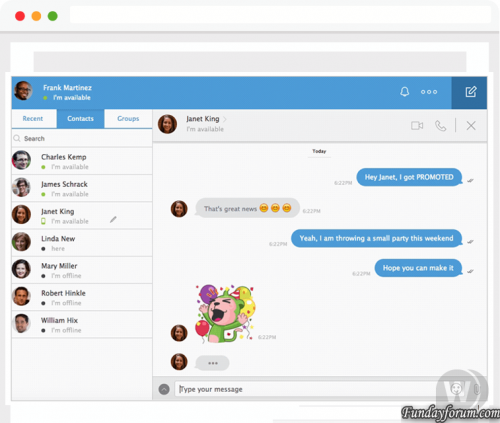
CometChat Platinum Nulled 6.9.12 - Software for organizing chat and conversation in PHP or on popular cms
Organize conversations and chat, as well as a full system of communication on your site and mobile application in a matter of minutes. Allow your users anywhere to jointly organize the communication on your website, going from both the computer and the mobile.
1) Unzip CometChat
2) Upload cometchat folder in your root forum directory
3) Go for installing cometchat https://yoursiteweb.com/cometchat/install.php
4) Go to Admin panel
Login => cometchat
Pass => cometchat
5) In the left go to Settings and General
6) under License Key put this key D2KBK-1GXGT-3OELN-RMCN0-SFP9T and update (now you have all Features )
7) Go in your Theme and "Edit HTML and CSS" under Global Template Paste this code after this Tag <head> and save
License key:
D2KBK-1GXGT-3OELN-RMCN0-SFP9T connect the script to any engine:
<link type = "text / css" href = "/ cometchat / css.php" rel = "stylesheet" charset = "utf-8"> <script type = "text / javascript" src = "/ cometchat / js.php "charset =" utf-8 "> </ script> 8) Refresh your web page, enjoy
PS: don't forget delete install.php file and change login and password for admin panel
Troobleshooting:
1) My Admin panel isn't working correctely and cometchat not working
Go to Settings and General and under Base URL change with /cometchat/ or /forum/cometchat/ or change Where your forum is installed24 downloads
Submitted
-
Free
Accounts Managment System - service management system
By Waqas Dar in PHP & Web Scripts Hub
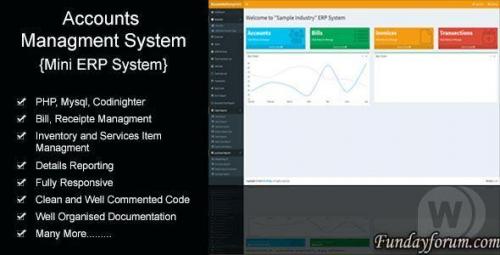
Accounts Managment System - a system for managing billing, transactions, services. Work with reports, each client, reports on transactions, etc. The system can be used in any industry.
7 downloads
0 comments
Submitted
-
Recently Browsing 0 members
- No registered users viewing this page.