
- 📢 Welcome to FundayForum – Explore Trending Topics
- 🌟 Discover What’s Trending Today
- Pakistan receives second Qatar LNG cargo in October, aims to avoid costly spot purchases
- Prince Harry's resurfaced military photo emerges, following King's tributes
- Paul Rudd visits Art of Play days after Kelly Clarkson feud
- Kristin Cavallari faces speeding arrest in Porsche 911 in Tennessee
- John Goodman compares relationship with food to alcohol addiction
- 'Obsession' star Inde Navarrette meets 'Freaky Nikki' double
- J.K. Rowling publishes essay defending trans views: “Haven't changed”
- Kid Cudi to write, direct and star as Jean-Michel Basquiat in 'Jean'
- Queen Camilla's son breaks silence on the ‘nasty' treatment his mother faced
- Zara and Mia Tindall's special Magic Millions moment in unseen family photo


Waqas Dar
-
Posts
11,303 -
Joined
-
Last visited
-
Days Won
559
Content Type
Profiles
Events
Forums
Gallery
Blogs
Downloads
Articles
Page News
Release Notes
Store
Files posted by Waqas Dar
-

Free
plugin Embedding video from Vkontakte
By Waqas Dar in IPS 4.7 Plugin
The plugin allows you to embed video from Vkontakte. Just paste the link into the editor and the system automatically turns the link into a video.
1 download
- embedding
- embedding video from vkontakte
- (and 14 more)
0 comments
Submitted
-

Free
(BIM43) Quick Search
By Waqas Dar in IPS 4 Applications
(BIM42) Quick Search
Features:
This plugin provides a search form that will search for any content with autocomplete and show results with icons for applications: Downloads, Forums (Theme Sketches Required), Pages, Gallery, Videobox and Musicbox. Settings:
Enable / disable the plugin. Permissions for user groups. Results Max. Find incomplete words Find results: only the titles Content | Names of publications and bodies Search mode: AND / OR The default setting is the type of global page search. Show the category, the author in the search results.16 downloads
0 comments
Updated
-

Free
application (BIM43) Easy Popup
By Waqas Dar in IPS 4 Applications
EasyPopup Ips Application 2.1.6 is a simple application to create the modal popups for your site.
Some features:
Width/Height for your popup. Transition open/close: FadeIn/FadeOut, SlideIn, SlideUp, SlideDown, SlideBack. Transition speed. Positions: Top Left, Top Center, Top Right, Middle Left, Middle Center, Middle Right, Bottom Left, Bottom Center, Bottom Right Background color. HTML content or upload image. Supports advertisement tag in the HTML code: {advertisement="key"} Auto close and show timer on popup. Showing popups every page loads or every X minutes. Waiting for X miliseconds to show. Easy to determine URL where to show popups. Uses IPS Member Filter System to show popups. (filter by groups, content count, joined date, last posted, last visited, reputation, member of the day....)1 download
0 comments
Submitted
-
![More information about "[ips4] Members Shop"](https://fundayforum.com/uploads/monthly_2018_04/Front1.png.9470d146ce33d6d4d834136fa5777534.thumb.png.31dc9ed666436bc5635900669ef01d6a.png)
Free
[ips4] Members Shop
By Waqas Dar in IPS 4 Applications
Members Shop This application will add a members shop and a built in point system to your site, where your members can earn and spend their well earned points they gained ( or brought if you have IPCommerce installed ) from this app or you can intregrate it to run along with Points by Anatik
Main Features
Points Earning System Forums Allow members to earn points for starting topics Allow members to earn points for replying to topics Allow topic starter to earn points for replies to their topics You can set different amounts of points for each category of the forums Downloads ( IPDownloads must be installed for this feature but is not required to run / use the app ) Allow your members to earn points for uploading files Allow the file uploader to earn points for each download received from their file You can set different amounts of points for each category in the downloads section Reactions Allow your members to earn points for receiving reactions from their content ( If a user removes the reaction it will also remove the points awarded ) If you are using evox_points then this feature will not show / work, as points has its own reputation system Clubs Award users for joining a club Remove points from users for leaving / getting kicked from a club Bonus Points Award bonus points based on a daily basis ( Members will need to login at least once in that time period ) Award bonus points based on a weekly basis ( Members will need to login at least once in that time period ) Award bonus points based on a monthly basis ( Members will need to login at least once in that time period ) You can enable or disable any of them features Award Points Award points to your selected members or user groups via the ACP Users Profile Adds a section to the users profile showing the amount of points they have and a link to donate ( Read below ) Donations Select what user groups can donate their points Set the minimum and maximum amount of points allowed to donate per donation Shows a page in the ACP with a list of all donations / who donated / who received the donation / the amount and the time & date of the donation Points Format All points are formatted with decimals for the users to read / understand easy ( example 1,000 10,000 10,000,000 ) Members Shop Items ( Allow your members to spend their well earned points in the shop ) Each item can be created unlimited times and you can select different prices and permissions for each user group for each item giving you unlimited options to pick from Create categories to place the items in All random amounts ( LIke mystery boxes, random post count etc ) can be set by the admin in the shop items menu from the minimum amount to the maximum amount they can receive from redeeming the items Set a stock amount on each item with a unlimited option ( How many you have in stock ) After a user purchases a item it will store the rewards for that purchased item, so say they buy multiple and store them away, then at a later time you change the rewards for that item in the ACP, they will still receive the rewards set when they purchased the item, as that's how they bought it All items use their own code, Example, if you have selected say the member group to not be able to upload avatars in the ACP member group permissions, the avatar item will still allow them to upload one if they redeem it, if you gave them permissions to buy that item or they got the item sent to them Each item can have its own permission matrix to select what usergroups can view it / buy it / send it DEFAULT ITEMS LISTED BELOW ( These can be added unlimited times giving you unlimited rewards to choose from ) Open a random post count mystery box Open a random reputaion points mystery box Change their username Change their member title Add or edit their signature Upload a avatar Steal a random amount of reputation from another member Will also send a notification to both users saying that they stole X amount of reputation Open a mystery points box Reset their warning points Allow members to go browse anonymous until their session ends ( Session means till they logout ) View a password from a password protected forum Play Rock, Paper, Scissors, Lizard, Spock ( Basically Rock, Paper, Scissors but the extended Big Bang Theory's version ), Users can double up their points if they win, Get their points back if they draw, Or get nothing if they lose, You can also allow users to increase their bet by a selected maximum amount you will set in the ACP item settings Allow users to pin topics for a selected amount of days ( Topic's will automatically be unpinned after X amount of days ) Allow members to feature files for a selected amount of days ( Files's will automatically be unfeatured after X amount of days, IPDownloads must be installed for this item ) Upgrade your usergroup for x amount of days, months or years, ( Members will automatically move back to their original user group after X days, months or years ) Gamble to win a random trophy from Trophy's & Medals ( Trophys & Medals must be installed for this item ) Guess the number ( You will set a maximum amount to generate and the members will guess from 1-X and if they get it correct they will win their stake multiplied by your chosen amount ( Each item will generate a different number this is not one where you remove the wrong answers from the equasion, if you buy one and guess number 20 and it is wrong then it still could be nu,ber 20 in the next box ) CUSTOM ITEMS ( You can add unlimited custom items in the store where the admin fills in the price and the name / description etc ) Each Custom Item has to be manually awarded to the members, it could be for a coupon code, it could be anything ( as long as you can manually award it that is ) Choose to receive a notification or email saying x member brought x custom item and you need to award it etc Pick what member receives the notification Pick what member will receive a email saying a custom item has been redeemed Shows a table in the ACP with all custom purchases your users have brought showing if the item has been awarded or not Click to confirm you have awarded the item to the user so that you keep the table updated letting you know what you need to do When confirming you have awarded the item you can choose to send a PM to the user with your own message saying that you have done it or you could use that to send them what you have awarded them, example the coupon code, or a voucher code etc Add a block to the ACP dashboard with the total amount of items you need to award manually Rewards & Logs View all the rewards and logs of the redeemed items in a nice members table or grid Shows the award they redeemed or received Shows what they got from the reward Statistics Pages Shows a statistics page with a graph of the global points gained on your site per day / week / month Shows a leaderboard with 3 tables under the graph mentioned above Shows a list of the members with the most points Shows a list of the members who have generated the most points via their content ( example, for the reactions they get / topics they create ) Shows a list of the members who have received the most rewards from their redeemed items and their posted content Shows another statistics page with a graph of the amount of shop items purchased globally and the global points spent per day / week / month Shows a leaderboard with 3 tables under the graph mentioned above Who brought the most items Who spent the most points Who sent the most items Shows a 3rd statistics page with a graph of the global points won using items what you gamble your points with Shows a leaderboard with 3 tables under the graph mentioned above Who has won the most points Who has brought the most items to gamble with Shows a list of the latest item redeemed rewards and the members who redeemed / won them Notifications Members will receive notifications when someone steals reputation from them Members will receive notifications if they have received a item from someone or a item has been generated from the ACP for them Members will receive notifications if they have received a donation of points with the amount of points donated and the donator You can select a member ( Admin probably ) to receive a notification when a member buys a custom item from the shop saying that you need to award it etc Other ACP Stuff Choose what points system you want to use from this apps own points or if you have installed Points by Anatik then you can select to use evox_points instead Choose what user groups can gain points with-in the forums / downloads / reaction settings You can generate unique purchases ( Of the items available in the shop ) for members and fully customize the items rewards to what you see fit ( You can charge the user for this or send it free ) Shows the shop items in a nice and clean node table giving you the ability to drag and drop them to different categories and sort them in your prefered positions Edit members points via their edit member page in the member section of the ACP Reset all members points / reset x member's points / reset all points from x usergroup Select the amount of items to show per page in the shop and my items page Choose the select to view the shop page / my items page / rewards & logs page from either a table view or a nice new grid view If you allow users to send items to others you can select a % of the value of the item to charge the users to send said item You can pick to show either a category in the sidebar of show the categories in a filter button on the table it self Add a block to the ACP dashboard showing the amount of custom items you need to award to the users IPCommerce ( IPCommerce must be installed for this feature but is not required to run / use this app ) Store And Packages Users can buy points in the store for real money ( IPCommerce store not the members shop ) You add amount of points in the packages so there are 2 ways to sell points You can just sell the points on their own You can award the points when buying x package Trophys & Medals ( Trophys & Medals must be installed for this feature but is not required to run / use the app ) Shop Items Try your luck for a random trophy ( This will generate a random trophy and award it to the member, If the member has the award already then they will lose and not gain anything, By the laws of average 10 trophys in play will work out to a 10% chance of winning ) Trophy Criteria Award trophy if user has at least X amount of points Award trophy if user has at redeemed at least X amount of items Award trophy if user has sent more than X amount of items Available Add-Ons
Sports Betting App Note..
IPDownloads, IPCommerce, Trophys & Medals & Points are all intregraded to work with this app ALTHOUGH NONE ARE REQUIRED TO RUN / USE IT, If you don't own any of them apps it just won't show or allow use of them features How to install
Download the .tar file and go to your ACP and applications then install the downloaded .tar file Navigate to the members shop tab in the ACP and go to categories & items then create your own categories and add the items from the little plus icon on the category header If there is anything you would like to see added to this application then feel free to visit one of the support topics and let me know your ideas, I am always happy to update my files with requests
18 downloads
Updated
-
![More information about "[IPS] Member Map"](https://fundayforum.com/uploads/monthly_2019_01/MartinTest_-_Members_-_IPS_Community_Suite.thumb.png.d11cf2599e638ddcab4392c236e3002e.png)
Free
application [IPS] Member Map
By Waqas Dar in IPS 4 Applications
IPS 4.3 ONLY
Member Map is an application that allows your users to put their (Exact or approx) location onto an interactive map. Member Map has a permission model so you can limit which groups can add to the map.
As an administrator you have the ability to place custom markers on the map, for example if you would like to post the location of an upcoming meet.
Re-upload since version 3.0.1 was accidentally marked as 3.0.2 - If you already upgraded to 3.0.1, you do not need to upgrade to this version (it is the same version) Select the types of maps you want to use trough the Map Manager Custom markers are now in their own group on the map Marker counter on the bottom of the page Various issues with HTTPS Set a forced bounding box (map will only project this area, regardless of markers on the opposite side of the globe) Added a setting to disable clustering Full editor in custom marker description, meaning that you can upload images, format text, etc.
6 downloads
0 comments
Updated
-

Free
download IDM 6.32 Internet Download manager Full Nulled Latest-
By Waqas Dar in PC Software Hub
▬▬▬▬▬▬▬▬▬▬▬▬▬▬▬▬▬▬▬▬▬▬▬
Internet Download Manager
internet Download Manager 6.32 Build 5 is available as a free download from our software library. It’s full offline installer standalone setup of Internet Download Manager (IDM) for Windows 32 bit 64 bit PC. IDM lies within Internet Tools, more precisely Download Manager. This program is an intellectual property of Tonec Inc.
Internet Download Manager Full Overview
Internet Download Manager is a reliabe and very useful tool with safe multipart downloading technology to accelerate from internet your downloads such a video, music, games, documents and other important stuff for you files. KaranPC IDM software download free full version has a smart download logic accelerator and increases download speeds by up to 5 times, resumes and schedules downloads. Comprehensive error recovery and resume capability will restart broken or interrupted downloads due to lost connections, network problems, computer shutdowns, or unexpected power outages. Simple graphic user interface makes Internet Download Manager user friendly and easy to use. Unlike other download managers and accelerators, IDM segments downloaded files dynamically during download process and reuses available connections without additional connect and login stages to achieve best acceleration performance.
Features of Internet Download Manager 6 Final
Internet Download Manager 6 supports all popular browsers including Microsoft Internet Explorer, Netscape, MSN Explorer, AOL, Opera, Mozilla Firefox, Avant Browser, and it can be integrated into any Internet application to take over downloads using unique “Advanced Browser Integration” feature.
Dynamic Segmentation and Performance.
Easy downloading with one click. When you click on a download link in a browser, IDM Full will take over the download and accelerate it. IDM supports HTTP, FTP, HTTPS and MMS protocols.
Download Speed Acceleration. IDM can accelerate downloads by up to 5 times due to its intelligent dynamic file segmentation technology.
Download Resume. “Internet Download Manager” will resume unfinished download from the place where they left off.
YouTube grabber. “IDM” can grab FLV videos from popular sites like YouTube, MySpaceTV, and Google Video.
Drag and Drop. You may simply drag and drop links to IDM, and drag and drop downloaded files out of Internet Download Manager 6.
Internet Download Manager Serial
Automatic Antivirus checking. Antivirus checking makes your downloads free from viruses and trojans.
Advanced Browser Integration. When enabled, the feature can be used to catch any download from any application.
Built-in Scheduler. IDM Crack can connect to the Internet at a set time, download the files you want, disconnect, or shut down your computer when it’s done.
IDM includes web site spider and grabber. IDM download all required files that are specified with filters from web sites, for example all pictures from a web site, or subsets of web sites, or complete web sites for offline browsing. It’s possible to schedule multiple grabber projects to run them once at a specified time, stop them at a specified time, or run periodically to synchronize changes.
IDM Full supports many types of proxy servers. For example, IDM works with Microsoft ISA, and FTP proxy servers.
IDM supports main authentication protocols: Basic, Negotiate, NTLM, and Keberos. Thus IDM can access many Internet and proxy servers using login name and password.
Download All feature. IDM can add all downloads linked to the current page. It’s easy to download multiple files with this feature.
Download Categories. IDM can be used to organize downloads automatically using defined download categories.
Download limits. Progressive downloading with quotas feature. The feature is useful for connections that use some kind of fair access policy (or FAP) like Direcway, Direct PC, Hughes, etc.
IDM 6.32 is multilingual.
16 downloads
(0 reviews)Updated
-
Free
4.3 CkEditor Media Widget
Categories: Contents, Semantics
Author: akilli
License: MIT, GPL, LGPL, MPL
Updated: 05 Dec 2018
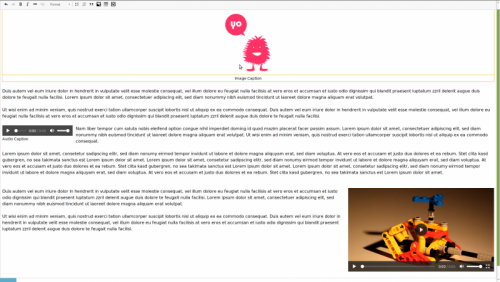
This media widget can embed image, audio, video and iframe elements solely with their corresponding tags (<img>, <audio>, <video> and <iframe>) or wrapped within a <figure> when used with a caption.
In case the media element is wrapped within a figure element, this widget will add the CSS class image, audio, video or iframe to the figure element. It also supports alignment by setting an appropriate CSS class (left or right), and the attributes width, height and alt. The controls(audio and video) and allowfullscreen (iframe) are automatically set.
If you have installed a file browser that uses the API of the mediabrowser add-on or the filebrowser add-on, the Browse serverbutton will appear. This widget itself does not provide any file browser.
No configuration necessary.
Usage with the mediabrowser add-on
If you use the mediabrowser add-on, your media browser implementation can currently send following keys with the message:
{ alt: 'Alternative text', // optional src: '/url/to/media', //required type: 'image' // optional, one of audio, iframe, image or video } Screenshots
Releases
Plugin versions CKEditor versions 4.11 4.10 4.92 downloads
0 comments
Submitted
-
Free
4.3 CkEditor Spacing Sliders Plugin
Installing: Go IPS ACP> Themes> Toolbars > Add Buttons > Upload Zip File.
Categories: Styling
Author: mysticfall
License: GPL, LGPL, MPL
Updated: 09 Dec 2018
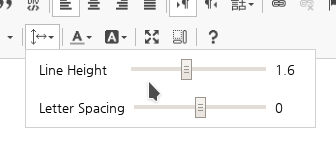
Combined slider controls to adjust 'line-height' and 'letter-spacing' CSS values of text.
CkEditor Version : 4.11 - 4.10 -4.9
Screenshots
1 download
0 comments
Submitted
-

Free
application (BIM42-43) Chatbox
By Waqas Dar in IPS 4 Applications
Chatbox - This is very simple chat system with the basic features:
Ajax chat, auto update. Display as IPS widgets, so you can place it in sidebar or top page. Sound notification. User can toggle on/off. Admins/Moderators can block users. Users can ignore some chatters they don't want to see. Load more messages when scrolling end (or top). Announcement (on Top or Tab). Support emoticons, URL, Image URL (gif, png, jpg) @mention by clicking on usernames. Flood control. Time format. Display newer messages in top or bottom. Permissions for viewing, chatting & management. Edit/Delete messages.
Bug fixes:
Scrollbar when posting long links. Spliting words in half across lines.130 downloads
- (bim41)
- (bim42-43)
- (and 2 more)
0 comments
Updated
-
Free
download Social Plus - Ultimate PHP Social Network Platform (v1.1.7)
By Waqas Dar in PHP & Web Scripts Hub
Social Plus - Ultimate PHP Social Network Platform (v1.1.7)
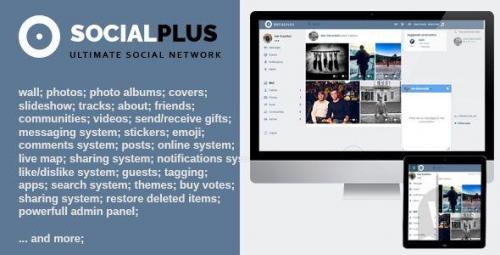
SocialPlus is a unique and feature-rich system for building a successful social network! Modern stories system, live location map, support for AWS S3 cloud storage, geolocation, registration function with SMS activation, wall, player for playing music or video, shop, photo album, comment module, advanced search, gifts, chat and convenient administration panel.
SocialPlus is a good framework with all the features to build a successful social network!
Social Plus: Mobile-Friendly | Desktop Version
USER PROFILE
Activity Feed Photos; photo albums Profile cover Reposition cover Slideshow instead a simple cover Tracks About, interests Groups follow Private photo albums Current status (post) Shared videos Friends Send, receive gifts Ability to indicate relative friends Profile Privacy Settings Profile Cover Picture Profile Search Searchable Custom Profile Fields Friendly Profile URL Block User Bookmark User Report User USER COMMUNITY
Activity Feed Community Photos, Videos, Posts Photo albums Video album Share community Invitation System Privacy Options Group Search & Category Membership privilegies Location on live map VIDEO SHARING
Easily Share Youtube/Vimeo Videos Comments & Likes Tags Videos Search & Category Related Videos Similar Videos Fullsize PHOTO VIEWER
Amazing slide & touch content Comments & Likes & Rates & Dislike Tags People Zoom picture Set as profile default Get Link Fullsize Rotate picture Delete picture Restore deleted picture Bookmark picture Picture description Details about picture UPLOAD PICTURES
Upload pictures in album or in personal photos Upload unlimited pictures as one request Uploading status bar Describe picture Uploading in background mode, the user can navigate on site while the pictures are in process upload PHOTO ALBUM
Move pictures to another photo albums GIF picture, play/pause gifs Change pictures order Album Settings Set album cover Add/delete/restore pictures Privilegies for each album Automatically create an album with deleted photos, so the user can restore pictures AWS S3 CLOUD STORAGE (added in v1.1.1)
Ability to enable / disable the module. Check the link Upload / delete media files from s3 cloud. Once you enable this module all the files are uploaded to amazaon s3. This module can be disabled or enabled anytime from admin panel. If the module is disabled then automatically all the media files are uploaded on local server, and don’t worry all the files are uploaded on s3 are available on site.
COMMENTS MODULE
Add comment Emojis Smilies Stickers Edit comments Send gifs in comments Send attachments in comments like tracks, pictures, gifs Like comment Reply to a comment Load more comments WALL
Hide item from wall Comment directly Filter wall by favorite user, by a certain friend or community Create favorite list Justify content like pictures and videos SEARCHING ENGINE
Filter search result Searching for people, music, videos Filter people by location,gender,age,online… Filter videos by duration Filter tracks by artist, album name or song name Pagination Suggestions Search history POSTS
Delete/Restore post Set as active post Fetch URL like news or video links Add tracks Live map, checkin Upload videos Upload pictures Use in post emoji, smilies, stickers Poll Tag friends by starting typing a friends name Like/dislike post Share post Comment to post Bookmark post GIFTS
Buy and surprise a friend with a gift Gifts life time Gifts by category Send private, anonymous or public gifts Wish something to friend MUSIC MODULE
Add/remove/upload/restore tracks View friend’s playlist & tracks list Create/delete/add playlists Search a track by artist name, song title or album name Post track as status Change the playlist order Change the tracks order Edit playlist Edit track, change cover .. Listen music in background Radio Buy tracks Control volume Seek tracks Sort tracks by genre Shuffle Repeat on/off Search friends Listen history APPS
Play App Sort apps by category Invite friends to play apps Top apps My apps GUESTS
View guests on your profile Delete guest Lock profile for foreign people MARKS
Notify when someone liked your picture, post, video Notify when someone rated your pictures Load more notifications MESSAGES
Send, receive message text, gifs, tracks, videos, pictures, and shared contents Blacklist Sound on/off Hide conversations Seek conversations Delete conversations Edit last message Delete messages Notify when recipient typing a text Search for people Load more conversations CHAT
Minimize/maximize chat tab Send attachments, share contents Seen notification Keep the chat tabs while the page is reloading Awesome design THEMES
Open old created themes Choose original themes Create custom themes Upload custom cover Create a slideshow theme and manage all the efects MISCELLANEOUS
Languages Notifications center Reports Responsive Comments tab, useful to comment an item without wait to open it Friends suggestions Friends Birthday notification Communities suggestions People you may know URL & Video Parsing in Activity Feed Friends request Friend relationship Search friends by letters Admin panel
Site statistic designed in highcharts Search items General settings Site settings Edit users Manage videos Edit tracks Add/remove apps Manage posts Themes Manager Add/remove gifts View reports by users Language Manager ADS Manager Terms/Policy update Mailing List Admin control panel
Got to admin Demo account
Email: test@mail.com Password: demouser3 downloads
- (v1.1.7)
- free scripts
- (and 11 more)
0 comments
Updated
-

Free
theme/skin mdPanel - Material Design
By Waqas Dar in IPS 4 Themes/Ranks
mdPanel is a material design inspired IPS theme. It comes with a palette and 6 awesome Light/Dark color schemes, Switching between color schemes is One Click in the theme settings, Without touching a line of code You can customize ALL front-end colors with well organized color settings.
DEMO
Scroll to bottom and change the theme to mdPanel.
Key Features
Palette. 6 color schemes. Dark & Light versions included. One click to switch your website between 6 elegant color schemes.
You can also customize from any of the colors schemes you want all within theme settings. Color Management %99 all theme colors are customizable with color settings. Without touching a line of code you can change the entire front-end colors all in a theme editing page.
Customize colors of CK Editor, Widgets, Navigation's, Social links, Topic background, Author panel background, Forms & Toggles, Pagination & tabs, Buttons, Notifications, Messages...etc). Forum Category Styles. Set a custom background, title background, colors, and a cover to specific forums.
No custom css or coding knowledge is required, All you have to do is selecting forums and apply your colors. Footer. Enable/Disable footer. optionally show/hide on mobiles and tablets. Editor field column. with a header text field and a Truncatable option. Custom HTML field column. provided with a sample for quick links. Pages application column to get records from database. Color settings for footer background, Header color, Text color & link hover color. Upload a background image for footer, with an optional setting to apply opacity. Advanced Footer Application.
With advanced footer application you can have ultimate footer columns. Add footer rows, Add any number of custom column blocks, feed from all IPS applications. add different footers for different themes and more...
Custom Widgets. Add Two Editor field widgets to show on top or bottom of your website. Optionally show it to specific pages like Registration, Login, Staff directory, User profiles ...etc). Set user group permissions, customize colors and backgrounds. Great for guest messages, or custom html. Advanced Custom Widgets Plugin.
Advanced custom widgets allows you to add Sticky and Normal custom TXT and HTML widgets to your website. Each widget you add is fully customizable with its own configuration settings.
RTL Support.
Theme add-ons
Swiper Slider. Swiper is a powerful and a modern touch slider integrated in this theme, You can add 5 custom slides. also feeds from Pages app. Enable/Disable Swiper. Who can see. Where to show. Excludable from IPS applications and other pages on the site. Add custom slider height. Show pagination. Show navigation. Enable/Disable Autoplay. Loop Mode. Swiping mode. Lazy Loading. Add a texture overlay. Add a color overlay. Sliding Effects. Custom Slider content CSS, background color, Title color and title font size. Slider image position. 5 Custom and reorderable Sliders.
Each slider have its own Editor field, Title field, Image field and User group permissions. Swiper Slider Application
With swiper slider application you can add infinite custom sliders, and feed from IPS applications ( Downloads, Pages, Gallery ). on thefly add/edit sliders. give permissions for those you want to add sliders and more...
News Ticker. With this horizontal and auto scrolling news ticker present headlines or minor updates on your website. Customize background and text color of tickers. Add a news ticker title with options to customize background, text color. News Ticker Plugin
News Ticker plugin comes with many more options and configurations to customize including a couple more different styles. and on the fly add/edit tickers with options for who can add/edit... and more...
Free Resources
This theme is included with the following paid resources
A different article styles. -1.0.4: "Entertainment" is a new tab in the theme settings, included with Christmas Mode & Snowfall options.
Stay tuned for more cool stuff in future updates
3 downloads
0 comments
Submitted
-

Free
application IPS Pages SuperDocs
By Waqas Dar in IPS 4 Applications
Pages SuperDocs is a set of responsive Pages templates. It is loosely based on the design of the IPS Developer Documentation section, but the concept has been extended into a turnkey solution for all sorts of category-based Pages databases.
Live Demo
Version 1.1.2 for 4.3 only added.
What’s needed:
IPS 4.2 or 4.3 in its most recent version with the Pages application A pages database that uses Categories. (Up to 4 levels can be shown in the Record View navigation) What’s recommended:
Pages SuperDocs is compatible with the Pages Category Images plugin. Upload images for your database categories with it and Pages SuperDocs will make your database look even more appealing (See screenshots for a comparison). Without this plugin, you will only be able to change the header image of the SuperDocs templates. Which templates are included:
A category listing template to be used as the homepage for your database. It features a header box with the database title and description on a user-defined color gradient and background image. A Listing template replacing the dull forum listing design that is used by default. Both your categories and records are shown in a simplistic and beautiful grid layout. If you have the Pages Category Images plugin, your category images will be shown here as well. A unique Record View template. It supports all the stock features (Ratings, reactions, comments, reviews …), but adds a useful navigation tree at the side. With it, users can easily jump between individual records. The main level is always shown. All categories and records within a main level entry will be shown automatically, once you open records within that category. For database with many records per category, the output of records in the navigation can be suppressed. Note: You can use the templates for any number of databases, but the settings will always apply to all SuperDocs templates. Detailed Feature Description and Notes:
The templates are fully responsive but work best on pages without a sidebar, since the included navigation in the record view adds a column to the layout. The templates come with several options you can easily adjust through the included settings plugin. Base color—Used for the category boxes and the gradient Gradient color—When different from base color, creates a gradient for the header area Category image aspect ratio—Only used if you have the category image plugin installed. Box font color—The font color in the header area sitting over the box and gradient colors Active color—Link color of the active record in the SuperDocs navigation Use custom header image—Link a file to be shown in the header area Author in Record View—show/hide author in record view Levels of Records—How many levels of records are shown in the navigation? Category box text alignment—left/center/right alignment of text in category boxes
0 downloads
- free ips 4.3 application nulled
- fundayforum
- (and 11 more)
0 comments
Submitted
-

Free
theme/skin Flatum IPS
By Waqas Dar in IPS 4 Themes/Ranks
Flatum 1.0.2 (4.3 IPS)
A dark template for the latest version of IPS 4.3.x, which has a very advanced configuration in the ACP (including a top in the style of fixed, changing the display of the subforum, layout of the header and other visible in the gallery), which allows you to adapt it to every requirement. This theme is fully responsive.
click -> Live Demo <- click
Test account:
Login: demo / password: demo123
ACP Settings
You can customize the template as you like.
Category
----
Header and More
----
Forms
----
User profile
----
Sidebar
----
Slider
----
Editor colors
10 downloads
0 comments
Submitted
-

Free
application IPS Pages SuperHelp
By Waqas Dar in IPS 4 Applications
Pages SuperHelp is a set of Pages templates for help/FAQ sections, tutorials, online courses and similar content.
Live Demo
What’s needed:
IPS 4.2 or 4.3 in its most recent version with the Pages application A Pages databases that uses several levels of categories. Benefits of SuperHelp:
The Pages stock templates are limited to show only one level at a time: One level of categories; one level of record links in one category; one full record. SuperHelp is based on an older version of IPS’ Help Guide Section and can show much more information and make browsing your database much easier. The template set has a beautiful and clean look and is of course fully responsive. It adopts to almost all IPS sites and the included settings plugin lets you edit the template appearance without any HTML knowledge.
What is included:
A Frontpage category listing template which shows main and sub categories. A Listing template which shows sub categories, records in sub-categories and records in the current category. A Record View template with a sidebar, which shows other records in the same category. A Plugin which lets you change the settings of the templates easily. An installation PDF with detailed instructions and tips to set up your SuperHelp database. Note: You can use the templates for any number of databases, but the settings will always apply to all SuperHelp templates. The main level can use category images using the IPS Pages Category Image plugin by All Astronauts Plugin Settings:
Show category follow button: Yes/No Show record images in listing view: Yes/No Show record image in record view: Yes/No Number of lines after which the preview text gets cut off Number of records to show in a sub-category list Type of icon to use for help steps: Automatic numbering or user-defined FontAwesome pictogram Text alignment for title/description on frontpage Text alignment for title/description on listing page Text alignment for category title/description on frontpage What's New in Version 1.3.0
Released December 1
New version 1.3 for IPS Pages 4.3 and up. No upgrade is necessary or advised for 4.2 installations. Stay at version 1.2.0. New feature of the 1.3 version: support for the IPS Pages Category Images plugin for the top SuperHelp category level0 downloads
- free ips 4.3 application nulled
- fundayforum
- (and 12 more)
0 comments
Submitted
-

Free
novel Is dil mai base hu tum Novel by Anum Khan PDF Complete Download
By Waqas Dar in Urdu Afsana & Novels Hub
Is Dil Me Base Ho Tum by Anum Khan is Romantic Urdu Novel published online for Reading and PDF Download at Fundayforum. Is Dil Me Base Ho Tum Urdu Novel is based on story of 4 close friends who met again after 8 years and catch up with each other about these 8 years. They learn all the good and bitter things about their lives. They also give support to each other to resolve issues and problems. Is Dil Me Base Ho Tum is also story of Mustabashra Jamal & Ali Ayan Khan and Mahrosh Saeed & Murad Mansoor. We hope Fundayforum Readers will like this beautiful Urdu Romantic Novel and give their feedback.
99 downloads
0 comments
Submitted
-

Free
application Musicbox Invision Community Application
By Waqas Dar in IPS 4 Applications
MUSICBOX INVISION COMMUNITY APPLICATION 3.1.1.2
MusicBox is an application for IPS 4.x that allows users to upload their music online and share them to social networks.
Demo:http://demo.ipsviet.com/
Support Topic:https://invisionpower.com/forums/topic/427989-musicbox-support/
Features:
Upload your music. Create playlists. Genres (categories) for songs, playlists. Custom Fields: create any number of custom fields that can be required (or optional) when users upload songs. Integrated with Nexus so users can sell/buy songs. Profile page for artist with rating system. Favorite system: users can create custom playlists. Play music when embedding the link in other apps (Forums, Pages, Blogs,...). Comment system. Rating system. Sharing system. Friendly URL.51 downloads
0 comments
Updated
-

Free
application Basic Points
By Waqas Dar in IPS 4 Applications
Points application to issue new points to members and new points for new topics, posts, signing up or giving points manually via their profile page. Control the points given for various things and permissions from the admin cp.
Features:
NEW Redeem points into a manually processed value with custom field support. NEW Integration with the Commerce application to redeem points into account credit. NEW Set per forum values for members giving and receiving reactions. Set how many points new members get on signup. Enable an auto reset for points. Top points widget to display the members with the top points. Customize the fixed point options given out for each post. Change the name or prefix of points. Set how many points new topics, replies are given in each forum. Set how many points are given to the topic starter if someone replies to their topic in each forum. Import points from other Points apps if they store their points in the forums database. (Confirmed working with ibEconomy.) Points displayed in profile information of each members post. Manually modify a members points count from their profile. Including a note stating the reason. Profile tab that displays a list of that members points log. Set group permissions for who can view and manage (add/remove) points. Global points page to display all the recent points logs and actions.
New Features In 1.1.0
Several new features and improvements: Enable an auto reset for points. Top points widget to display the members with the top points. Customize the fixed point options given out for each post. Change the name or prefix of points.11 downloads
0 comments
Updated
-

Free
application IPS Pages Application Category Images
By Waqas Dar in IPS 4 Applications
Add an image to every IPS Pages database category for use in your templates!
NOTE: V1 plugin users please see note near bottom for installation instructions - short version is do NOT uninstall the plugin!
Any settings?
Nope. Just install and go. When editing/creating a category in an IPS Pages database this application appends a new tab where you can upload an image. That's it.
And how do I use this?
Images are stored wherever you have set the Pages Category Images file handler set to store them and you can access the image anywhere the $category variable is available to you in Pages templates.
$category->pcimage = The local url to the stored image. You will rarely use this by itself as it will return "uploads/monthly_07/thisismyimagename_34erjfhrufhdheh.jpg" or something along those lines.
{file="$category->pcimage"} = The COMPLETE url to the stored image. "https://myawesomesite.com/uploads/monthly_07/thisismyimagename_34erjfhrufhdheh.jpg". Just sticking this in a template will output that as a line of text.
<img src='{file="$category->pcimage"}'> = The image will be displayed in your template at this location at full size.
You get the idea. From here you can format the image with css, use it as a background element, and so on.
Why am I using this again?
Give every category its own image. Format it like an icon and stick it next to the category title in your templates. You could create a large section background for your categories using this image. And so on...
Why $category->pcimage and not just $category->image?
If IPS ever adds something like this to Pages database categories themselves I predict with 99.999% certainty they would use the word "image". I added the "pc" in front to hedge against that potential future conflict.
What happens if I disable this application?
Everything will continue to work, you just won't be able to add an image to Pages database categories until you re-enable it. You are just disabling the category edit/create category image tab when you disable this; that's all.
And if I uninstall this?
All of your uploaded images will be deleted of course. Consider that you will be editing your Pages templates to add calls to these images too. You'll need to edit your templates to remove those calls after you uninstall this.
Did this used to be a plugin?
Yep. Now its an application with a proper file handler.
I have the plugin now should I uninstall that or...?
DO NOT UNINSTALL THE PLUGIN! You'll lose all of your files and have to re-upload them again. I've set up the install routine for the new application to handle it all for you.
Install the app just like any other app and it will automatically take over the file handling from the piggybacked core_Attachments handler, remove the plugin uninstall routine that would normally delete your uploaded images, and then uninstalls the plugin for you. If for some reason you install the plugin again afterwards you're on your own... Seriously, delete any copies of the plugin you have lying around. Only bad can come from those being used after you've installed the app.
What's New in Version 2.0
Moved to application from plugin. Own File Handler0 downloads
- category
- free ips 4.3 application nulled
- (and 13 more)
0 comments
Submitted
-
Free
download YouTube Video Downloader Browser Extension
By Waqas Dar in PHP & Web Scripts Hub
Brief Description
The YouTube downloader is a specially designed tool that fulfills the downloading requirements of the billions of YouTube user worldwide in all possible aspects. The core quality of the extension is that it will never redirect you to any third party websites.
How it Works
Download video from YouTube
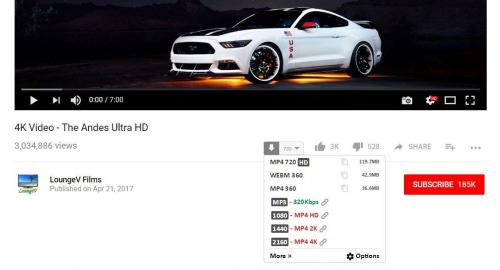
After you have completed the installation, YouTube video downloader extension will automatically add “Download” button below the video you are playing at that time. Click this button and it will display all available formats in which you can download your desired video. Select the required format and save the video directly on to your system.
Convert YouTube videos to MP3
The download button under the YouTube video that you will be playing at any time displays the list of all available MP3 formats in which you can convert your required YouTube video. Click the button and select any of the available MP3 format. It will take around maximum twenty minutes to convert the video in MP3 format depending on video duration.
Key features of the addon
Supported Formats for Video Downloads
It allows the user to download YouTube videos with different high quality options. It offers 2160p (4k), 1440p (2k), 1080p (HD), 720p (HD), 480p, 360p, 144p etc. These video qualities are supported for all available video formats (MP4, FLV, WEBM, 3GP).
Dash Video and Audio Downloads
The YouTube video downloader extension also allows the user to download dash videos and audio streams. Please be informed that dash files do not include any of the audio or video streams.
6 downloads
- browser
- chroome extension
- (and 11 more)
0 comments
Updated
-
![More information about "Veizor Neon 4.3 [IPS THEME]"](https://fundayforum.com/uploads/monthly_2018_11/Ava-Neon.thumb.png.097a1df870935b93f835ba290f5571f0.png)
Free
theme/skin Veizor Neon 4.3 [IPS THEME]
By Waqas Dar in IPS 4 Themes/Ranks
Veizor Neon this is a new template created from the first version of Veizor. Unique design in the style of cyberpunk and very simple customization. We tried to make the style lively and interesting. Maintains its own atmosphere of Noir style.
A huge number of settings, effects for the slider, simple color change.
Attention, the theme will be constantly updated and get new features.
Click here for demo! Login and Pass: test
Main Settings
Backgrounds
3 downloads
0 comments
Submitted
-

Free
theme/skin Evave 4.3.x
By Waqas Dar in IPS 4 Themes/Ranks
Evave 4.3.x Works with the latest versions of these applications:
IP.Board 4.3.x
Admin Control Panel
IP.Commerce
IP.Pages
IP.Downloads
IP.Gallery
IP.Blog
IP.Calendar
Included in the download:
Theme XML file for installation
All fonts used throughout the theme
logo.psd
team-icon.psd
IBTheme copyright and license agreement
Admin CP is themed to match forums
3 downloads
Submitted
-

Free
application (SOS43) Invite System
By Waqas Dar in IPS 4 Applications
(SOS43) Invite System
This application will allow your community to use an invitation system for new registrations. You can make it mandatory (or not, depending on your configuration). In this case, an invitantion code will be required in order to register a new account in your community.
Public side features:
Users can send invitation in 2 places: + Create menu and Invitations on Account Settings. New icon on board top (beside Notifications and Messenger) to display the converted invitees and how many invites the user has. This icon also shows the remaining invitations for the member (just like how many users are online on Chat). 2 widgets: Top Inviters (per week, month, year and general) and Latest Converted Invitees, which are invitations converted to membership. Shows "Invited by" on user profile and on profile card (hover on user link). Tab on user profile to display their invitees (converted invitations) Settings:
Enable Invite System Require an Invitation to Register an Account Restore deleted or expired invitation Display "Invitation" option on + Create menu Display the popup Invitations link on board top? Display total of remaining invitations Invitation Expires after X days Earn one Invitation at every X new content posted ACP Features:
Invitations Management: a place where you can see the status of each invitation. The status are: PENDING, CONVERTED and EXPIRED. You can invite people, delete or resend invitations. You can also create batch invitations, to be used on a campaign or to be posted elsewhere. It won't send any emails. Bonus form: you can give invitations to a specific member or to a whole member group Note:
It doesn't work in Commerce registration (if you have packages in register screen)
18 downloads
0 comments
Updated
-

Free
theme/skin 25+ Forum Ranks PSD files
By Waqas Dar in IPS 4 Themes/Ranks
Latest forum ranks. 25+ folders and files including PNG images and PSD files.
10 downloads
0 comments
Submitted
-
Free
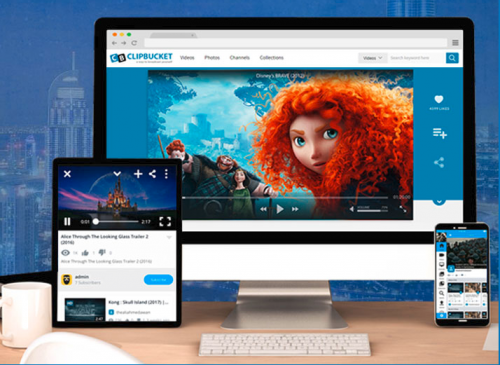
download ClipBucket Enterprise Package full
By Waqas Dar in PHP & Web Scripts Hub
This is ClipBucket Enterprise Version 4.0 NULLED. It is a YouTube clone script/Video sharing script, It includes many features.
Fastest growing video script with the most advanced video sharing and social features.
8 downloads
- clipbucket
- clipbucket enterprise package full
- (and 8 more)
Submitted
-

Free
theme/skin Titan 4.3 // ips 4.3.6+
By Waqas Dar in IPS 4 Themes/Ranks
Titan for IPS.Suite 4.3
Titan is the ultimate gaming theme, based upon a large wallpaper image which is blurred behind textured navigation and category bars. Easily upload your own image via the theme settings to completely change the colour scheme, or let your members choose from a predefined selection!
Theme features
Theme Settings
Easily enable, disable or modify theme features such as background images, logos, social media links, guest messages and colors. This makes modifications and upgrades very simple since little code changes are required.
Unique navigation design
Titan features a unique navigation design, utilising an animated effect on-hover.
Blurred headers
The navigation bar and category headers inherit a blurred version of your background image. Compatible with all modern browsers, except IE.
Social links
Social links can be enabled/disabled and customized to your own URL, allowing you to easily link to your social network pages (facebook, twitter, etc)
Background picker
Your members can choose their own background image (or color) from a predefined selection and their choice is saved via cookies. This feature can be configured and disabled if necessary within the theme settings.
Global message
Display a message across the top of your site with important announcements. Once your members have seen the message, they can press the Dismiss button to remove it (until you configure a new one).
Guest message
A customizable message can be shown to guests, prompting them to either register or login to your forum. Two designs, "billboard" and "alert" (shown) are available.
HTML logo with slogan
Easily add/edit your text logo and slogan from within the theme settings. If required, the text can be replaced by an image instead.
Mega Footer
A mega footer with configurable column numbers and content can be enabled and customized all within the theme settings.
Demo // Detailed list of features
Compatible with IPS.Suite 4.3.6 Fixed zebra striping in some tables, particularly in 3rd party addons Fixed pagination colours when used outside of the ipsButtonBar class Minor bugs reported in the ipsfocus Bug forum have also been patched10 downloads
Submitted
-
Recently Browsing 0 members
- No registered users viewing this page.