
- 📢 Welcome to FundayForum – Explore Trending Topics
- 🌟 Discover What’s Trending Today
- Megyn Kelly under fire after mocking Christina Applegate's health struggles
- Gracie Abrams dishes on preparing for 'SNL' Halloween show
- Australian fast bowler Megan Schutt suspended over medication breach
- Jake LaRavia injury: Lakers' head coach JJ Redick shares positive update after win
- Prince Harry wants 'closure' in crucial meeting with Princess Eugenie
- Leigh-Anne Pinnock breaks silence after troll brands her 'flop' in Jade Thirlwall comparison
- Mike Tindall makes never before heard confession about Zara
- Novo Pakistan Supports Insulin Access
- Charli D'Amelio breaks silence on family feud: 'Can't trust a person'
- Chappell Roan debuts 'expectations' live after collab with Olivia Rodrigo


Waqas Dar
-
Posts
11,303 -
Joined
-
Last visited
-
Days Won
559
Content Type
Profiles
Events
Forums
Gallery
Blogs
Downloads
Articles
Page News
Release Notes
Store
Files posted by Waqas Dar
-

Free
(itzknotty) Facebook widgets 4.0.5
By Waqas Dar in IPS 4 Applications
What is it?
A small plugin that brings two widgets with it:
A widget to display the latest posts of a configured facebook page A widget to display the latest live stream of a configured facebook page. The livestream widget will only be displayed if there are users viewing the stream at the moment. There is also a page...
...that shows the complete activity stream of the configured page. The user can click on a button to load the next activity items from the facebook page. All you have to do is to create a facebook app and configure the facebook page in the admin control panel where you can paste the appID and the app secret. Place the widget wherever you want and you will see the lastest posts or the latest live stream.
Configure the plugin
Go to the admin control panel of your site and login with your account. Go to Community > Itzknotty > Settings Fill in your data:
Facebook Pagename
The name of the page you want retrieve data from (https://www.facebook.com/your-pagename).
Facebook App ID
The app id of your application. For further information how to create an app scroll down.
Facebook App Secret
The secret of your application.
Place the widgets you prefere to your board.
Add a link to the complete stream if you want:
How to create a Facebook application to access data of your page
You need an active Facebook account to create an app.
Go to https://developers.facebook.com/apps/ and make sure you are logged in with your preferred account. Click the button "Add a new App" And fill in the information for Display Name, Contact Email and choose Apps for Pages as category.
Click on Create App ID and confirm the security check to proceed. Navigate to the Settings page in the left navigation bar. Copy your App ID and your App Secret and insert both in your admin control panel.
Everything should work now.
What's New in Version 4.0.5
Released January 1
It is possible to display facebook group feeds or other items that supports a "feed" endpoint Fixed the error that not the configured count of feeds were displayed in the widgets8 downloads
0 comments
Updated
-

Free
Xenforo 1.5.12
By Waqas Dar in Free XenForo Resources
Today, we are pleased to release XenForo 1.5.12. This release fixes a number of bugs and issues that were found since the previous release. As this is a maintenance release, the vast majority of the focus was an increase in stability.
However, by default, we have replaced the Flash-based attachment uploader with an HTML5-based approach. This has increased compatibility with mobile devices and removes Flash as a dependency for multiple file uploads. The Flash-based uploader is now deprecated. While the HTML5 uploader is enabled by default, you can change back to the previous uploader code by disabling the "Use new HTML5 uploader" option. Generally this should not be necessary; however it's possible the new uploader may not be immediately compatible with all add-ons. If you run into problems uploading files in an add-on, you may wish to disable this option. Note that we have released updates to XenForo Media Gallery and Resource Manager that improve compatibility with the HTML5 uploader.
Some of the changes in this release include:
Add a CAPTCHA to account confirmation email resending if you've previously requested a resend recently to limit potential abuse. Limit the number of times you can change your email within a short period of time to limit potential abuse. Insert user change log records when two-step verification is enabled/disabled. Log profile post and profile post comment edits to the moderator log for consistency. Improved PHP 7.1 support with memory limit checks and numeric input handling. Allow autolinking to include links containing "[" characters. Allow the bounce parser to identify several other bounce message patterns. Maintain ICC profiles when using the Imagick image processor only if supported by Imagick. Move the Facebook logo sprite to be served locally as the existing URL no longer functions. (Note: this requires a new image within your image path: xenforo/connect_sprite.png.) Add some padding around the message content element to prevent characters from being cut off in certain specific cases. Fix sizing of the attachment thumbnail placeholder for non-image attachments when using a large thumbnail size. In messages, only output the "person" metadata for registered members. If the internal data path is a non-local path, ensure we use a local path for temporary files. Adjust several phrases to use the more general wording of "the site" rather than "the board". See the Resolved Bug Reports forum for further information.
The following templates have had changes:
account_confirm_resend attached_files.css attachment_editor attachment_upload_button attachment_upload_overlay facebook.css message_user_info Where necessary, the merge system within the "Outdated Templates" page should be used to integrate these changes.
Please note that we are now formally recommending that you upgrade to PHP 5.4 or newer. Our intention with XenForo 2.0 is to require PHP 5.4 or newer. If you are running PHP 5.3 or 5.2, you will receive a warning when installing or upgrading XenForo.
All customers with active licenses may now download the new version from the customer area.
10 downloads
0 comments
Updated
-
Free
application PM Viewer
By Waqas Dar in IPS 4 Applications
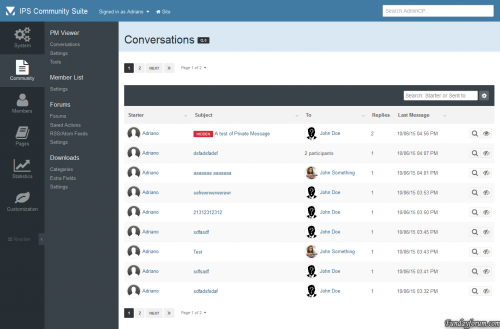
This application will allow administrators to read conversations on Admin CP. If admins has a special permission, they will also be able to VIEW hidden conversations, EDIT, HIDE/UNHIDE conversations (from appearing on PM Viewer application) and INVITE/REMOVE MEMBERS from conversations.
Conversations can also be tracked by filtering keywords. If a specific keyword added by an admin is used on Conversation, users from selected group will receive a notification with a link to the conversation on PM Viewer application.
Admins can also use tools to HIDE or UNHIDE all conversations with one click.
18 downloads
- download
- fundayforum
- (and 6 more)
0 comments
Submitted
-

Free
download Emoji 1.0.6
By Waqas Dar in IPS 4 Themes/Ranks
Add full Emoji support to your community!
Adds over 1,500 Emoji to the "emoticons" dropdown on your community. No set up required. Just install the plugin! Option to use EmojiOne style or use the Emoji style for the user's device. All your existing emoticons are still available. Emoji is stored as UTF-8 characters (not images) and so can be searched and displays even in areas where images are stripped (like search results).
Important, before you purchase: This plugin requires your database be in utf8mb4 mode. Go to AdminCP > System > Support. Next to the MySQL version, if you see an option to enable utf8mb4, run that tool. If you do not see it, you are already ready.
Please also note that the Chat application, because it doesn't actually support emoticons and relies on the "short codes", is not supported and Emoji will not show when using Chat.
What's New in Version 1.0.6
Released December 12, 2016
Fixes flags not showing properly if using EmojiOne41 downloads
0 comments
Submitted
-

Free
plugin (NB40) Separate Pinned Topics
By Waqas Dar in IPS 4.7 Plugin
This plugin will separate pinned topics (Forum View Page)
Fixed bug with moved topics
15 downloads
0 comments
Submitted
-
Free
Birthday in Registration Screen
By Waqas Dar in IPS 4.7 Plugin
ATTENTION: Be sure you download the correct version for 4.1.13 onward.
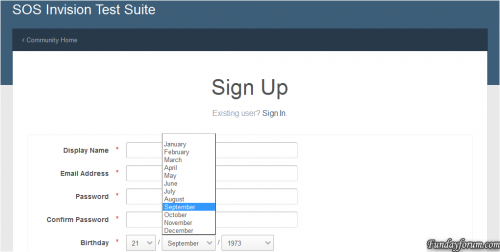
This plugin will allow new users to fill the Birthday on register form.
Settings:
Require birth date on registration screen? Require full birth date? If enabled, MONTH, DAY and YEAR will be required. If disabled, only MONTH and DAY are required. Update for 4.1.13 compatibility. Use the file marked as 4.1.13 onward.3 downloads
0 comments
Submitted
-
Free
(IPS4) Instagram Photos 1.0.0
By Waqas Dar in IPS 4.7 Plugin
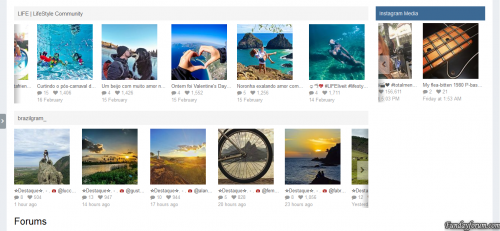
This plugin will display photos from Instagram accounts on your board via widgets that can be used more than once in any page.
Settings:
Token: watch this video to see how to get your access token. Photo click behavior: if opens a popup with photo details or go to Instagram to display the photo details there. If admin decides for the popup view, will be display all info about the image, such as submitter, likes, date, location, tags, comments, etc.
Per Widget block settings:
Block title Display Recent Images or Liked Images. If admin chooses Recent Images, he can inform any User Id to display images from. Liked Images will display only images from the token owner. Get the User id informing the username on this page. Number of images to show Groups allowed to view the block
Note:
This plugin requires the PHP cURL extension to work.4 downloads
0 comments
Submitted
-
Free
New Members Today
By Waqas Dar in IPS 4.7 Plugin
Description
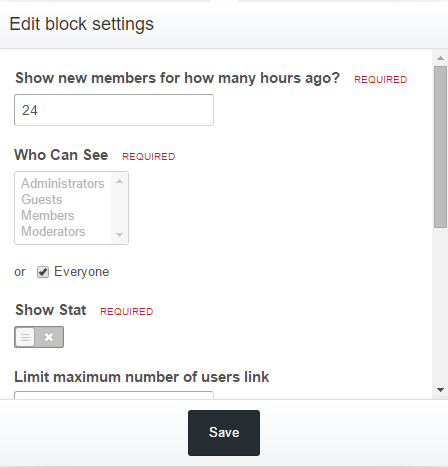
This plugin allow you see the new members that join your site within given time set by yourself in settings.
Installation
To install you just need upload XML file (Admin CP > System > Site Features > Plugins > Install)
Upgrade
To upgrade you just need upload XML file (Admin CP > System > Site Features > Plugins > Upgrade)
Setup
You need change settings in Block Manager on front end
7 downloads
0 comments
Submitted
-
Free
TXT & PHP Widget
By Waqas Dar in IPS 4.7 Plugin
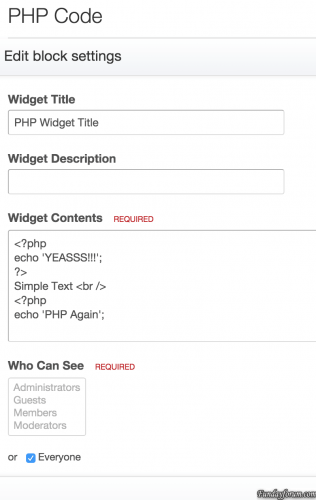
This mod will let you add Text, HTML and PHP widget IPS4's blocks. also you can disable PHP widget from Admin CP
How To Install
You just need install the plugin (Admin CP > System > Site Features > Plugins > Install)
19 downloads
0 comments
Submitted
-

Free
Hikayat e saadi by ibn e ali (sheikh saadi)
By Waqas Dar in Quran & Islamic Books
Download or read Hikayat e saadi by ibn e ali(sheikh saadi) Urdu Pdf Books
Hikayat e saadi by ibn e ali(sheikh saadi)141 downloads
0 comments
Submitted
-

Free
Aqwal e Zareen Book in Urdu Download
By Waqas Dar in Quran & Islamic Books
Free download online Aqwal e Zareen Book in Urdu Free Download,Hikmat ki Batain, a book of Islamic Urdu quotes For free download PDF written by Abu Yahya, The collection of quotes (Aqwal e Zareen) in the Urdu language, Saying of Abu Yahya and Famous persons of the world, phrase or short piece of writing taken from longer work of books, literature and Magazine. Free download online Hikmat ki batian is very interesting and knowledgeable source book.
2,884 downloads
0 comments
Updated
-

Free
Pro Gamer Ips Theme 4.1,17,1
By Waqas Dar in IPS 4 Themes/Ranks
Pro Gamer is Black theme for ips best for gaming community or black theme lover.
16 downloads
0 comments
Submitted
-

Free
Dispersion by IPSFocus 4.1.17.1
By Waqas Dar in IPS 4 Themes/Ranks
Dispersion features an animated gradient background image which is randomized on each page load and overlaid by a selected image from the background picker. The gradient is both created and animated (in compatible browsers) using css and your visitors are given the option of using a greyscale background by clicking a simple toggle button. Additionally, the animation effect can be paused by your members if it hinders their browsing experience. The header collapses on-scroll, and stays at the top of the screen for easy access.
44 downloads
0 comments
Submitted
-
Free
Name2Color Avatars
By Waqas Dar in IPS 4 Applications
I was bored and was browsing around and saw a list of "new features" in a competing software to IPS and was like "now IPS should have this".
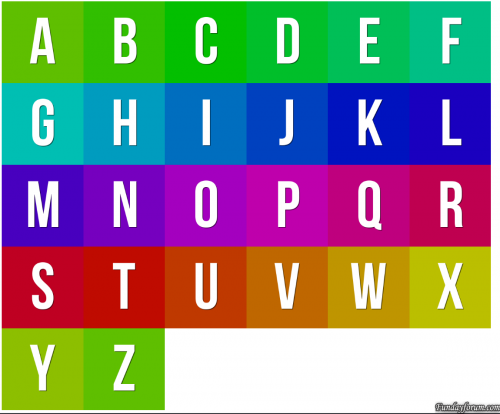
if the USER has the "default" user avatar, the "egg person" not sure what else to call it, this plugin will take the first character of their username and create a color code out of it (they are not unique to the user, its not that advance) and create a "text based" avatar for the account.
feel free to use however want or add it to any project you'd like. no support will be provided.
What's New in Version 2.0.2
if you have the plugin installed, please remove it before installing this.
added in support for imagick, if you have imagick installed and your suite set to use it, it will use this to generate the images. the images come out cleaner.
prerendered images are now rendered by imagick.
7 downloads
0 comments
Updated
-

Free
Ab Mera Intizaar Ker-Novel by Umera Ahmed Pdf
By Waqas Dar in Urdu Afsana & Novels Hub
Ab Mera Intizar Kar Novel By Umaira Ahmad Pdf Download or read online.
Free Download Ab Mera Intizar Kar Novel Authored By Umaira Ahmad. Ab Mera Intezar Kar is an interesting novel contains a beautiful social romantic story in Urdu language.
149 downloads
0 comments
Submitted
-

Free
(SIV41) Search Bots Online
By Waqas Dar in IPS 4.7 Plugin
Search bots in the online list.
The plugin, by the rules of IPS, extends the function and does not replace it, thus managed to maintain compatibility with other plug-ins for this function.
In the New's for What the Version 1.0.1
Added settings formatting bots
6 downloads
0 comments
Updated
-

Free
XenForo Media Gallery
By Waqas Dar in Free XenForo Resources
The XenForo Media Gallery is an add-on that allows you and your users to create galleries of images and videos in your forum, organized into admin-defined categories or user-created albums.
5 downloads
0 comments
Submitted
-
Free
Chat By Siropu
By Waqas Dar in XenForo Mods Hub
Admin Features
Enable Chat Enable Chat Rooms Enable Chat Page Rooms to display in the navigation Display Mode (All Pages, Forums List Above, Forums List Below, Sidebar Below Visitor Panel, Sidebar Bottom, Chat Page Only, Embed) Allow room change in embed mode Enable chatters list Enable top chatters list with limit Hide users after x minutes of inactivity Enable tag alerts Link tagged users to their profile Enable avatars in users list Enable avatars in message list Enable colored messages Enable color picker Choose if banned users can view chat Set maximum messages displayed Set maximum smilies used in a message Delete messages older than x days Delete rooms inactive for x days Enable /me command Enable /whisper command Enable /quit command Enable /kick command Display user commands by chat bot Chose which editor buttons are displayed (bold, italic, underline, strike-through, link, image, media, quote, spoiler, code, smilies) Disallow certain BBCodes Disable All BBCodes Set default user settings Displayed notifications Refresh rate control (4 states) Enable Chat Page Sidebar Display top chatters widget on chat page sidebar Notices (You can use multiple in rotation) Ads (You can use multiple in rotation) / Support for Ads Manager is available.
All Pages Mode it displays a bar at the bottom of the window with the last posted message and the number of chatters. When you click on the bar, the chat get displayed and you can chat from any page at any time. This way you don't have to stay on specific page to chat.
Embed Mode allows you to embed the chat with any room anywhere you want in the template using a template callback with XF's Template Modifications System.
There is also a mode called Full Page Mode which allows you to embed the chat using an iframe. To use it, you just need to add /fullpage to the end of the chat page URL.
Rooms (User Group Based Permissions)
Admin option to globally enable/disable rooms feature. Users can Add/Edit/Delete Rooms from within the chat if they have permission. Admin can create rooms with user group based permissions. Users can password protect their rooms if they have permission. Users can bypass password if they have permission. You can view who's chatting and in which room. By using /room and then typing you can search for rooms. /whisper command (Permission based)
Allows you to send private messages to chatters and the best part is that it supports multiple recipients at the same time.
/whisper [User 1, User 2] your message
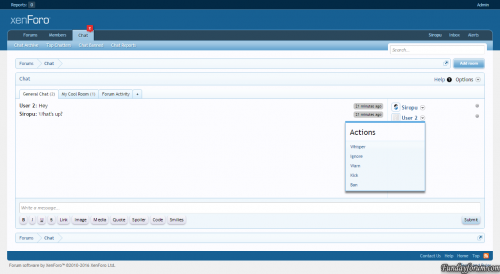
You can either write this manually or you can click the new "Whisper" link in the user actions menu. If you click on multiple users "Whisper" action, they will be added to the group.
When the message shows up, you can see who else received the message and if you click on the "Whisper" text, you can send a new message to the same group, without having to click again on their "Whisper"link.
The /whisper command can be globally switched on/off from admin options and there are also user group permissions.
/me command (User Group Based Permissions)
Enable/disable the /me command. Set if command is displayed by the chat bot. /quit command (User Group Based Permissions)
Enable/disable the /quit command. Set if command is displayed by the chat bot. Command will display a message to all users: Username has left the chat.
If you write something after the command, that message will be included with the notification: Username has left the chat (Your message).
/prune command (User Group Based Permissions)
Will delete all the messages in the current room.
By adding all after the command will delete all the messages in all the rooms.
By adding the username of a user after the command, will delete all the messages by that user from the room.
/status command (User Group Based Permissions)
Allows you to set a status that will be displayed under your username in the chatters list. The status can be also set from the user options.
/mute command (User Group Based Permissions)
Allows you to mute users from the room for x hours (specified in the admin option). Muted user will not know that he/she is muted as the messages posted will not be saved and only displayed to that user.
/kick command (User Group Based Permissions)
Allows you to kick users from the room for x hours (specified in the admin option).
/clear command
Will clear all the messages in the chat window (does not delete them).
/rules command
Will display an overlay with the rules you have set.
/rooms command
Will display the available rooms.
/help command
Will display an overlay with information about the chat commands.
/user command
By typing /user followed by a username, will display only the messages associated with that user.
/giphy command
Will post a random GIF image using Giphy service. If a keyword is specified, the GIF will be random based on that keyword.
Bot Responses
Allows you to set keywords that can trigger automated messages posted by chat bot.
Bot Messages
Allows you to automatically post messages at a scheduled time.
Desktop Notifications
Allow you to display desktop notifications when there are new messages and the chat window is unfocused. You can set which message types are displayed (normal, whisper, tag, bot). Users have the option to disable this from their settings.
Default Joined Rooms
This feature will set the default rooms for new chat users. The rooms can be selected from the chat admin options and it only works with rooms that don't require a password. For rooms that are permission based, the permissions will be taken into consideration before joining.
Keep Session Alive
If enabled, active chat sessions will be updated every 5 minutes to keep them alive.
Set last active tab default
If enabled, the last active room tab in the chat will be set as default on the next page load.
Top Chatters
Enable/disable top chatter list with limit. Admin can reset top chatters list any time. Displayed notifications (By the Chat Bot)
User has been banned User has been unbanned User has joined the room User has left the room User has registered Display new forum Threads & Posts
Choose to display new threads Choose to display new thread posts Choose to display post content excerpt (with length control) Choose to display posts from selected forums only The messages will get posted by the Chat Bot and you can set the name for it.
Display moderator ban actions
If enabled, moderator ban/unban actions will be displayed in the chat by the chat bot.
Style Properties
Allows you to style almost every element of the chat.
You can also change the image icons and set bot avatar.
Font Awesome Support
Allows you to use Font Awesome icons instead of image icons. You can choose your own icons and you can even include Font Awesome if you don't have it installed.
Permissions
View chat Use chat View archive Search archive Edit own messages Edit messages by anyone Delete own messages Delete messages by anyone Delete all messages Ban users from chat View banned users Join rooms Join multiple rooms Add rooms Password protect rooms Bypass Password Delete any room Edit any room Use /me command Use /whisper command Use /quit command Use /kick command Allow room authors to use /kick command Choose display mode Use color Manage reports Report messages View whispers (Optional for Admins/Moderators) Read whispers (Optional for Admins/Moderators) Edit notices View Ads User Features
Enable/Disable Sound Maximize Chat Window Inverse Direction Set chat editor position (top or bottom) - Requires page refresh. Hide/show bot messages Hide/show chatters list Hide messages from ignored users Hide desktop notifications Enable/Disable Chat (Not applies to Chat Page Mode) Choose display mode Set massage color using color picker User Tagging (When you post with0 downloads
0 comments
Updated
-
Free
TaigaChat Pro - Realtime chat/shoutbox
By Waqas Dar in XenForo Mods Hub
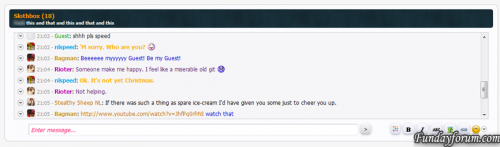
TaigaChat Pro brings to the table a wide array of commonly-requested features in the original TaigaChat free version, along with many improvements of my own concoction to make TaigaChat Pro more than an old-fashioned shoutbox - it is now also suited to replace highly-concurrent Flash, IRC and proprietary chatrooms.
For your money, you will not only receive a significantly more versatile and powerful product, but the same lifetime updates and support I offer on all my premium addons. By contrast, the free version of TaigaChat is largely unsupported - all future updates will be channelled into TaigaChat Pro. You are also buying into tried and tested technology - TaigaChat was one of the first major XenForo addons and has existed since the first beta versions of XenForo, with constant updates ever since.
In moving from the free version to TaigaChat Pro on my live forum, the activity of the shoutbox has drastically increased. Factors such as the new 'speed mode' refresh system and persistent message colouring have given it the 'XenForo Effect'; it is simply more fun to use. Of course, standard forum posting has not decreased - on the vast majority if not all forums, shoutbox messages and forum posts are used for entirely discrete purposes.
1 download
0 comments
Submitted
-
Free
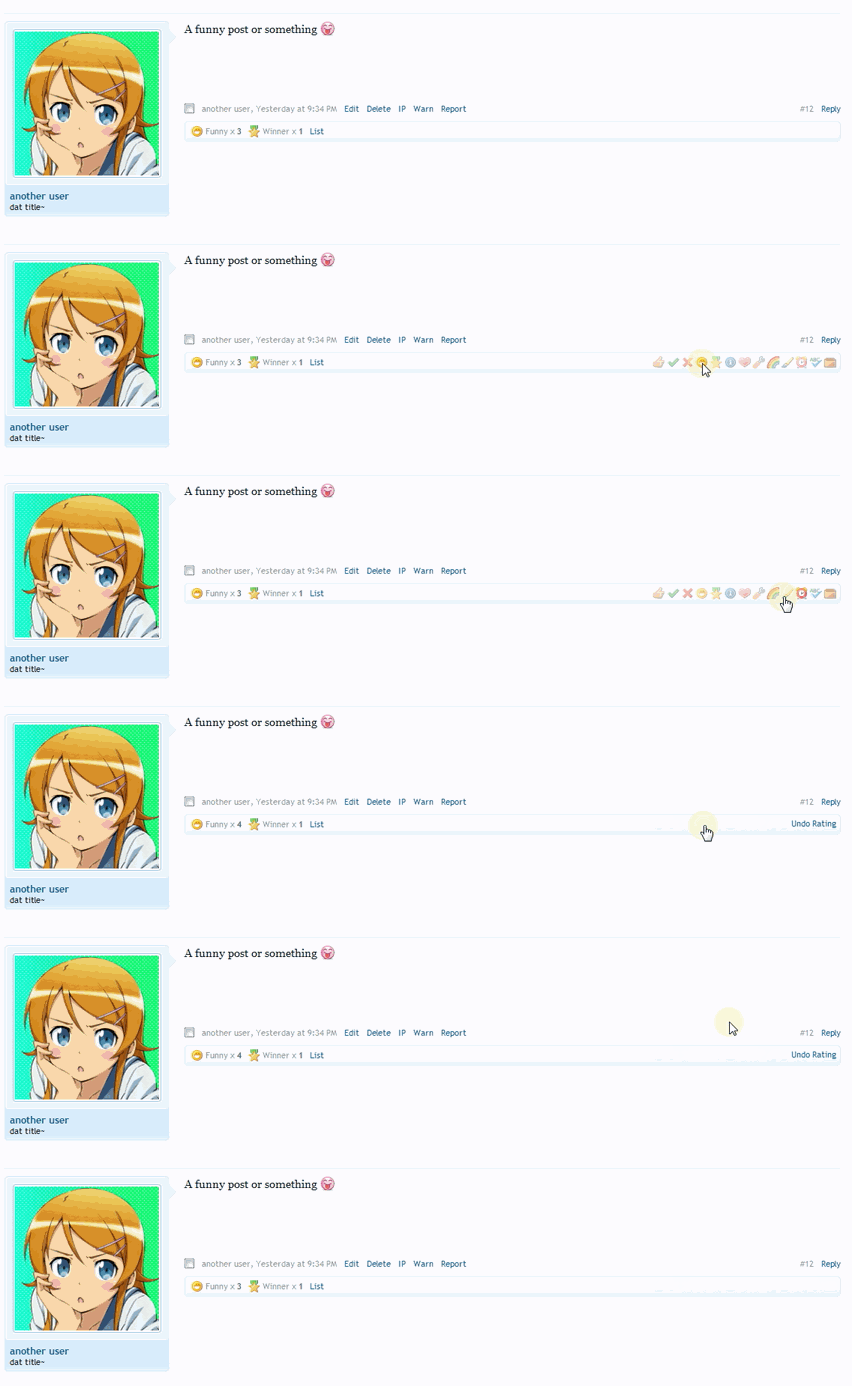
Post Ratings - taking likes to the next level
By Waqas Dar in XenForo Mods Hub
At its most basic level, this addon is a massive improvement on the likes system of XenForo by allowing users to express a wide range of views on a post.
From first glance it may look like one of those silly addons for moods, points, credits, etc. that really adds nothing of benefit to your forum, but the reality is very different.
This addon:
Increases daily posts (read on for proof) Improves signal to noise ratio; less short/unnecessary posts Improves quality of posts (posters want to avoid negative ratings) Makes lurkers useful for something and gives them a means of interaction Like Alerts and similar features, I have found this addon to be a major source of the 'XenForo effect' - people just can't stop using it.
0 downloads
0 comments
Submitted
-

Free
Dar-o-Deewar Pdf Novel by Ahmed Nadeem Qasmi Download
By Waqas Dar in Urdu Afsana & Novels Hub
Free download or read online Ahmed Nadeem Qasmi's famous novel "Dar-o-Deewar" and enjoy 9 Urdu fiction stories written by Mr. Ahmed Nadeem Qasmi who is one of the most famous Urdu litterateurs in Pakistan. Ahmed Nadeem Qasmi is a famous Urdu novelist and Urdu writer from Pakistan. He is the author of various Urdu books and novels. He is best known for his services for the Urdu language. The author is also a famous Urdu poet, journalist and dramatist. Dar-o-Deewar is one of his most famous Urdu book containing the best Afsanay (Urdu novelettes) written by Ahmed Nadeem Qasmi.
Ahmed Nadeem Qasmi's Afsnay from Dar-o-Deewar are under the below titles;
Main Insan Hoon Naya Farhad Taskeen Jab Badal Omday Sipahi Baita Vote Kahani Likhi Ja Rahi Hai Rajay Maha Rajay Musawwir (Drama)
Above are the famous Afsanay by Ahmed Nadeem Qasmi collected into Dar-o-Deewar Urdu book. These are the most famous Urdu Afsanay by Ahmed Nadeem Qasmi. Dar-o-Deewar by Ahmed Nadeem Qasmi is available here for free download in Pdf format and read online. You can free download and read online this Urdu Book from the table below the following sample pages.
BRIEF INFORMATION ABOUT THE PDF EBOOK
Book Name:Dar-o-Deewar Writer:Ahmed Nadeem Qasmi Language:Urdu Format:Pdf Size:3.42 MB Pages:183
79 downloads
0 comments
Updated
-

Free
HTML & XML Urdu Tutorial Book Free Download
By Waqas Dar in Free eBooks Download
کتاب یا ناول کو ڈاؤن لوڈ کرنے کے لیے پیج کے ڈاؤن لوڈ بٹن پر کلک کریں
Download or read online Urdu book HTML and XML authored by Michael Morrison. This is a complete Urdu tutorial book about HTML and XML. Download or read online this free Urdu book and learn HTML and XML step by step. This HTML & XML Urdu book is for beginners so if you are looking for to learn XML in Urdu language then this book is for you. The author of this Urdu book Mr. Michael Morrison has worked hard to described every aspect of HTML and Xml. This book was actually written in English Language and someone has translated it into Urdu language. You will never find such a detailed Urdu book of HTML and Xml. So don't wait and download HTML and XML Urdu tutorial book from the below blinking buttons and start learning HTML and XML in Urdu language.
BRIEF INFORMATION OF THE BOOK
Book Name:HTML & XML Urdu Book Writer:Michael Morrison Language:Urdu Format:Pdf Size:103.94 MB Pages:248
Download or read on-line the complete book from fundayforum.com
But before downloading this book, please share this book and like us on face book so that you will be informed about our new book through your facebook account.
82 downloads
0 comments
Submitted
-

Free
Mushaf (Urdu Novel) By Nimra Ahmed pdf complete
By Waqas Dar in Urdu Afsana & Novels Hub
Book Name:Mushaf
Writer:Nimra Ahmed
Language:Urdu
Format:Pdf
Size:30.77 MB
Pages:250 - double column pages
Free download or read online another must read Urdu Novel "Mushaf" and read a very beautiful Urdu story about an orphan and poor girl who is guided by the Holy Qur'an and her miserable life changes to a comfortable life. Mushaf is the title name of this Urdu novel which is authored by Nimra Ahmed. Nimra Ahmed is one of the most popular Urdu novelists in Pakistan. She has authored a lot of Urdu stories and novels that are published in different Urdu magazines and novels. Mushaf Novel was also published in an Urdu digest on the basis of monthly episodes but now the whole episodes and full story of Mushaf Novel is here in a single Pdf file.
Urdu Novel Mushaf by Nimra Ahmed is not a romantic novel. Nimra Ahmed has mostly focused on the miracle of the Holy Quran. The Holy book that helps the orphan poor girl to understand the real meaning of life brings the positive change in her life. Umera Ahmed's Peer-e-Kamil is about the Holy Prophet and Nimra Ahmed's Mushaf is about the Holy Quran. Both novels are appreciated and got attention.
Mushaf by Nimra Ahmed is here in Pdf format with the size of 30.7 MB and as long as 250 pages with double columns. You can free download and read online this Urdu novel from the table below the sample pages.
Sample Pages of the Urdu Novel "Mushaf" By Nimra Ahmed
Free Download Urdu books read online social / romantic Urdu novels
Mushaf (Urdu Novel) By Nimra Ahmed Complete in pdf
File size: 30.78 MB
We have a good collection of Urdu Afsanay, SafarNamay, Urdu Digests, Urdu Magazines, Urdu Novels, jasoosi, social, fiction, action, adventure and many more.
Mushaf (Urdu Novel) By Nimra Ahmed pdf complete
290 downloads
Submitted
-

Free
Kaf-e-Aena parveen shakir
By Waqas Dar in Urdu Afsana & Novels Hub
Download or Read Online Kaf e aena Urdu Novel By Parveen shakir in Pdf.
37 downloads
0 comments
Submitted
-

Free
Yaaram Urdu Novel By Sumaira Hameed in Pdf
By Waqas Dar in Urdu Afsana & Novels Hub
Download or Read Online Yaaram Urdu Novel By Sumaira Hameed in Pdf.
About Sumaira Hameed.
Name of Sumaira Hameed is listed among the most profound writers of today, he concept used by this lay in her work is mostly based on fiction and the fiction genre is highly appreciated these days by the young readers. She has touched hearts of fans by her stories in different digests. The very first story of this lady was featured in the Khawateen digest and since then she is presenting new and improved stories every now and then. Her work is unique and her knowledge is priceless which always appeals the people out there and the demand of her work is also increasing gradually within no time.
145 downloads
Updated
-
Recently Browsing 0 members
- No registered users viewing this page.